
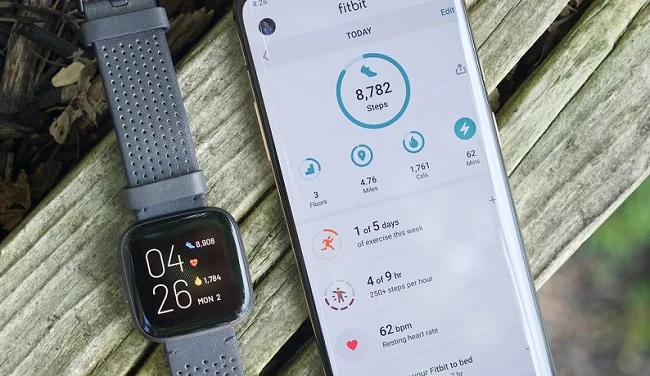
Fitbit phone compatibility changes faster than phone model names do. In 2026, the most accurate way to judge compatibility is simple: your phone must be able to run the current Fitbit app.
Current Fitbit app requirements (2026):
- iPhone: iOS 16.4 or later
- Android: Android 11 or later
- Account note: Fitbit is moving fully to Google Account sign-in. Existing Fitbit accounts must migrate by May 19, 2026.
If your phone can’t meet those OS requirements, the Fitbit app may not install, may not update, or may lose features over time.
Key Takeaways
- A phone is Fitbit-compatible if it runs iOS 16.4+ (iPhone) or Android 11+ (Android).
- “Compatible model lists” only matter if the phone can actually update to the required OS.
- Most real-world problems are caused by battery/background restrictions, not Bluetooth hardware.
Quick Compatibility Check (Do This First)
1) Check your OS version
- iPhone: Settings → General → About (or Software Update)
- Android: Settings → About phone → Android version (or System update)
2) Try installing the Fitbit app
If you can install the latest Fitbit app from the App Store / Google Play and sign in, you’re almost always compatible.
3) Confirm you can sign in (Google Account)
New users should expect Google Account sign-in. If you still use a classic Fitbit account, you’ll be prompted to migrate in the app.
Fitbit-Compatible iPhones (iOS 16.4+)
Rule of thumb: If your iPhone can run iOS 16.4 or later, it is compatible with the current Fitbit app.
Compatible iPhones (commonly supported for iOS 16)
- iPhone 14 / 14 Plus / 14 Pro / 14 Pro Max
- iPhone 13 / 13 mini / 13 Pro / 13 Pro Max
- iPhone 12 / 12 mini / 12 Pro / 12 Pro Max
- iPhone 11 / 11 Pro / 11 Pro Max
- iPhone XS / XS Max / XR
- iPhone X
- iPhone 8 / 8 Plus
- iPhone SE (2nd gen) / iPhone SE (3rd gen)
Not recommended / commonly incompatible with the current Fitbit app
- iPhone 7 / 7 Plus and older (these models typically can’t reach iOS 16.4)
Tip: If you’re buying an iPhone mainly for Fitbit, aim for a model that still receives iOS updates reliably (newer is safer).
Fitbit-Compatible Android Phones (Android 11+)
Rule of thumb: If the phone runs Android 11 or later and has full Google services (Play Store), it should be able to use the Fitbit app.
Because Android updates vary by model and region, the lists below work best as:
- Recommended picks (most likely to stay compatible)
- Common models that can be compatible (only if updated to Android 11+)
Samsung Phones Compatible with Fitbit
Best Samsung picks for Fitbit (smooth syncing + long update runway)
- Galaxy S series (newer generations)
- Galaxy Z Fold / Z Flip series
- Galaxy A3x / A5x series (midrange models with stronger support)
Common Samsung models that can be compatible (verify Android 11+ on your device)
Galaxy S series
- Galaxy S10 / S10e / S10+ / S10 Lite
- Galaxy S20 / S20+ / S20 Ultra / S20 FE
- Galaxy S21 / S21+ / S21 Ultra / S21 FE
- Galaxy S22 / S22+ / S22 Ultra
- Galaxy S23 / S23+ / S23 Ultra / S23 FE
- Galaxy S24 series and newer
Galaxy Note series
- Galaxy Note10 / Note10+
- Galaxy Note20 / Note20 Ultra
Galaxy Z series
- Galaxy Z Fold2 / Fold3 / Fold4 / Fold5 / Fold6 and newer
- Galaxy Z Flip / Flip3 / Flip4 / Flip5 / Flip6 and newer
Galaxy A series (popular Fitbit pairings; confirm OS)
- Galaxy A32 / A33 / A34 / A35 / A36
- Galaxy A52 / A53 / A54 / A55 / A56
Samsung legacy models (may appear in older “compatibility lists,” but often fail the OS requirement)
Older Galaxy A/J/M models from the late 2010s may be stuck on Android 10 or earlier depending on region/carrier. If your phone can’t reach Android 11, it may not run the current Fitbit app.
Google Pixel Phones Compatible with Fitbit
Pixel phones are generally a safe Fitbit choice because Android updates are consistent.
Recommended Pixel picks
- Pixel 8 series and newer (strong long-term update support)
- Pixel 6 / 6a / 7 / 7a series (still common and generally stable)
Common Pixel models that can be compatible (confirm Android 11+)
- Pixel 4 / 4a / 4 XL
- Pixel 5 / 5a
- Pixel 6 / 6a / 6 Pro
- Pixel 7 / 7a / 7 Pro
- Pixel 8 / 8a / 8 Pro and newer
OnePlus Phones Compatible with Fitbit (Android 11+)
OnePlus typically works well once background restrictions are configured correctly.
Common compatible OnePlus models (confirm Android 11+)
- OnePlus 7 / 7T / 7 Pro
- OnePlus 8 / 8T / 8 Pro
- OnePlus 9 / 9 Pro / 9R / 9RT
- OnePlus 10 / 10 Pro / 10T
- OnePlus 11 / 12 and newer
- OnePlus Nord lines (newer models are more reliable)
Tip: If syncing is inconsistent, adjust battery optimization (see Troubleshooting below).
Motorola Phones Compatible with Fitbit (Android 11+)
Motorola can work well, but model-to-model update support varies a lot.
Common Motorola lines that often work (confirm Android 11+)
- Moto G series (newer generations)
- Moto Edge series
- Moto Razr (Android foldable line)
If you’re buying Motorola specifically for Fitbit, prioritize models that clearly list Android 11+ (or later) in current software.
Xiaomi / Redmi / POCO, OPPO, vivo, realme: Compatibility Notes
These brands can be Fitbit-compatible if:
- The phone runs Android 11+
- It includes Google Mobile Services (Play Store)
- You allow Fitbit to run in the background
Common issue: Some region-specific ROMs (especially China ROMs) may lack Google services or aggressively restrict background tasks, causing sync/notification failures.
Huawei Phones: Important Warning
Many Huawei phones shipped without Google Mobile Services in recent years. If the Play Store and Google services are missing, Fitbit setup and sign-in can be limited or fail.
If you want a “no-drama” Fitbit phone pairing, Huawei is generally not the safest choice unless you know your exact model/region includes full Google services.
Troubleshooting: Fitbit Won’t Sync or Notifications Don’t Work
Most “compatibility” complaints are actually background permission problems.
Fix syncing (works for most users)
1) Force-close Fitbit app, reopen
2) Toggle Bluetooth off/on
3) Restart phone
4) In Fitbit app: try a manual sync
5) If still failing: unpair device → re-pair
Fix notifications (especially Android)
- Enable Fitbit notifications in the OS notification settings
- Allow Background activity for Fitbit
- Remove battery restrictions for Fitbit (Battery optimization → set Fitbit to “Unrestricted” / “Don’t optimize”)
- Keep Bluetooth on
FAQ
Does Fitbit work with iPhone?
Yes—if your iPhone runs iOS 16.4+, the Fitbit app is supported.
Does Fitbit work with Android?
Yes—if your phone runs Android 11+ and has the Play Store/Google services.
Do I need a Google Account for Fitbit now?
New users should expect Google Account sign-in. Existing Fitbit accounts must migrate by May 19, 2026.
Why do some “compatible phone lists” still show iPhone 7 or Android 7 phones?
Those lists are outdated. The current Fitbit app requirements are much higher than they were a few years ago.
What’s the safest phone choice for Fitbit?
Pick a phone with long OS support and stable background behavior (newer iPhones, Google Pixel, or newer Samsung Galaxy models tend to be the least troublesome).
Bottom Line
Fitbit compatibility in 2026 is mainly about OS version:
- iOS 16.4+ on iPhone
- Android 11+ on Android
Model lists are helpful for SEO and quick reference, but your final answer is always your phone’s OS version and whether it can run the latest Fitbit app.