

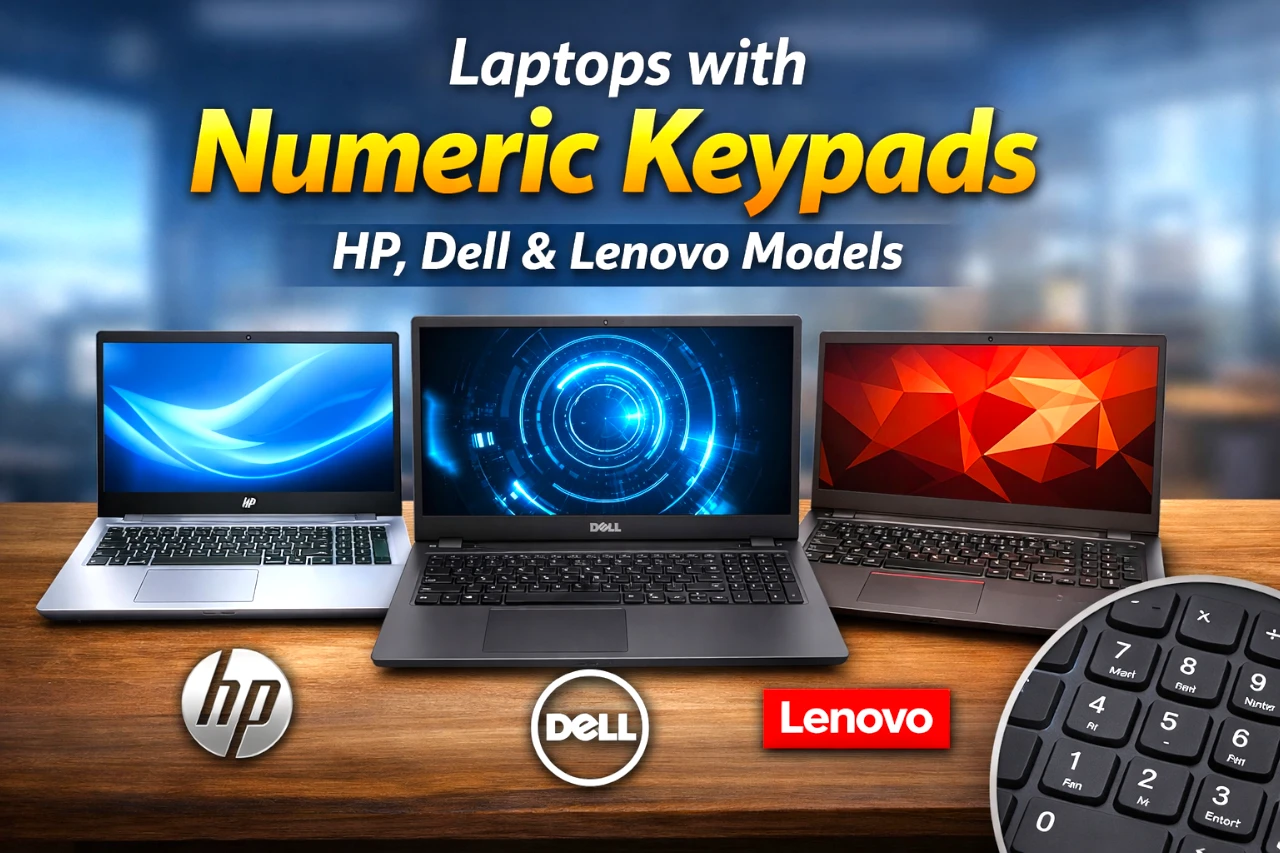
If you do spreadsheets, accounting, data entry, or even frequent calculator work, a built-in 10-key numeric keypad can be the difference between “fine” and “frictionless.” The good news: you don’t need a niche model—many mainstream 15–17″ laptops from HP, Dell, and Lenovo still include a proper number pad.
Below is a practical, brand-sorted list of laptop lines that explicitly include numeric keypads in their official specs—plus a quick checklist to confirm the exact configuration you’re buying.
Key takeaways
- Most 15.6″ and larger laptops are the safest bet for a full 10-key layout—but always confirm on the spec sheet.
- Business lines often keep numeric keypads more consistently than ultra-thin consumer models.
- “Embedded” number pads (using letter keys) are not the same as a true dedicated 10-key.
- If you love 14″ portability, budget for an external USB/Bluetooth numpad instead.
What “numeric keypad” really means
A true numeric keypad is the dedicated 10-key block on the right side (with NumLock, 0–9, +, −, Enter, etc.). It’s different from:
- Embedded numpad: numbers mapped onto letter keys (you toggle with Fn/NumLock).
- Touchpad numpad: a numpad that appears on the touchpad (rare, and not everyone likes it).
When brands say “full-size keyboard with numeric keypad” or “10-key numeric keypad,” that’s what you want.
Quick comparison table
| Brand | Laptop line | Category | Typical screen class | Numpad called out? |
|---|---|---|---|---|
| HP | Pavilion 15 | Mainstream | 15.6″ | Yes |
| HP | HP Laptop 17 | Big-screen value | 17.3″ | Yes |
| HP | ProBook 450 G10 | Business | 15.6″ | Yes |
| HP | Victus 15 | Gaming/value | 15.6″ | Yes |
| Dell | Inspiron 15 3530 | Mainstream | 15.6″ | Yes |
| Dell | Vostro 3530 | Small business | 15.6″ | Yes |
| Dell | Precision 3591 | Workstation | 15.6″ | Yes |
| Lenovo | IdeaPad 3 (15″) | Entry-level | 15.6″ | Yes |
| Lenovo | IdeaPad 1 (15) | Budget | 15.6″ | Yes |
| Lenovo | ThinkPad E15 | Business | 15.6″ | Yes |
| Lenovo | ThinkBook 15 | SMB/prosumer | 15.6″ | Yes |
| Lenovo | Lenovo V15 (PSREF) | Business value | 15.6″ | Yes |
| Lenovo | ThinkBook 16 Gen 7 | SMB/prosumer | 16″ | Yes |
HP laptops with numeric keypads
HP Pavilion 15 (15-eh3000 series and related Pavilion 15 configs)
- [Upgraded Memory & Storage & OS] Upgraded to 24GB DDR4 SDRAM 3200 MHz 1TB PCI-E NVMe,Solid State Drive for Storage.
- [Processor and Graphics] AMD Ryzen 7 7730U 8-Core Processor (Up to 4.5 GHz, 16 MB Smart cache 8 Cores 16 Threads) Radeon Graphics
- [15.6" FHD 60Hz Display] 15.6" FHD (1920 x 1080) IPS 60Hz Touchscreen 250 nits 45% NTSC, BrightView Thin Bezel LCD Display.
- [Additional] Fullsize Backlit Keyboard with Numpad 720p HD Camera 41Whr 3-Cell lithium polymer battery (up to 4 hours battery life) 14.18" x 9.21" x 0.7" inches,3.86 lbs 45W AC Adapter
- [Connection & Ports] Realtek Wi-Fi 6 2x2 Bluetooth 5.3,1x USB-C 3.2 Gen 2 (Power Delivery and DisplayPort 1.4), 2x USB 3.2 Gen 1, 1x HDMI v2.1, 1x Headphone and microphone combo jack.1 x 32GB USB...

A very common “do-everything” 15.6″ line. HP’s Pavilion 15 spec sheets list a full-sized keyboard with numeric keypad.
Best for: home office, school, light creator work.
Watch-outs: Pavilion configurations vary a lot—confirm CPU/RAM/SSD and screen quality (brightness/color) per SKU.
HP Laptop 17 (17-c3000 / 17-cp3000 series)
- Display and Graphics:Experience visual brilliance and vivid clarity on this 17.3" LED-backlit Touchscreen display. With a sharp 1600x900 resolution, it boasts 250 nits of brightness, technology, and...
- Memory and Storage:Elevate your performance with 48GB of lightning-fast DDR4 SDRAM operating at 3200MHz; Swift Data Access: Benefit from a high-speed 1TB PCI-E NVMe SSD that ensures rapid data...
- Processor : AMD Ryzen 7 7730U 8-Core Processor (Up to 4.5 GHz, 16 MB Smart cache | 8 Cores| 16 Threads), this CPU offers versatile performance, making it ideal for power-hungry tasks like...
- Connectivity:Stay connected with Intel Realtek Wi-Fi 6 (802.11ax 2x2) and Bluetooth 5.3, providing lightning-fast and reliable wireless communication.
- Keyboard and Ports:Fullsize Backlit Keyboard with Numpad, enhance convenience and security;Versatile Connectivity: , 1x USB-C 3.2 Gen 1 (Support Data Transfer), 2x USB 3.2 Gen 1, 1 x HDMI v1.4, 1 x...
- Additional Features: Windows 11 Pro; speakers 2Wx2; 41 Whr 3-cell lithium-ion battery; 15.7 x 10.1 x 0.81 inches, 4.56 lbs; Natural Silver; 45 AC Adapter, free 32GB USB Drive

If you want a big screen and a built-in numpad, HP’s 17.3″ consumer line explicitly lists a full-size keyboard with numeric keypad.
Best for: spreadsheets, bigger text, less squinting.
Watch-outs: larger chassis = less travel-friendly.
HP ProBook 450 G10
- Intel Core i5 1.30 GHz processor provides great performance, immersive multimedia and rapid loading of programs
- With 8 GB memory, you can switch between various applications without issue
- 15.6" display with 1920 x 1080 resolution showcases movies, games and photos with impressive clarity
- 256 GB SSD keeps your running programs active while your computer resumes from suspension in seconds

A business-oriented 15.6″ option; HP’s own documentation calls out a full-size keyboard with numeric keypad.
Best for: office work, durability, “IT-friendly” deployments.
Watch-outs: business laptops can be pricey depending on security/warranty bundles.
Victus by HP 15 (15-fa series)
- HP Victus 15.6" Gaming Laptop with FHD, 144Hz refresh rate, IPS micro-edge anti-glare display
- NVIDIA GeForce RTX 4050 6GB GDDR6
- 16 GB DDR4 RAM, 512 GB PCIe Gen4 NVMe M.2 solid-state drive
- Windows 11 Home, 13th Generation Intel Core i5-13420H Processor, NVIDIA GeForce RTX 4050 Laptop GPU (6 GB GDDR6 dedicated)
- 16 GB DDR4 RAM, 512 GB PCIe Gen4 NVMe M.2 solid-state drive

A gaming/value line where HP’s specs include full-size, backlit with numeric keypad.
Best for: light-to-mid gaming plus school/work.
Watch-outs: gaming laptops tend to run warmer and louder under load.
Dell laptops with numeric keypads
Dell Inspiron 15 3530
Dell’s tech specs for the Inspiron 15 3530 list a full-size keyboard with numeric keypad (with backlit options depending on config).
Best for: everyday productivity on a budget.
Watch-outs: Inspiron configs range from basic to surprisingly strong—buy the configuration, not just the name.
Dell Vostro 3530
A small-business alternative; Dell’s product page lists keyboard options with 10-key numeric keypad.
Best for: small business users who want simple and serviceable.
Watch-outs: Vostro availability and configurations can be region-dependent.
Dell Precision 3591 (mobile workstation)
- Dell 15.6" Precision 3591 Workstation Laptop
- 1.4 GHz Intel Core Ultra 7 vPro 32GB of DDR5 RAM | 512GB M.2 SSD 15.6" 1920 x 1080 LCD Display NVIDIA RTX 1000 microSD Card Slot 2 x Thunderbolt 4 | 2 x USB-A 3.2 Gen 1 Wi-Fi 6E | RJ45 LAN | Bluetooth...
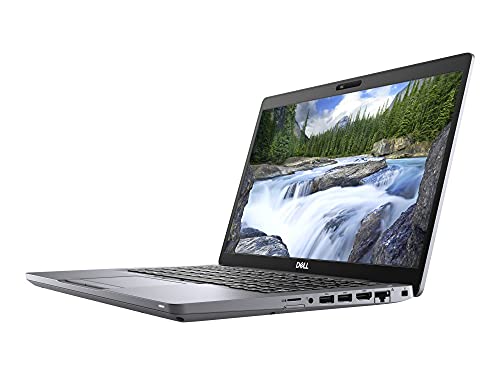
If you need a numeric keypad and workstation positioning, Precision 3591 explicitly offers keyboards with numeric keypad.
Best for: pro workloads that may need workstation drivers/options.
Watch-outs: weight/cost can climb fast with pro configs.
Lenovo laptops with numeric keypads
Lenovo IdeaPad 3 (15″, AMD)
- Powered by the latest AMD Ryzen 3 3250U processor with Radeon Vega 3 graphics, the AMD multi-core processing power offers incredible bandwidth for getting more done faster, in several applications at...
- The 15. 6" HD (1366 x 768) screen with narrow side bezels and Dopoundsy Audio deliver great visuals and crystal-clear sound for your entertainment
- 128 GB SSD M.2 NVMe storage and 4 GB DDR4 memory; Windows 10 installed
- Keep your privacy intact with a physical shutter on your webcam for peace of mind when you need it
- Stay connected: 2x2 Wi-Fi 5 (802. 11 ac/ac(LC)) and Bluetooth 4.1; webcam with microphone; 3 USB ports, HDMI and SD card reader
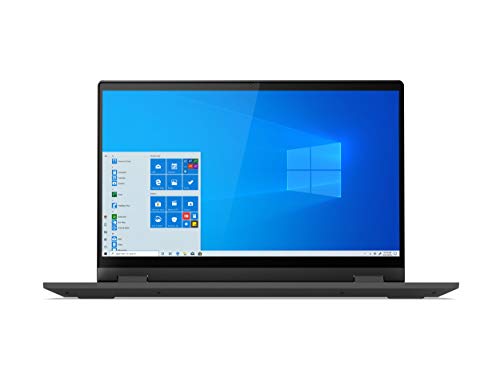
Lenovo’s own product page calls out a convenient numeric keypad on this 15″ entry-level family.
Best for: students and basic productivity.
Watch-outs: displays and build can be “good enough,” not premium.
Lenovo IdeaPad 1 (15ALC7 and similar 15″ IdeaPad 1 models)
- Powerful AMD Ryzen 7 5700U 8-Core (Base Clock 2.1GHz, Up to 4.3 GHz, 8 cores, 14 threads, 8MB L3 Cache )
- [[ Customization ]] Upgraded to 16GB DDR4 SDRAM 3200 MHz | 512GB NVMe M.2 Solid State Drive | Windows 11 Home
- Brilliant 15.6" FHD (1920 x 1080) IPS Touchscreen 300 nits Anti-glare, 45% NTSC, BrightView glossy screen, 60Hz, Thin Bezel LCD Display. Powered by AMD Radeon Graphics , 720p HD Camera with Privacy...
- MediaTek Wi-Fi 6 (2x2) and Bluetooth 5.1. 1x USB 3.2 Gen 1 Type-C support Data Transfer / 5Gbps, 1x USB 3.2 Gen 1 Type-A support 5Gbps, 1x USB 2.0 Type-A, 1x HDMI v1.4, 1x Headphone/Microphone Combo...
- Fullsize with Numpad; Speakers 2Wx2; 42Whr 3-cell lithium-ion battery (Up to 8hours non-gaming battery life); 14.18 x 9.29 x 0.70 inches, 3.55 lbs; Cloud Grey / Grey Color; 65W AC Adapter, free ONT...

Lenovo PSREF documentation lists a keyboard with numeric keypad.
Best for: low-cost basics with a full keyboard layout.
Watch-outs: performance is highly configuration-dependent; avoid very low-end CPUs if you multitask heavily.
Lenovo ThinkPad E15
- The Latest ThinkPad E-series E15, A Successor to E590, Features 15.6" Full HD (1920x1080) TN Anti-glare 220nits Display,Integrated Intel UHD Graphics 620 - Supports external digital monitor via HDMI...
- Intel 10th Gen Core i5-10210U (4 cores 8 threads, base clock speed 1.6GHz, max turbo to 4.2GHz, 6MB L3 Cache)
- 16GB DDR4 Memory, 512GB PCIe NVMe M.2 SSD (reseal for upgrades ONLY), with bonus HDMI Cable
- 1 x USB 3.1 Gen1 Type-C (Power Delivery and DisplayPort), 2 x USB 3.1 Gen1 (1 always on), 1 x USB 2.0, 1 x HDMI 1.4b, 1 x RJ-45, 1 x Audio Combo Jack, Non-Backlit Keyboard
- One-year warranty from Lenovo, Windows 10 Professional 64-bit, Ideal for Student, Home, Professionals, Small Business, and School Education

Lenovo explicitly describes a full-sized keyboard with number pad on ThinkPad E15.
Best for: business users who value keyboard feel and practical ports.
Watch-outs: ThinkPad E series is value-focused—don’t assume it matches X1/T-series premium builds.
Lenovo ThinkBook 15
- INTRODUCING THE THINKBOOK 15 GEN 4 - the perfect commercial laptop that is both budget-friendly and MIL-SPEC tested to 810H requirements for sturdy built and business security. With its sleek design...
- THE POWER TO DO MORE - Equipped with an AMD Octa-Core Ryzen 7 5825U Processor (8 Cores 16 Threads, up to 4.5GHz), 16GB memory, and a 512GB PCIe NVMe SSD — ensures rapid multitasking, quick boot...
- BRILLIANT DISPLAY AND GRAPHICS - Features a 15.6-inch FHD Anti-glare Display with Narrow Bezel. Integrated AMD Radeon Graphics - Expandable to 3 monitors via HDMI, Type-C. Max resolution of the...
- CONNECTIVITY FOR PRODUCTIVITY - Boost your efficiency with versatile ports, including 2 USB-A 3.2 Gen 1 (One Always On), 2 USB-C 3.2 Gen 2, Headphone / microphone combo jack (3.5mm) and HDMI 2.1, plus...
- OPERATING SYSTEM - Windows 11 Professional 64-bit, with AI-powered Copilot, offers intelligent assistance for a variety of tasks. Ideal for School Education, Designers, Professionals, Small Business,...
- DISCLOSURE - Brand New Computer has been resealed to upgrade the Memory/SSD. Three-year warranty from Issaquah Highlands Tech on upgraded Memory/SSD. One-year warranty from manufacturer on remaining...
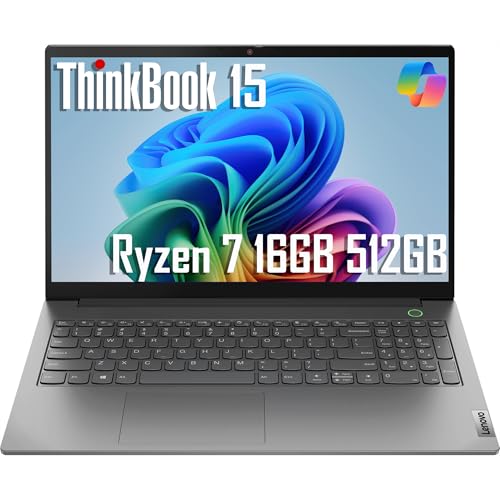
Lenovo’s ThinkBook 15 page calls out a number pad on keyboard.
Best for: SMB owners and “work + personal” users.
Watch-outs: trackpad placement can feel slightly left-shifted (common on numpad laptops).
Lenovo V15 (PSREF-documented configs)
- [High Speed RAM And Enormous Space] 16GB high-bandwidth RAM to smoothly run multiple applications and browser tabs all at once; 1TB PCIe NVMe M.2 Solid State Drive allows to fast bootup and data...
- [Processor] AMD Ryzen 7 5825U Processor (8 Cores, 16 Threads, 16MB Cache, Base at 2.0 GHz, Up to 4.5 GHz Max Turbo Frequency), with AMD Radeon Graphics
- [Display] 15.6" FHD (1920 x 1080) Display
- [Tech Specs] 1 x USB 3.2 Type-C, 1 x USB 3.2 Type-A, 1 x USB 2.0 Type-A, 1 x HDMI, 1 x RJ45, 1 x headphone/microphone combo, Webcam, Numeric Keypad, Wi-Fi and Bluetooth
- [Operating System] Windows 11 Pro - Organize open apps with pre-configured layouts to optimize productivity, Navigate with more intuitive experience to get things done, Collaborate with teams with...

Lenovo’s PSREF spec sheet lists a keyboard with numeric keypad for V15 variants.
Best for: business-value buyers and bulk purchasing.
Watch-outs: model naming is confusing—use PSREF/spec sheets to confirm details.
ThinkBook 16 Gen 7
- [Superior Storage and Fast Access] 16GB high-bandwidth RAM enables seamless multitasking across multiple applications and browser tabs, while a 1TB PCIe NVMe M.2 solid-state drive delivers...
- [Outstanding Screen Performance] 16" FHD+ (1920 x 1200) IPS, 16:10 aspect ratio, 60Hz, 45% NTSC, 300nits, TÜV Rheinland Low Blue Light
- [Ultimate Multitasking] AMD Ryzen 5 7533HS Processor (up to 4.45 GHz, 6 Cores, 12 Threads, 16 MB Cache) enhanced with Business-Class Al Performance
- [Enhanced Connectivity and Versatility] 2 x USB-A, 2 x USB -C, 1 x HDMI, 1 x Ethernet (RJ-45), 1 x SD card reader, 1 x Kensington Nano Security Slot, 1 x Headphone / microphone combo jack (3.5mm);...
- [Comprehensive Performance Bundle]This computer is bundled with the Thunderobot ML101 Wireless Mouse Noise Cancelling 2.4G and USB Nano Receiver 1600 DPI 6-Button Long Battery Life Mouse for PC...
- [Professional Upgrade] The original seal has been opened solely for upgrading purposes. A 1-year warranty on the upgraded RAM/SSD is provided by PCOnline US, while the remaining components retain the...
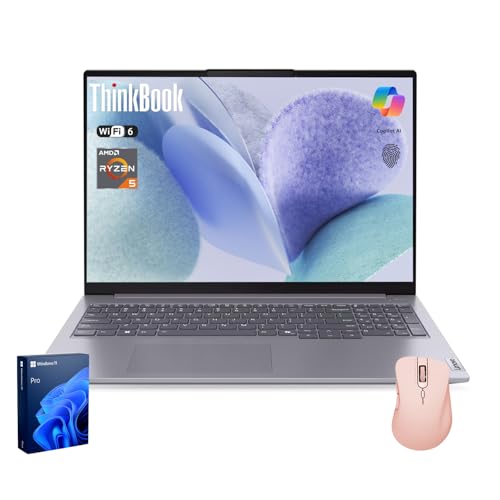
Lenovo’s product page explicitly highlights a numeric pad as part of the keyboard experience.
Best for: people who want more screen without jumping to 17″.
Watch-outs: 16″ can still be a “bag laptop,” not a “couch laptop.”
How to confirm your exact laptop has a numpad
Before you buy, do at least one of these:
- Check the official spec sheet for the phrase “numeric keypad,” “number pad,” or “10-key.” (Examples above show how brands phrase it.)
- Zoom in on keyboard photos: you should see a dedicated 0 key, NumLock, and a separate Enter key in the numpad block.
- Don’t rely on screen size alone: many 15.6″ models have it, but not all. Some designs prioritize centered typing/trackpad symmetry.
If the keys don’t type numbers, it’s usually just NumLock (or an OS setting). Lenovo and HP both publish help docs around enabling/using the numeric keypad.
Common mistakes
- Assuming every 15″ laptop has a numpad. Always confirm—manufacturers do make exceptions.
- Confusing embedded numpads with dedicated numpads. If it’s “Fn + something,” it’s not a true 10-key.
- Buying a great laptop line, bad SKU. The same model name can ship with very different CPUs, RAM, SSD sizes, and screens.
- Ignoring ergonomics. Numpad laptops can shift the touchpad left, which some people notice immediately.
Practical tips
- If you do heavy data entry, enable NumLock at startup (BIOS/UEFI options vary by brand).
- Consider a compact external numpad if you prefer a 13–14″ laptop—best of both worlds.
- If you use Excel a lot, learn a few numpad-friendly shortcuts (Alt codes, quick arithmetic in cells, etc.). Small habit, big payoff.
Final thoughts
A built-in numeric keypad is one of those features that feels optional—until you have it, then you don’t want to go back.
The HP, Dell, and Lenovo lines above are reliable starting points because they explicitly list a 10-key or numeric keypad in official documentation.
Use the verification checklist before checkout, and you’ll avoid the most common “wait…where’s my numpad?” mistake.


![Best OLED Laptop Choices for [year]: What to Buy for Work, School, and Gaming](https://featurelens.com/wp-content/uploads/2024/12/Best-OLED-Laptop-Buying-Guide-300x200.webp)