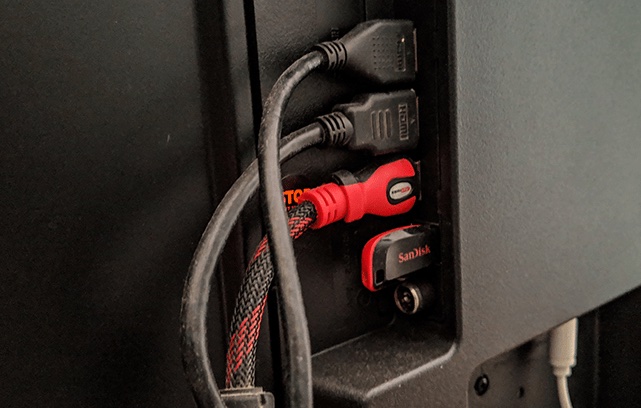
In today’s tech-driven world, monitors play a vital role in work, gaming, and entertainment. With the increasing prevalence of multi-device setups, the demand for monitors equipped with multiple HDMI ports has surged. While an HDMI splitter can expand your port options, it often introduces input lag—a critical concern for gamers and multitaskers alike. The solution? Monitors that come equipped with three HDMI ports, offering seamless connectivity for PCs, gaming consoles, and media devices without the hassle of constant cable swapping.
When choosing a monitor with three HDMI ports, key factors like screen resolution, refresh rate, and size should guide your decision. High-resolution screens deliver stunning visuals, while fast refresh rates ensure smooth, lag-free performance—crucial for gamers and professionals. A well-sized monitor should also complement your workspace and suit your specific needs.
In this article, we’ve carefully curated a list of the best monitors with three HDMI ports, considering picture quality, design, and connectivity to meet the diverse requirements of modern users. Whether you’re a gamer, a professional, or simply looking to enhance your home setup, these options have you covered. Read on to find the perfect match for your needs!
Best Monitors with 3 HDMI Ports: Our Top Recommendations
There are tons of PC monitors on the market. And checking the number of HDMI ports on each option just to figure out which one to go for can be quite cumbersome and time-consuming. So, we did the hard work for you.
Our research team spent hours handpicking monitors on the market that come with 3 HDMI ports. Well, there aren’t so many of them yet. More importantly, we also compared the options we found in terms of size, video quality, brand reputation, buyer opinions, and price. And here are our top picks.
1. Sceptre 4K IPS 27″ Monitor (U275W-UPT)
- Superior 4K Picture: Delivering 4x the pixels (8 million) of FHD, 4K (3840 x 2160) resolution offers an extraordinary landscape of color variation, contrast, and clarity that mirrors the real...
- IPS (In-Plane Switching)
- Up to 70Hz Refresh Rate
- 99% sRGB
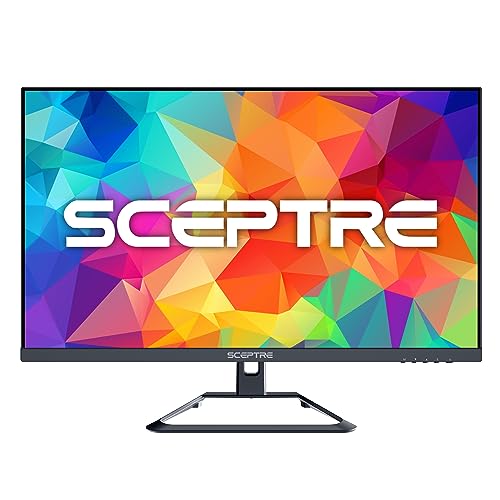
If you need a 4K monitor with vibrant color and multiple HDMI ports, this could be the perfect choice.
Pros
- Excellent 4K visuals with vibrant color
- Multiple HDMI ports for connectivity
- Built-in speakers save desk space
Cons
- Limited refresh rate options for serious gaming
- Audio quality not the best for music lovers
- Lower refresh rate on additional HDMI ports
Setting up the Sceptre 4K IPS 27″ monitor was a breeze. Right away, we noticed its stunning visual display. The 4K resolution provides sharp and vibrant images which are great for editing photos or even light gaming.
With 99% sRGB coverage, colors look intense and lifelike, enhancing our creative tasks.
The monitor offers three HDMI ports, making it easy to connect different devices. We found this feature particularly useful when switching between a laptop and a gaming console. However, using HDMI 2 and 3, refresh rates drop, which might not be ideal for serious gaming.
The built-in speakers are a practical addition, especially if space is tight. While the sound isn’t booming, it’s adequate for watching videos or meetings. There’s also a VESA mounting option for those who prefer an uncluttered desk setup, which we really appreciated for flexibility in our workspace.
2. Sceptre 30-inch Curved Gaming Monitor (C305B-200UN1)
- DP x2 up to 210Hz: Seamlessly link your devices to our two DisplayPort providing up to 210Hz refresh rate and two HDMI ports up to 190Hz, ensuring not only versatile connectivity but also a...
- True to Life Colors: Experience vibrant and true-to-life colors with a high quality IPS (In-Plane Switching) panel rated at 100% sRGB color gamut performance, ensuring accurate and stunning visuals...
- Easy on the eyes: Protect your eyes and enhance your comfort with Blue-Light Shift technology. This feature reduces harmful blue light emissions from your screen, helping to alleviate eye strain...
- Enhanced Gaming Experience: Elevate your gaming prowess with a lightning-fast 1ms BR (Blur Reduction) and an ultra-smooth 210Hz refresh rate. Enjoy unparalleled responsiveness and seamless visuals...
- Build-in Speakers: Whether you're at work or in the midst of an intense gaming session, our built-in speakers provide rich and seamless audio, all while keeping your desk clutter-free.
- Custom Gaming Modes: Experience enriched gaming with Sceptre's custom display settings tailored for gamers. Dive into the heart-pounding action of First Person Shooters (FPS) or master the strategic...
- Smooth GamePlay: Enhance your gaming experience with AMD FreeSync technology providing a tear-free, flicker-free gaming experience and smooth video playback

The Sceptre 30-inch Curved Gaming Monitor is an excellent choice for gamers looking for a dynamic screen with multiple HDMI inputs.
Pros
- Vibrant display with sharp color contrast
- Excellent refresh rates for smooth gameplay
- Eye-friendly with blue light reduction
Cons
- Bulky design due to the curve
- Built-in speakers lack depth
- Limited anti-glare effectiveness
This Sceptre monitor really stands out with its 30-inch curved display, providing an immersive experience. The colors are vibrant, and the Full HD resolution ensures crisp visuals, especially noticeable during fast-paced games.
We appreciated the smooth performance thanks to the high refresh rates, which enhance gaming fluidity and responsiveness.
Incorporating three HDMI ports is a convenient feature, allowing us to switch between devices without hassle. The monitor’s ability to reduce blue light is a thoughtful addition, helping ease eye strain during those long gaming or work sessions.
That said, the built-in speakers don’t deliver the rich audio experience we hoped for. They’re fine for basic use but fall short during gaming or movie time. Also, while the curved design enhances the visual immersion, it somewhat contributes to a bulkier footprint, which might be a consideration if you’re dealing with limited desk space.
3. Sceptre 32″ Curved Gaming Monitor (C325B-FWD240)
- 1800R Curvature: The 1800R degree curved design immerses you into all of the action no matter where you choose to sit in the room.
- 240Hz Refresh Rate: Stay above the pack with 240Hz, giving you an edge in performance as frames transition instantly.
- 1ms MPRT: With 1ms MPRT, motion blur is eliminated and exceptionally crisp imagery is visible in the midst of chaotic combat.
- AMD FreeSync Premium: With AMD FreeSync Premium, gamers enjoy smooth video & seamless on the spot movement in fast-paced games.The graphic card and monitor refresh rates are synchronized to eliminate...
- Multiple Ports: The DisplayPort & HDMI1 deliver up to 240Hz refresh rate , providing incredible visibility & agility to beat your standard player. The HDMI 2 & 3 provide impressive 144hz refresh rate.

This monitor is a strong choice for gamers looking for a smooth experience with multiple HDMI ports.
Pros
- Immersive 1800R curved display
- Fast 240Hz refresh rate
- Multiple HDMI ports for extra connections
Cons
- Basic stand with limited adjustment
- Some may find the curve takes time to adjust to
- Not the highest resolution available
Setting up the Sceptre 32″ Curved Gaming Monitor was a breeze. The picture truly shines, offering clear, vibrant colors.
We enjoyed its smooth, fast-paced visuals, thanks to the wonderful 240Hz refresh rate.
The curved design adds a gripping experience, pulling us deeper into games and videos. Though it felt unusual at first, the wrap-around view soon became something we appreciated. It lets us keep everything in view, which is handy in intense gaming scenes.
Despite its greatness, the stand could be better. It only tilts, which might not suit everyone’s needs. Still, the Blue Light Shift feature offered more comfort during long use, reducing eye strain, which makes working or gaming for hours much easier.
4. Sceptre 34″ Curved Monitor (C345W-2560UN)
- Ultra wide ultra slim curved 21 9 immerses the attention of a larger audience with a 34 inch screen that accurately resembles the contours of the human eye
- 1500R curvature the 1500R degree curved design immerses you completely into the gaming landscape allowing you to spot all threats and opportunities before all of your competitors
- Adaptive Sync Adaptive Sync is a technology that closes the gap between the graphics card's and the Monitor's refresh rates eliminating image tearing and stuttering in the process
- Up to 100Hz refresh rate with 100Hz refresh rate images change faster and smoother than the standard reducing screen tearing
- Blue light shift reduce your MONITORS Blue light to protect you from eye fatigue irritation and strains This enables you to work on you documents watch movies or play games more comfortably for...
- Edgeless design edgeless design completely immerses you in all the captivating action and wondrous Scenery that 2560 x 1080 resolution and 85Hz refresh rate have to offer
- Multiple Ports three HDMI and ONE DisplayPort each accelerate refresh rate up to 85Hz providing the visual edge you need to defeat the competition during all of your gaming exploits Connect your...
- Fps-rts FPS and RTS are Sceptre custom set Display settings Built for an enhanced gaming experience Fps (first person Shooter) RTS (real-time strategy)
- Tiltable Display a Display that tilts 15° backward and 5° forward allows you to find a sweet spot that bridges clarity and comfort
- Fast response time playing Fast action games and watching action adventure movies always require fast and accurate Pixel response from an LED With quick Response times ghosting and blurring are...
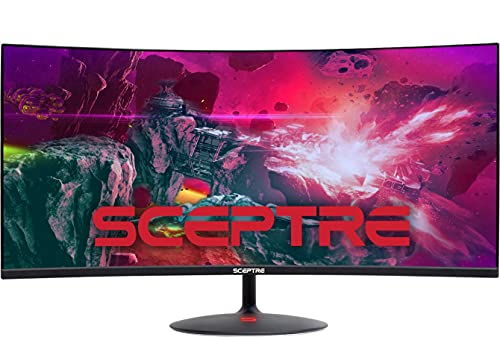
For anyone craving an immersive gaming or movie experience, this Sceptre monitor could be the perfect fit.
Pros
- Vibrant colors make games and movies stunning.
- Curved design enhances your field of view.
- Blue Light Shift helps reduce eye strain during long sessions.
Cons
- Some users report durability issues.
- The stand offers limited adjustability.
- There can be occasional backlight flickering.
This monitor blew us away with its wide, curved screen that pulls you right into games and entertainment. Its vibrant colors and crisp details make every scene pop, whether we’re slaying dragons or watching epic space battles. The curve adds a sense of depth and pulls us into the action.
Gamers will particularly appreciate the fast response times and high refresh rate. It’s smooth sailing with lesser screen tearing, leaving gameplay fluid and responsive. Our gaming sessions feel more competitive, noticing threats before our opponents do.
On a less exciting note, some might find the built-in stand doesn’t allow much movement, making adjustments slightly cumbersome. However, the Blue Light Shift mode is a blessing for marathon use, keeping our eyes comfortable even during lengthy work or gaming sessions.
5. Sceptre 35″ UltraWide Curved Monitor (C355B-QUN168)
- Ultrawide Display: Sceptre's 21:9 UltraWide curved monitor immerses the attention of a larger audience with a 35 inch screen that accurately resembles the contours of the human eye.
- HDR400: HDR400 (High Dynamic Range) enhances dynamic contrast ratio, illuminating colors up to 50% brighter than SDR while displaying profoundly clear dark colors.
- Picture in Picture: Picture In Picture allows our users to multitask and overlay a secondary source to display anything you desire. Expand your workflow with our Sceptre Ultrawide Gaming monitor.
- 120Hz Refresh Rate: More than double the standard refresh rate, 120Hz gives gamers an edge in visibility as frames transition instantly, leaving behind no blurred images.
- AMD Freesync Premium: With AMD FreeSync Premium, gamers enjoy smooth video & seamless on the spot movement in fast-paced games.The graphic card and monitor refresh rates are synchronized to eliminate...
- 99% sRGB: With 99% sRGB, this monitor offers a wider color gamut than most conventional monitors, giving deeper colors and defining features.
- Multiple Ports: The 2 DisplayPorts deliver up to 120Hz refresh rate , providing incredible visibility & agility to beat your standard player. The HDMI ports provide impressive 100hz refresh rate.
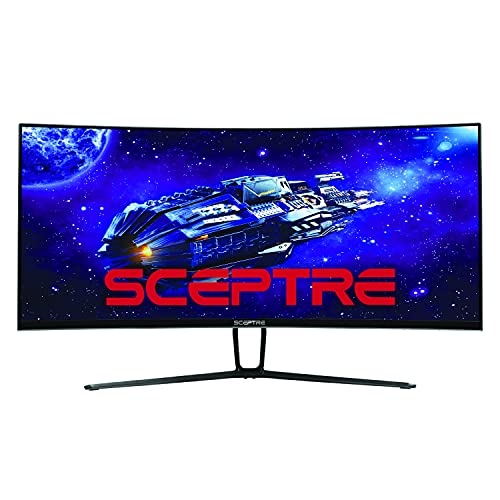
This monitor is a superb choice for gamers who need vivid visuals and ample connectivity options with three HDMI ports.
Pros
- Excellent ultra-wide screen that immerses you completely
- Seamless gameplay with 120Hz refresh rate
- Curved design enhances viewing comfort
Cons
- No built-in speakers despite expectations
- Occupies substantial desk space
- May not fit smaller home-office setups
The Sceptre 35″ UltraWide Curved Monitor makes a strong visual impression. Its 3440 x 1440 resolution ensures crisp details and vibrant colors, ideal for gaming and multitasking.
The curvature wraps around your field of view, making your gaming sessions more immersive and reducing eye strain over long hours.
With a high refresh rate of 120Hz, we found fast-paced action scenes smooth and free from motion blur. This monitor features AMD FreeSync Premium, which helps eliminate screen tearing, providing fluid gameplay. Its HDR400 support enhances brightness, making scenes pop without exaggerating colors.
On the downside, the lack of built-in speakers can be inconvenient. Anyone relying solely on the monitor for audio will need external speakers. Its large size demands clearance on a desk, so it might not be suitable for cramped spaces. Despite these minor drawbacks, this Sceptre monitor delivers an engaging experience with impressive graphics and extensive connectivity.
Buying Guide
When looking for a monitor with three HDMI ports, there are a few key points to think about.
First, screen size matters. Choose a size that fits your space and needs. A larger screen might be best for gaming or detailed work.
Consider the resolution. Higher resolutions, like 4K, offer sharper images. This can be crucial for graphic design or enjoying high-quality videos.
Next, refresh rate is important. A higher refresh rate like 144Hz means smoother visuals. This makes a difference in gaming or watching fast-paced content.
Monitor type can affect performance. An IPS panel is great for vibrant colors, while a VA panel is better for deeper blacks.
Now, let’s talk about connectivity. It’s essential to ensure easy connection to all your devices. Look for monitors with multiple HDMI ports and additional options like USB-C or DisplayPort.
Check out the adjustability features too. Monitors with adjustable stands allow for better ergonomics, which helps in creating a comfortable setup.
Budget is always a consideration. Balance your needs with costs. Sometimes spending a bit more for better features is worthwhile.
Don’t forget about built-in features. Some monitors come with speakers, while others have adjustable blue light settings to reduce eye strain.
Lastly, brand reputation can be a guide, too. Brands with good customer support and reliability might offer more peace of mind.
By focusing on these features, we can find a monitor that meets our needs and enhances our experience.