
Nearly majority of window units and older split system ACs come with a basic infrared remote and nothing else. No app, no scheduling, no way to check in from your phone, whereas you are stuck at work wondering if you left the AC running.
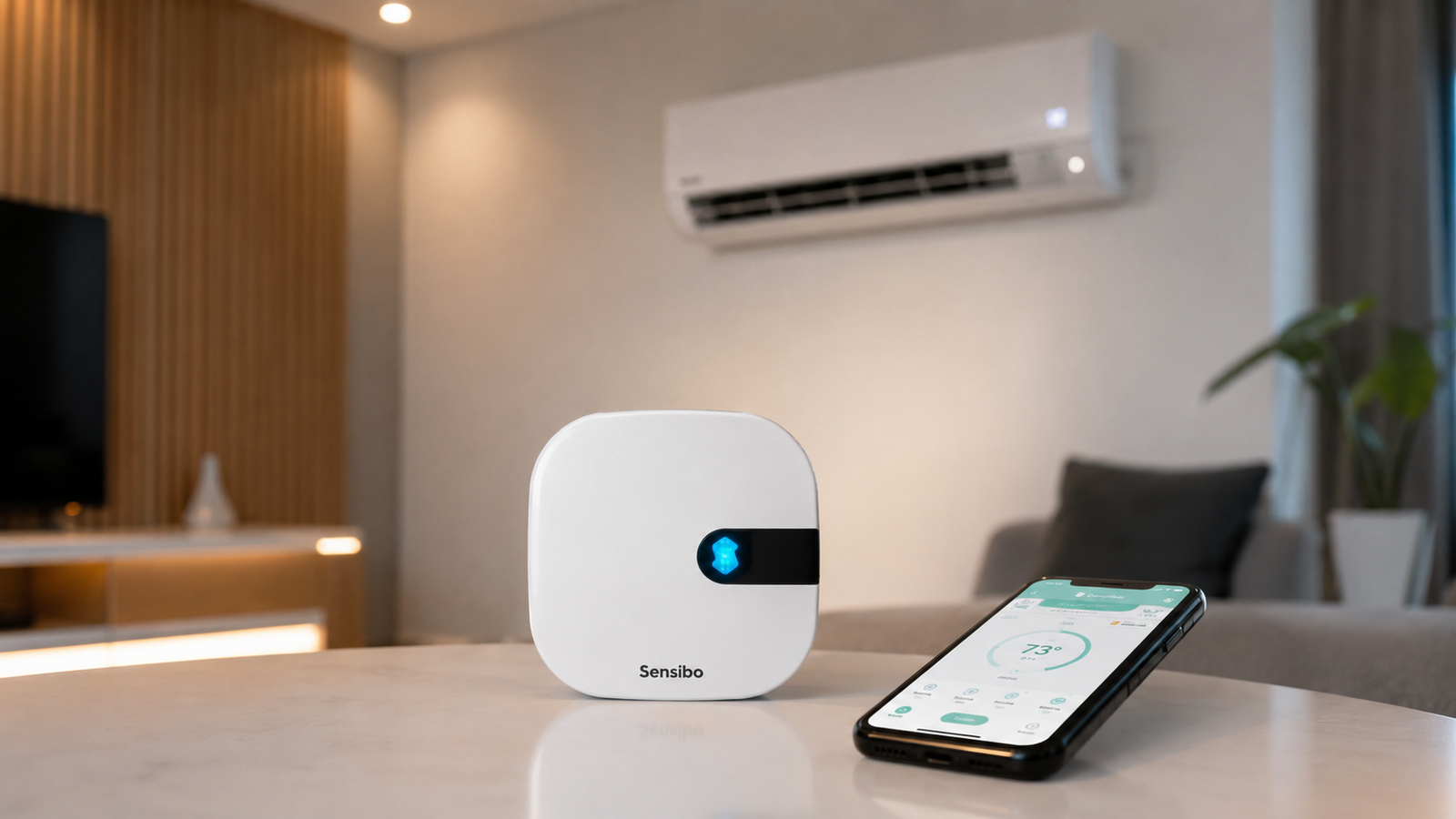
The Sensibo Smart Air Conditioner Controller exists to fix exactly that particular trouble. And honestly, that’s the reason it caught our attention and made us want to give it a try. It turns a dumb AC unit into a genuinely smart one. And that even without replacing the hardware itself.
We spent real time testing this device across daily use, smart home integration, and energy savings claims to see whether it lives up to the reputation it has built. Here is the honest breakdown based on our research and how it turned out for us, specifically.
Sensibo Air at a Glance
- Device Type: Smart Air Conditioner and Heat Pump Controller
- Connectivity: WiFi and Bluetooth
- Smart Home Support: Alexa, Google Home, Apple HomeKit, Siri, SmartThings, IFTTT
- Installation: Tool free, approximately 60 seconds
- Control: Mobile app and web app
- Best For: Smart homes, remote AC control, and energy savings

Key Features of the Sensibo Smart Air Conditioner Controller
Smart Remote Control from Anywhere
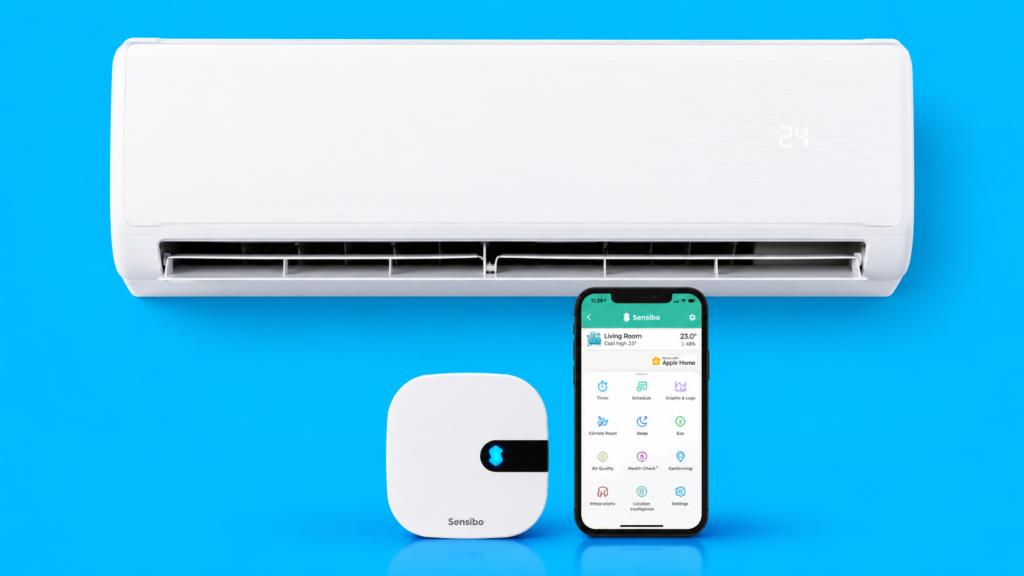
The core function of this Air Conditioner Controller is pretty clear. It sits within line of sight of your AC unit, learns the infrared signals from your existing remote, and then lets you control everything through the Sensibo app instead.
What surprised us during setup was how quickly it straight away recognized our remote and, honestly, ended up offering more controls than our previous Airzone WiFi interface did. That is a meaningful upgrade for anyone coming from an older or more limited smart AC system.
Another Good Read: SIESEAN Air Purifier Review
60-Second Tool-Free Installation
Setup genuinely takes about a minute. You scan a QR code, connect the device over WiFi and Bluetooth, and the app walks you through pairing with your existing AC remote. Setup was smooth from the moment we kick things off to the moment we ended up setting it up. It doesn’t require you to do any sort of drilling. Exactly, nothing beyond placing the unit somewhere with a clear line of sight to your AC.
Works with Popular Smart Home Platforms
This is where the Sensibo Air smart AC controller genuinely earns its reputation. It integrates with Amazon Alexa, Apple HomeKit and Siri, Google Home, SmartThings, and IFTTT for custom automation.
The Apple HomeKit integration, in particular, does what most people actually need it to do, turn the air conditioner on and off, set the temperature, and select fan only mode, all from the Home app or a voice command, whether you are sitting on the couch or halfway across town.
For anyone running a Home Assistant setup, it is worth noting that Sensibo works great within that ecosystem too. It, in turn, adds another layer of flexibility for more advanced smart home users who want deeper customization than the stock app offers.
Energy-Saving Automation
Scheduling, geofencing, and a feature called Climate React are the three pillars of the energy saving story here. Climate React lets you set trigger conditions, like turning the AC on once the room hits a certain temperature, so the system runs only when it actually needs to as opposed to sitting on all day out of habit. Setting up schedules was easy, and once you’d configured them, the automatic temperature adjustments genuinely cut off unnecessary runtime.
We do think the geofencing feature deserves a specific mention since it can automatically turn your air conditioner on when you arrive home and off when you leave. It does sound great on paper.
That said, the privacy implications of a built-in geofencing feature tracking your location to control a device are not entirely clear, and it is worth understanding what location data is being used before turning it on. The Sensibo app does need access to Location Services during initial setup, but it works fine afterward without location access, provided you turn the geofencing feature off.
Smart Climate Monitoring
Beyond scheduling and geofencing, this smart air conditioner controller continuously monitors indoor temperature and humidity. This kind of intelligent automation is what separates a genuine smart AC controller from a device that just lets you press buttons remotely.
How We Tested the Sensibo Smart Air Conditioner Controller
We ran this device through two weeks of daily use, testing remote functionality, smart home integration across HomeKit and Alexa, scheduling accuracy, and geofencing reliability. The initial pairing worked perfectly from the first command, with zero missed signals to the AC unit during that entire testing window. The Sensibo app itself is quite full featured and genuinely mimics the original remote’s functions closely, down to fan only mode and swing settings that plenty of competing smart controllers skip entirely.
What We Like: The app can do everything the physical remote can do, which is not something we can say about every smart AC controller on the market. Smart home compatibility across every major platform is genuinely comprehensive rather than partial. Setup speed and reliability were both excellent throughout testing.
What We Don’t Like: The controller does wall off some Internet of Things traffic in a way that occasionally required a router side check when the app briefly loses connection. It is fully dependent on a stable WiFi connection. Turns out, households with spotty internet may run into occasional lag when issuing remote commands.
Who We Think Should Buy the Sensibo Smart Air Conditioner Controller: Anyone with an existing IR-controlled AC or heat pump who wants smart features without buying an entirely new unit. It is especially strong for Apple HomeKit households and anyone running Home Assistant who wants deeper automation control.
Advantages
- Quick 60-second installation
- Smart home compatibility
- Easy-to-use mobile app
- Reliable remote control
- Compact and modern design
- Compact and modern design
Drawbacks
- Requires a stable WiFi connection
- Compatible only with supported IR-controlled AC units
Frequently Asked Questions (FAQs)
Does Sensibo Air work with all air conditioners?
Compatibility depends on whether your existing AC or heat pump uses an infrared remote, which covers the vast majority of window units, mini splits, and central systems with IR control. The Sensibo app includes an extensive database of supported remote codes, and during setup it identifies and pairs with most major brands within seconds.
Can I control my AC when I’m away from home?
Remote access is one of the core strengths of this device. Through WiFi connectivity, the app lets you check status, adjust temperature, and switch modes from anywhere with an internet connection, whether that is from another room or another country entirely.
Does Sensibo Air save electricity?
Energy savings come primarily through Climate React and scheduling features, which prevent the AC from running when nobody actually needs it running. Households that previously left units on all day out of convenience tend to see the most noticeable reduction in unnecessary runtime once these automation features are properly configured.
Wrapping Up…
The Sensibo Smart Air Conditioner Controller delivers on nearly everything it promises. Setup is fast, the app is genuinely comprehensive, and smart home integration across HomeKit, Alexa, and Google Home works as advertised. The geofencing privacy question is worth a moment of consideration before enabling it, but everything else about this Air Conditioner Controller performed reliably throughout our testing. For anyone wanting to modernize an existing AC unit without a full replacement, this is a genuinely worthwhile investment.