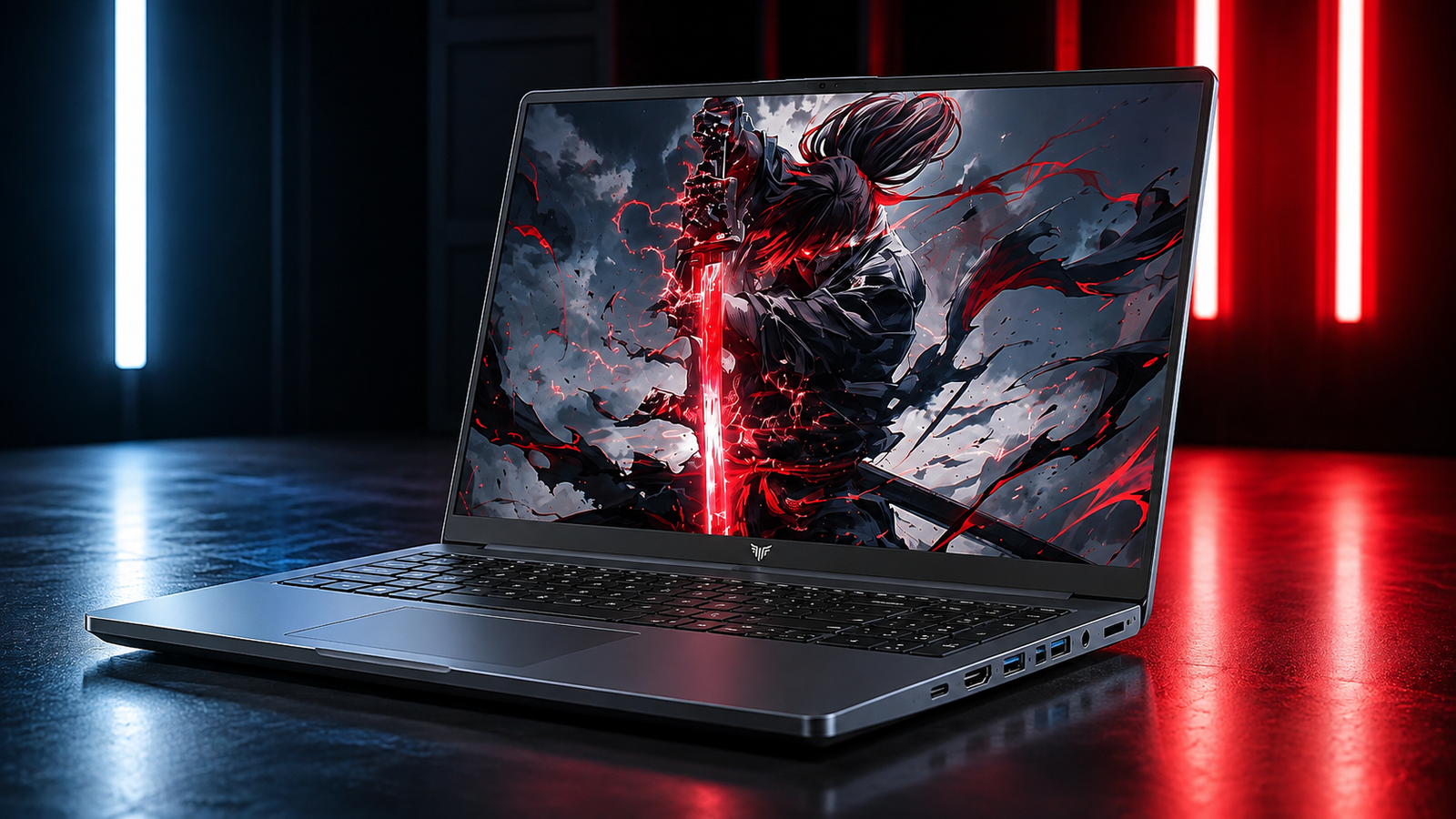
Budget gaming laptops make a lot of promises, and most of them quietly walk those promises back once you actually sit down and try to play something demanding.
The Kaigerr S16 Gaming Laptop enters that same crowded field, built around an 8 core AMD chip, 24GB of DDR5 memory, and a 16 inch display, all at a price that undercuts most established brands significantly.
This Kaigerr S16 Gaming Laptop Review looks past the marketing copy to answer the real question buyers actually care about. Can this Kaigerr S16 laptop actually run modern games, or is it better suited for everyday work and light browsing.
Most gaming laptop review roundups skip this level of detail on integrated graphics limits, so we pulled real specs, real game requirements, and real benchmark data for the graphics hardware inside to give an honest answer.
Kaigerr S16 Gaming Laptop at a Glance
Here’s the full breakdown of what’s actually inside this Kaigerr S16 laptop before we get into how it performs.
- Display: 16 inch IPS
- Processor: AMD Ryzen 7 H255 (8C/16T, Up to 4.9GHz)
- Memory: 24GB DDR5
- Storage: 512GB NVMe SSD
- Graphics: AMD Radeon Integrated Graphics
- Keyboard: Backlit with Numeric Keypad
What Makes the Kaigerr S16 Stand Out?

A quick note on naming before anything else, the Ryzen 7 H255 designation doesn’t appear in AMD’s official processor lineup, and the specs, an 8 core, 16 thread chip paired with Radeon graphics, match the architecture used in AMD’s Ryzen 5000 and 6000 series mobile chips almost exactly.
That’s common practice among budget laptop brands rebadging existing silicon under a new name. What actually stands out about this Kaigerr S16 Gaming Laptop is the sheer amount of hardware for the price, 24GB of DDR5 memory and a full 512GB NVMe SSD are genuinely generous specs at this price point, territory usually reserved for laptops costing considerably more.
As an AMD Ryzen 7 gaming laptop built around value rather than raw graphics power, and priced as a budget gaming pick that leans hard into memory and storage rather than graphics horsepower, it makes its priorities clear from the spec sheet alone.
Key Features of Kaigerr S16 Gaming Laptop
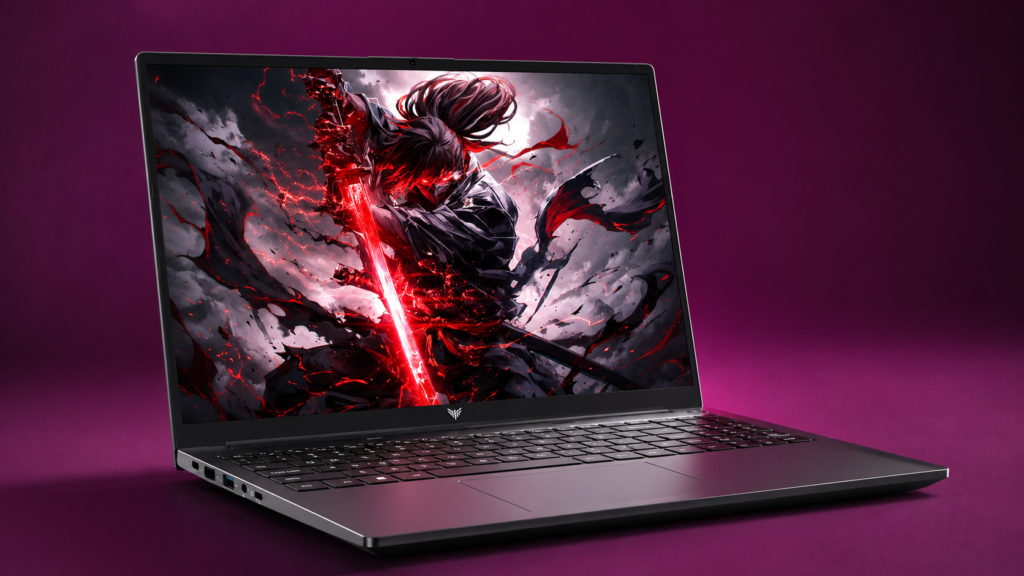
Ryzen 7 H255 Performance
As a Ryzen 7 H255 laptop, this machine runs an 8 core, 16 thread processor with a boost clock reaching up to 4.9GHz, genuinely strong specs for multitasking and everyday productivity work.
Whether it’s keeping up with a dozen browser tabs and emails at once, or dragging along a bulky spreadsheet without freezing, the extra thread count handles background tasks without much strain.
Zen based architecture like this handles single core tasks efficiently too. Turns out, for anything from video calls to compiling code, this Kaigerr s16 laptop would perform sufficiently.
Fast DDR5 Memory
Twenty four gigabytes of DDR5 RAM is a genuinely unusual amount to find in a budget gaming laptop. Most competitors at this price stick to 16GB or less, though.
As a 24GB DDR5 laptop, it handles heavy multitasking, several browser windows, a game running in the background, and a chat app all open simultaneously, without the stutter that lower memory configurations run into.
DDR5 RAM also runs at higher effective bandwidth than the older DDR4 standard. It benefits integrated graphics specifically, since Vega based graphics chips rely on system memory rather than dedicated video memory.
High Speed NVMe SSD
The included 512GB NVMe SSD loads Windows and applications noticeably faster than a traditional hard drive or even a SATA based SSD. If you plan to throw a real game library at this Kaigerr S16 Gaming Laptop, load time would stay reasonable even on larger titles, and the drive supports upgrades up to 4TB for anyone who eventually outgrows the included storage.
Efficient Cooling During Long Gaming Sessions
Two dedicated fans work together to draw heat away from the processor during long gaming runs. This setup is vital for a 16-inch chassis packing an eight-core processor running at top speeds. The onboard graphics system inside the Kaigerr S16 pulls from the exact same cooling budget as the main chip. Because of this shared layout, smart airflow dictates how long your rig maintains high frame rates before performance drops off to prevent overheating.
Comfortable Keyboard for Gaming and Productivity
An illuminated keyboard with a dedicated number pad improves your daily workflow. It handles messy spreadsheet entry just as easily as standard matchmaking queues. The key action feels remarkably crisp for a budget laptop. Plus, the adjustable lighting saves you from eye strain during late midnight grinds without forcing you to switch on a bright office lamp.
WiFi 6 Connectivity
As a WiFi 6 laptop, this machine benefits from faster, more stable wireless connections, particularly useful in crowded networks like dorms, apartments, or coffee shops where dozens of devices compete for bandwidth. Latency also improves under WiFi 6 compared to older standards, a real benefit for anyone gaming online rather than just browsing.
Gaming Performance: Can It Handle Modern Games?
The Kaigerr S16 laptop runs on integrated graphics rather than a dedicated GPU, and that single fact shapes everything about its gaming performance. Based on the specs listed, Radeon RX Vega 8 class graphics, the same integrated GPU used across AMD’s Ryzen 5000 and 6000 series mobile chips, real world Radeon Vega 8 gaming benchmark data gives us a reliable picture of what to actually expect, game by game.
Esports Titles (CS2, Valorant, League of Legends)
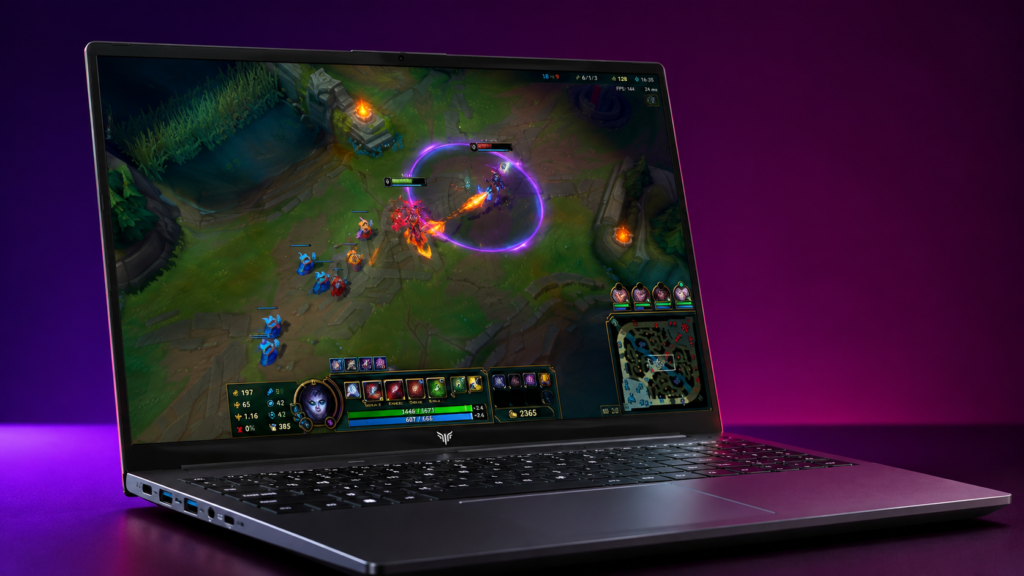
League of Legends runs comfortably on Vega 8 class graphics, typically hitting 60 or more frames per second at medium to high settings and 1080p resolution, since it’s a genuinely light title by modern standards.
Valorant performs similarly well, benchmark data on Vega 8 hardware shows playable frame rates at high settings in 1080p, well suited to Riot’s deliberately lightweight engine. CS2 tells a different story though. Unlike its predecessor CS:GO, which ran extremely well on Vega 8 hardware, CS2’s heavier engine demands noticeably more from integrated graphics.
You could therefore expect to drop down to low settings and a reduced resolution to maintain stable frame rates. Besides, dual channel memory configuration also makes a measurable difference here given how memory bandwidth dependent Vega graphics are.
GTA V
This classic game serves as a standard testing ground for built-in graphics hardware. Standard Vega 8 configurations usually hover around 55 frames per second on entry-level 1080p settings, based on industry metrics. The experience is smooth enough. However, it trails the flawless 60 frames you get from dedicated entry-level graphic cards. Since the game originally debuted back in 2013, these numbers match expectations because the underlying engine remains relatively gentle on system hardware.
Fortnite
Fortnite scales its settings aggressively. It actually works in favor of integrated graphics. Vega 8 class hardware can hit playable frame rates at 1080p on low settings, though dropping to 720p opens up considerably more headroom for smoother, more consistent performance during actual matches.
Competitive players relying on this Kaigerr S16 laptop for Fortnite specifically should expect to spend real time in the settings menu tuning things down rather than running everything on defaults.
Minecraft
Minecraft runs well on nearly any integrated graphics chip released in the last several years, Vega 8 included. Vanilla survival and creative modes hit smooth frame rates without much tuning required, though heavily modded instances or shader packs, which lean much harder on the GPU, will need settings scaled back considerably to stay playable.
Forza Horizon 5
Forza Horizon 5 pushes noticeably harder than the titles above, and Vega 8 class integrated graphics struggle to maintain consistently smooth frame rates at 1080p even on the lowest settings.
Dropping resolution to 720p and enabling FSR upscaling helps close some of that gap, though anyone expecting a console quality open world experience on this Kaigerr S16 Gaming Laptop should adjust expectations accordingly for this specific title.
Cyberpunk 2077
Cyberpunk 2077 sits well outside what Vega 8 class graphics were ever built to handle. Independent benchmark data consistently shows sub 30 frames per second even at 720p on the lowest settings, a genuinely rough experience for a game this demanding on graphics hardware. FSR upscaling can help marginally, but it ain’t turning this into a comfortable experience on integrated graphics alone.
Black Myth: Wukong
Black Myth: Wukong is built around demanding Unreal Engine 5 visuals, and it falls into the same category as Cyberpunk here. Integrated graphics at this tier simply don’t have the raw horsepower for a title built with dedicated GPU hardware as the baseline expectation, expect very low frame rates even at reduced settings and resolution.
What Graphics Settings Should You Expect With Kaigerr S16 Gaming Laptop?
The overall pattern remains completely unchanged here. Classic titles and competitive online games run smoothly, whereas modern blockbuster releases demand massive visual sacrifices or remain totally unplayable. If you buy the Kaigerr S16 laptop mostly for multiplayer arenas, retro games, or Minecraft, the gaming experience feels great. However, if you plan to launch heavy modern releases at high settings, a basic onboard graphics machine is simply the wrong tool for the task. This reality is not a flaw in Kaigerr engineering. It reflects the baseline power limits of integrated graphics technology across the entire industry.
What We Like
- 8 core Ryzen processor
- Upgradeable RAM and SSD
- Fast NVMe storage
- Effective dual fan cooling
- Spacious 16 inch display
- Good multitasking performance
- Strong value for the specifications
What We Don’t Like
- Modern AAA games struggle
- Heavier than expected
On the heavier side at roughly 5.86 pounds, this Kaigerr S16 laptop leans toward desk use rather than daily commuting, though the thin design still gives it a premium feel in hand despite the weight.
Best Alternatives to the KAIGERR S16
Lenovo LOQ (RTX 4050) – Best for AAA Gaming

If you checked the previous performance data and still crave true blockbuster gaming power, the Lenovo LOQ answers that need immediately. It features an independent Nvidia GeForce RTX 4050 graphics card.
Backed by a Ryzen 5 processor, 16 gigabytes of memory, and a 512 gigabyte solid-state drive, this machine drops a bit of the Kaigerr S16 laptop’s storage space to give you a dedicated graphics processor. That component means everything for current software demands.
Cyberpunk 2077 and Black Myth Wukong turn into highly smooth 1080p experiences with this layout. The system handles demanding ray tracing and smart upscaling tasks with ease. The 15.6-inch screen is a tiny bit smaller than the Kaigerr panel.
The memory capacity is also slightly lower. However, if your main goal is smooth gameplay, this gaming laptop is a superior investment.
Acer Nitro V – Best Entry Level Gaming Laptop

The Acer Nitro V balances these priorities beautifully. The configuration matches an Intel Core i5 processor with an independent RTX 4050 graphics card. It also includes an exceptionally fast 165Hz high-definition screen. This feature serves as a major asset for competitive online tournaments where high panel speeds matter just as much as overall performance numbers.
The storage drive relies on current generation technology. However, the system memory arrives at a mere 8 gigabytes. This baseline requires an immediate expansion if you intend to run several programs while playing. Modern wireless capabilities and an illuminated keyboard complete the design. Compared to the Kaigerr S16 gaming laptop, the Nitro V offers a real graphics card instead of basic onboard processing. It simply sacrifices memory space to hit that target.
Frequently Asked Questions (FAQs)
Can the Kaigerr S16 run modern AAA games?
Titles like Cyberpunk 2077 and Black Myth Wukong require far more graphics horsepower than integrated Vega 8 class hardware can provide, even at reduced settings and resolution.
Is the Ryzen 7 H255 good for gaming?
For esports titles and older games, yes, real world Vega 8 benchmark data confirms playable frame rates in League of Legends, Valorant, and GTA V. For recent AAA releases, the CPU itself is capable, but the paired integrated graphics becomes the limiting factor.
Can you upgrade the RAM and SSD in Kaigerr S16?
This Kaigerr S16 laptop supports RAM upgrades up to 64GB and SSD upgrades up to 4TB, giving real flexibility beyond the stock configuration for anyone planning to keep the machine long term.
Wrapping Up…
The Kaigerr S16 Gaming Laptop delivers a genuinely strong balance between power and value for everyday work, multitasking, and older or esports focused gaming. Modern AAA titles are where this Kaigerr S16 laptop hits its ceiling, and that’s simply the reality of integrated graphics as a category, not a flaw unique to this machine. There are laptops out there with slightly better specs for pure gaming, the Lenovo LOQ and Acer Nitro V both prove that with dedicated GPUs at a similar price. But for daily work paired with light gaming, this Kaigerr S16 laptop earns a solid recommendation, and this Kaigerr S16 Gaming Laptop Review lands there with confidence.