
This guide ranks five laptops that make sense for real DAW work under $1500—mixing, recording, and plugin-heavy sessions—across pro engineers, touring musicians, bedroom producers, creators, and students.
Rankings are based on CPU suitability for low-latency audio, practical RAM/storage, portability, reliability, and I/O for audio interfaces (not “gaming specs”).
Quick Verdict
- Best overall pick: Apple 2025 MacBook Pro (14.2″) — the cleanest choice for serious music production if you can find it under $1500 on sale.
- Best value pick: Lenovo ThinkPad T14 Gen 5 — a balanced Windows workhorse with strong CPU and 32GB RAM for larger projects.
- Who should buy from this list: Producers who want a dependable laptop for Ableton/FL Studio/Pro Tools/Logic (Logic = Mac only), plus mobile recording and content workflows.
- Who may want to look elsewhere: Anyone running huge orchestral templates who knows they need 64GB+ RAM, or users who require multiple Thunderbolt ports for complex studio chains.
Top Picks at a Glance
| Rank | Laptop | Best for | Key strength | Main drawback |
|---|---|---|---|---|
| 1 | Apple 2025 MacBook Pro (14.2″) | Pros + Logic users | Strong, efficient CPU platform | Base 16GB RAM can be limiting |
| 2 | Lenovo ThinkPad T14 Gen 5 | Windows “do-it-all” | 32GB RAM + modern Ryzen 7 Pro | Smaller 14″ screen for arranging |
| 3 | MSI Thin 15 (RTX 4050) | Creators who also edit video | H-class CPU + GPU for hybrid work | Gaming chassis can mean more fan noise |
| 4 | HP Essential 17 | Budget home studios | Big 17.3″ screen + 36GB RAM | Less portable; performance depends on cooling |
| 5 | HP Flagship 17.3 | Large-screen workflow | Big screen + modern Core i5 class | Display brightness is modest (250 nits) |
Product Reviews (Ranked)
1) Apple 2025 MacBook Pro (14.2″) — Best Overall
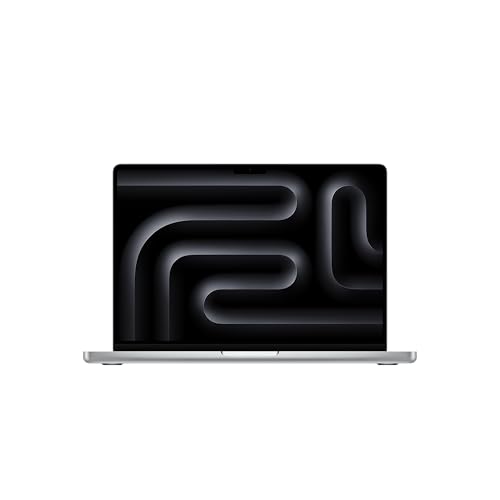
- SUPERCHARGED BY M5 — The 14-inch MacBook Pro with M5 brings next-generation speed and powerful on-device AI to personal, professional, and creative tasks. Featuring all-day battery life and a...
- HAPPILY EVER FASTER — Along with its faster CPU and unified memory, M5 features a more powerful GPU with a Neural Accelerator built into each core, delivering faster AI performance. So you can blaze...
- BUILT FOR APPLE INTELLIGENCE — Apple Intelligence is the personal intelligence system that helps you write, express yourself, and get things done effortlessly. With groundbreaking privacy...
- ALL-DAY BATTERY LIFE — MacBook Pro delivers the same exceptional performance whether it’s running on battery or plugged in.
- APPS FLY WITH APPLE SILICON — All your favorites, including Microsoft 365 and Adobe Creative Cloud, run lightning fast in macOS.*
- IF YOU LOVE IPHONE, YOU’LL LOVE MAC — Mac works like magic with your other Apple devices. View and control what’s on your iPhone from your Mac with iPhone Mirroring.* Copy something on iPhone...
- BRILLIANT PRO DISPLAY — The 14.2-inch Liquid Retina XDR display features 1600 nits peak brightness, up to 1000 nits sustained brightness, and 1,000,000:1 contrast.*
- ADVANCED CAMERA AND AUDIO — Stay perfectly framed and sound great with a 12MP Center Stage camera, three studio-quality mics, and six speakers with Spatial Audio and support for Dolby Atmos.
- CONNECT IT ALL — This MacBook Pro features three Thunderbolt 4 ports and a MagSafe 3 charging port, SDXC card slot, HDMI port, and headphone jack. And it supports up to two external displays.
- * LEGAL DISCLAIMERS — This is a summary of the main product features. See below to learn more.
Why It’s Our Top Pick
If you can grab it within budget, this is the most straightforward “music-first” laptop here—especially for Logic Pro users (Mac-only), and for producers who want strong performance without fighting power-management quirks. This listing specifies an Apple M5 chip (10-core CPU / 10-core GPU) with 16GB unified memory and 512GB SSD.
Key Features
- Apple M5 platform (focus: efficient sustained performance).
- 14.2″ Liquid Retina XDR display (comfortable for long sessions).
- 16GB unified memory, 512GB SSD.
- Strong “grab-and-go” workflow for mobile recording.
What We Like
- Excellent fit for producers who value stability and consistent performance for DAWs and plugins.
- A practical size for travel without feeling cramped like smaller ultraportables.
- A realistic path for touring musicians who need one machine for sessions, playback, and light creator work.
What Could Be Better
- 16GB RAM can be the ceiling for heavy sample libraries and huge sessions—some pros will want 32GB+.
- Under-$1500 availability usually depends on timing; it has been discounted into the $1500 range during major sales, but pricing moves.
Pros & Cons
| Pros | Cons |
|---|---|
| Great platform fit for music production | Base 16GB may bottleneck large templates |
| Strong performance-per-watt | Under-$1500 often requires sale timing |
| Best option here for Logic users | Storage may fill quickly with sample packs |
Who This Product Is Best For
- Professional producers/engineers who want a proven “get work done” laptop and don’t want to troubleshoot.
- Mobile artists recording on the road who prioritize consistency and battery life behavior.
- Logic Pro users who must be on macOS.
Who Should Skip This Product
- Producers who already know they need 32–64GB RAM for massive orchestral libraries.
- Buyers who must stay strictly under $1500 today regardless of sales cycles.
2) Lenovo ThinkPad T14 Gen 5 — Best Value Windows Workhorse
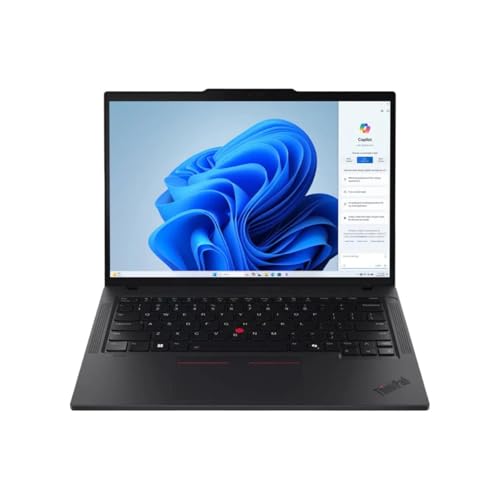
- High-Performance AMD Ryzen 7 PRO: Powered by an 8-core AMD Ryzen 7 PRO 8840U (up to 5.1 GHz boost) with built-in Ryzen AI capabilities — delivering strong CPU performance and AI-ready efficiency for...
- Crisp 14″ WUXGA Touch Display: 14.0″ IPS panel with 1920×1200 resolution, 16:10 aspect ratio, 400 nits brightness, anti-glare finish, and touchscreen support — great for productivity,...
- Generous RAM & Fast Storage: Ships with 32 GB DDR5 RAM (expandable up to 64 GB) and 512 GB PCIe-NVMe SSD — ensuring smooth multitasking, fast boot-up and application loads, and room for large...
- Integrated AMD Radeon 780M Graphics: Delivers capable integrated graphics for everyday tasks, content creation, media playback, and light graphics workloads without needing a discrete GPU
- Modern Connectivity & Networking: Features Wi-Fi 6E and Bluetooth 5.3 for fast wireless networking; USB-C / USB-A ports and docking support (via USB-C / Thunderbolt-capable USB-C) for external...
- Business-Ready Features & Security: Comes with Windows 11 Pro, TPM 2.0, 5MP webcam with IR and privacy shutter, backlit spill-resistant keyboard, Dolby Audio speakers, and durable build—ideal for...
- Repairable, Upgradeable & Durable Design: Part of the Gen 5 series, offering strong repairability with dual SO-DIMM RAM slots (up to 64GB), M.2 SSD expansion, and a durable chassis built for frequent...
Why It Ranks #2
For Windows users, this is the most balanced “serious work” pick: a modern Ryzen 7 PRO 8840U, 32GB DDR5, and a practical 14″ form factor that’s easy to carry to rehearsals, studios, and classes.
Key Features
- AMD Ryzen 7 PRO 8840U (modern efficiency-focused performance).
- 32GB DDR5 RAM (helps keep large projects smooth).
- 512GB NVMe SSD.
- 14″ WUXGA (1920×1200) display.
What We Like
- 32GB RAM is the practical advantage here: better headroom for plugins, sample instruments, and multitasking.
- Great fit for students and working producers who need a durable daily laptop.
- The 16:10 screen gives you a bit more vertical room for tracks and mixer views.
What Could Be Better
- 14″ is portable, but not everyone loves arranging on a smaller timeline (external monitor helps).
- Storage is only 512GB—fine to start, but many producers will add an external SSD quickly.
Pros & Cons
| Pros | Cons |
|---|---|
| 32GB RAM is ideal for serious DAW work | 14″ screen can feel tight for mixing |
| Strong, modern Ryzen 7 Pro platform | 512GB fills fast with sample libraries |
| Portable for touring + school | May need a USB hub depending on interface |
Who This Product Is Best For
- Bedroom producers leveling up who want Windows + real headroom (32GB).
- Touring musicians who need something rugged and portable.
- Students doing music tech, production, or media programs.
Who Should Skip This Product
- Producers who refuse to work on a 14″ screen without an external monitor.
- Users who need lots of internal storage for large sample collections.
3) MSI Thin 15 (RTX 4050) — Best for Creators Who Also Produce
- Slim, lightweight design for everyday portability: Easy to take between home, class, and work with a portable chassis that fits into backpacks and shared desk setups.
- Intel i7-13620H + RTX 4050 for strong gaming and multitasking: Power through popular games, streaming, schoolwork, and creative apps with a balanced processor and GPU built for fast performance.
- Fast, smooth 1080p gaming on a 144Hz display: The 15.6" FHD 144Hz panel delivers crisp, fluid motion in esports and action games for a responsive, immersive experience.
- 16GB RAM + 512GB NVMe SSD for quick loads and smooth switching: Games, apps, and browser tabs stay responsive throughout the day with fast DDR4 memory and a high-speed SSD.
- Cooler Boost keeps performance steady during long sessions: MSI’s advanced thermal design helps maintain smooth gameplay and reliable performance during gaming, studying, or work.

Why It Ranks #3
Music production doesn’t need a powerful GPU—but content creators often do. This model pairs an Intel Core i7-13620H (a stronger “H-class” CPU style) with an RTX 4050, making it a practical hybrid machine for music + video + graphics work.
Key Features
- Intel Core i7-13620H.
- RTX 4050 (helpful for video workflows).
- 16GB RAM, 512GB NVMe SSD.
- 15.6″ FHD 144Hz display.
What We Like
- Better-suited than ultraportables for sustained loads (rendering + heavier sessions).
- If your workflow is “make the beat, cut the video, publish,” the dedicated GPU is real value.
- 15.6″ gives comfortable screen real estate for DAW + plugin windows.
What Could Be Better
- Gaming-style thin laptops often trade quiet operation for thinness—fan noise can matter when recording vocals in the same room.
- 16GB RAM is workable, but advanced producers may outgrow it faster than 32GB systems.
Pros & Cons
| Pros | Cons |
|---|---|
| Strong CPU class for heavier workloads | Potentially louder under load |
| RTX GPU helps video + creator tasks | 16GB RAM may limit big templates |
| Good screen size for DAWs | 512GB storage fills quickly |
Who This Product Is Best For
- Content creators & multi-hyphenates who produce music and edit video.
- Producers who want a faster-feeling CPU class for heavier plugin chains.
Who Should Skip This Product
- Engineers who prioritize quiet recording environments over all else.
- Users who want 32GB RAM without upgrades.
4) HP Essential 17 — Best Big-Screen Budget Home Studio
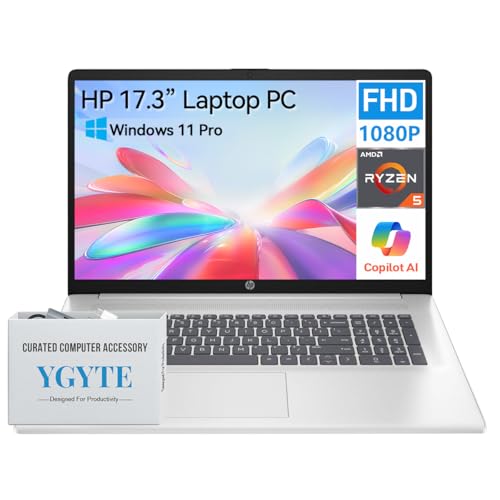
- BIG SCREEN, BIG IMPACT: Enjoy stunning visuals and crispy clarity on the HP 17.3" laptop featuring a FHD (1920 × 1080) IPS anti-glare display with wide viewing angles and vibrant colors. The big...
- UNMATCHED POWER: Equipped with a fast and powerful AMD Ryzen 5 processor (6 cores, 12 threads), the HP 17 laptop computer delivers seamless multitasking and enhanced productivity for gaming, video...
- AMPLE MEMORY, FAST STORAGE: Power through your tasks with the HP laptops 17 inch. With 32GB highi-bandwidth DDR4 RAM, the HP 17.3 inch laptop empowers seamless multitasking and quick app switching....
- THOUGHTFUL DESIGN: The essential HP laptop computer 17 inch screen PC boasts a slim, sleek, and lightweight design. A full-size keyboard with 10-key numeric pad and lift-hinge design allows for...
- WORK SMARTER, FASTER: The Windows 11 Pro laptop boosts productivity and creativity. With AI-powered multitasking, the 17 HP laptop notebook pc handles demanding workloads up to 42% faster. The 17 inch...
Why It Ranks #4
For stationary or “mostly at home” producers, the simple win is screen space and RAM. This configuration lists a 17.3″ 1080p display, Ryzen 5, 36GB RAM, and a 1TB SSD, which is unusually roomy for the money in a home studio setup.
Key Features
- 17.3″ 1920×1080 display.
- Ryzen 5 (model not specified beyond series).
- 36GB DDR4 RAM, 1TB SSD.
- Integrated Radeon graphics (fine for DAWs).
What We Like
- Big screen is genuinely useful for mixing and arrangement without an external monitor.
- 36GB RAM helps keep larger projects responsive, especially with sample instruments.
- 1TB internal storage is comfortable for plugin installers, projects, and some sample packs.
What Could Be Better
- 17″ laptops are inherently less travel-friendly.
- Performance in long sessions depends heavily on cooling and power tuning (common for big “budget” 17″ models).
Pros & Cons
| Pros | Cons |
|---|---|
| Large 17.3″ workspace | Not ideal for travel/touring |
| 36GB RAM + 1TB SSD is strong value | Sustained performance varies by cooling |
| Great for home studio workflows | Big footprint in backpacks |
Who This Product Is Best For
- Bedroom producers & hobbyists who want a bigger canvas for arranging/mixing.
- Students building a starter home studio who need RAM + storage without complexity.
Who Should Skip This Product
- Mobile artists who carry a laptop daily.
- Anyone recording in ultra-quiet environments who wants the quietest machine possible.
5) HP Flagship Laptop (17.3″) — Best Large-Screen Workflow
Why It Ranks #5
This one is about getting a large-screen workflow with a modern Core i5-1334U class CPU, but you need to be comfortable with a 250-nit display spec and verify the exact configuration you’re buying.
Key Features
- 17.3″ display with 250 nits listed.
- Intel Core i5-1334U listed on the tracking page for this model code.
- Typically positioned as a large-screen productivity configuration (works well for DAW UI space).
What We Like
- Big screen helps reduce “plugin window fatigue” in long sessions.
- A reasonable fit for producers doing moderate sessions, tracking, and mixing with smart project management.
What Could Be Better
- 250 nits is fine indoors, but not great in bright environments.
- As with many “flagship bundle” listings, specs can vary—double-check CPU/RAM/storage on the exact listing page before buying.
Pros & Cons
| Pros | Cons |
|---|---|
| Large 17.3″ workspace | Modest brightness (250 nits) |
| Solid for home production setup | Confirm exact config before purchase |
| Good “single laptop” productivity feel | Less portable than 14–15″ models |
Who This Product Is Best For
- Home-focused producers who want a big screen and a straightforward Windows setup.
- Students who want one large laptop for both school and music production.
Who Should Skip This Product
- Anyone working outdoors or in bright rooms frequently.
- Touring musicians who want a lighter, tougher travel laptop.
What to Look for When Buying a Laptop for Making Music
1) CPU behavior matters more than “peak specs”
DAWs care about low-latency stability and consistent performance. A modern CPU is great, but also prioritize laptops known for stable power behavior (especially on Windows).
2) RAM: 16GB is the floor, 32GB is the comfort zone
- 16GB: fine for many beatmakers, audio tracking, and moderate plugin chains.
- 32GB: better for heavy multitasking and sample instruments.
If you run huge orchestral libraries, you may want more than this list targets.
3) Storage: plan for projects + samples
512GB can fill quickly once you install plugins and a few sample libraries. If you choose a 512GB model, assume you’ll add an external SSD.
4) Ports and your audio interface
Count what you actually use: USB-A/USB-C, charging, external drive, MIDI, and a display. If you hate dongles, prioritize laptops with the ports you need built-in.
Final Verdict – The Best Laptop for Making Music
- SUPERCHARGED BY M5 — The 14-inch MacBook Pro with M5 brings next-generation speed and powerful on-device AI to personal, professional, and creative tasks. Featuring all-day battery life and a...
- HAPPILY EVER FASTER — Along with its faster CPU and unified memory, M5 features a more powerful GPU with a Neural Accelerator built into each core, delivering faster AI performance. So you can blaze...
- BUILT FOR APPLE INTELLIGENCE — Apple Intelligence is the personal intelligence system that helps you write, express yourself, and get things done effortlessly. With groundbreaking privacy...
- ALL-DAY BATTERY LIFE — MacBook Pro delivers the same exceptional performance whether it’s running on battery or plugged in.
- APPS FLY WITH APPLE SILICON — All your favorites, including Microsoft 365 and Adobe Creative Cloud, run lightning fast in macOS.*
- IF YOU LOVE IPHONE, YOU’LL LOVE MAC — Mac works like magic with your other Apple devices. View and control what’s on your iPhone from your Mac with iPhone Mirroring.* Copy something on iPhone...
- BRILLIANT PRO DISPLAY — The 14.2-inch Liquid Retina XDR display features 1600 nits peak brightness, up to 1000 nits sustained brightness, and 1,000,000:1 contrast.*
- ADVANCED CAMERA AND AUDIO — Stay perfectly framed and sound great with a 12MP Center Stage camera, three studio-quality mics, and six speakers with Spatial Audio and support for Dolby Atmos.
- CONNECT IT ALL — This MacBook Pro features three Thunderbolt 4 ports and a MagSafe 3 charging port, SDXC card slot, HDMI port, and headphone jack. And it supports up to two external displays.
- * LEGAL DISCLAIMERS — This is a summary of the main product features. See below to learn more.
If you can keep it under $1500, the Apple 2025 MacBook Pro (14.2″) is the cleanest overall choice for music work—especially for Logic users and mobile professionals—based on the listed M5 configuration and real-world buying context during sales.
For Windows users who want maximum “set it up once and work,” the ThinkPad T14 Gen 5 is the strongest value and the most balanced pick in this list.
FAQ
Do I need a dedicated GPU for music production?
Usually no—DAWs are mostly CPU/RAM. A GPU helps if you also do video (MSI is the obvious fit).
Is Mac better than Windows for producing music?
Mac is mandatory for Logic Pro, and many producers like the “just works” experience; Windows can be excellent with the right laptop and settings.
How much RAM do I need for Ableton/FL Studio/Pro Tools?
16GB is workable for many users; 32GB is safer for heavier plugins and sample instruments.
Is a 17-inch laptop worth it for a home studio?
If you don’t travel much, yes—more screen space makes mixing and arranging easier (HP 17″ models are built around that).
Should I store sample libraries on an external SSD?
Often yes—especially if you buy a 512GB laptop. It’s a clean way to expand without replacing the internal drive.
What matters most for low-latency recording?
CPU stability, power settings, and a solid audio interface/driver—more than raw GPU power.