
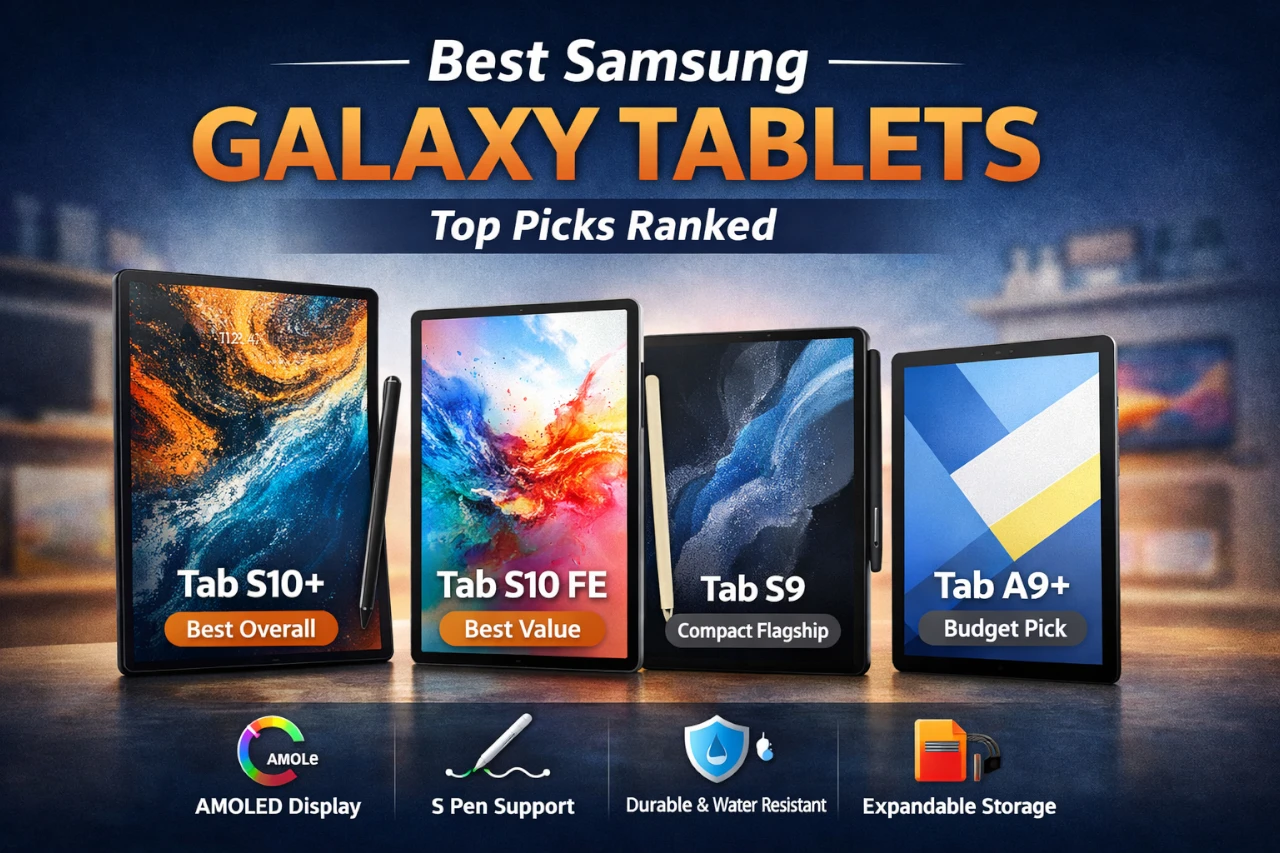
Samsung’s Galaxy tablet lineup is unusually broad: you’ve got true iPad-Pro-class options (Tab S series), “almost-flagship” fan editions, and inexpensive family tablets that still feel modern.
This guide ranks the best Samsung Galaxy tablets for most buyers, with clear trade-offs so you don’t overpay—or accidentally buy something underpowered for your workload.
I prioritized the things that actually change day-to-day satisfaction: display quality, performance headroom, note-taking experience with the S Pen, durability for travel/kids, and overall value at the typical price.
Quick Verdict
Best overall pick: Samsung Galaxy Tab S10+ — the best “do-everything” Galaxy tablet if you want a big AMOLED screen, S Pen creativity, and premium durability.
Best value pick: Samsung Galaxy Tab S10 FE — the smartest buy for most people who want S Pen note-taking, modern smoothness (90Hz), and water resistance without flagship pricing.
Who should buy from this list: Android users who want the best Samsung ecosystem experience for media, notes/school, and productivity.
Who may want to look elsewhere: If you need desktop-class pro apps that are iPad-first, or you want a tiny, one-hand mini tablet—Samsung’s lineup isn’t as strong there.
Top Picks at a Glance
| Product | Best for | Key strength | Main drawback |
|---|---|---|---|
| Samsung Galaxy Tab S10+ (256GB) | Power users, creators, big-screen productivity | Premium 12.4″ AMOLED + S Pen + AI note tools | Expensive for casual use |
| Samsung Galaxy Tab S9 (256GB) | Compact-ish flagship performance | Snapdragon 8 Gen 2 power + AMOLED + Wi-Fi 7 | Smaller screen for split-screen work |
| Samsung Galaxy Tab S10 FE (256GB) | Best value for students & everyday productivity | S Pen + 90Hz + IP68 at a mid price | Not a true “flagship” processor |
| Samsung Galaxy Tab A9+ (64GB) | Budget family tablet | Very affordable 11″ + quad speakers + 90Hz | TFT LCD and entry-level performance |
Product Reviews
Product #1 – Samsung Galaxy Tab S10+ (Best Overall)
- INNOVATIVE ART POWER: Turn your simple sketches into works of art instantly using Sketch to Image¹ with Galaxy AI.²
- SEARCHING MADE EASY: Quickly search for just about anything you see on your Tab — all without switching apps — using Circle to Search with Google.³
- MAKE A LONG STORY SHORT: Capture your lecture, meeting, or daily notes and let Note Assist⁴ with Galaxy AI² do the hard work of organizing and even summarizing them for you.
- NEXT-LEVEL NOTE TAKING: Get transcripts and summaries of recorded lectures and meetings, just like that.⁵
- PACKED WITH POWER: No matter what you take on or where you take your Galaxy Tab S10+, enjoy every experience with a powerful tablet processor.
- BIG SCREEN. BREATHTAKING BRILLIANCE: Enjoy unbelievable brilliance with reduced glare from anywhere on a 12.4" Dynamic AMOLED 2X screen.⁶
- CONVENIENTLY CONTROL YOUR HOME: Enhance your home life using the SmartThings Home Insight Widget to conveniently automate home controls and see more at a glance with Map View on your Galaxy Tab S10...
- S PEN. AI POWER. ENDLESS CREATIVITY: Bring ideas to life just like that with the included S Pen and the power of Galaxy AI.²
- STAND UP TO THE ELEMENTS: Enjoy peace of mind knowing your Galaxy Tab S10+ is built to protect against bumps, dust, and splashes.⁸

Why It’s Our Top Pick
If you want the most “complete” Galaxy tablet experience, the Tab S10+ nails it: large 12.4″ Dynamic AMOLED 2X panel, included S Pen for real note-taking, and Samsung’s AI-powered features (like Note Assist and Circle to Search) that actually save time in school/work scenarios. It’s the one I’d choose if I do a lot of split-screen work, reading PDFs, sketching, or watching content on a premium display.
Key Features
- 12.4″ Dynamic AMOLED 2X with reduced glare for comfortable long sessions
- Galaxy AI tools like Sketch-to-Image and Note Assist-style organization
- Included S Pen for handwriting, annotation, and creative work
- Durable design aimed at bumps, dust, and splashes (model line positioning)
What We Like
The big win here is the screen + pen combination. A 12.4″ AMOLED panel is the difference between “nice tablet” and “this can replace a lot of laptop-lite tasks,” especially for split-screen notes + reference, or editing documents while a video lecture runs on the side.
The other advantage is simply fewer compromises. You’re not buying into the S series and immediately wishing you had a bigger display, better contrast, or more premium polish.
What Could Be Better
This is overkill for casual buyers. If your use is mostly YouTube, email, light browsing, and occasional notes, you’re paying a premium for a screen and feature set you won’t fully use.
Also, 256GB is generous for many people, but creators who store large art files or offline video libraries may still want to plan around external storage/cloud (since the listing doesn’t emphasize expandability).
Pros & Cons
| Pros | Cons |
|---|---|
| Gorgeous 12.4″ AMOLED-class viewing for media and work | Price is hard to justify for casual use |
| S Pen included and genuinely useful for notes/markup | Bigger size isn’t as “grab-and-go” |
| Strong productivity potential with split screen | Storage strategy matters for heavy creators |
| AI note/idea features can save time | Premium features may be wasted for light users |
Who This Product Is Best For
- Students who annotate PDFs, record/organize notes, and want a large canvas
- Creators who sketch, storyboard, or do light design work with an S Pen
- Anyone replacing a “couch laptop” with a premium tablet experience
Who Should Skip This Product
- Buyers who only want a basic home tablet for streaming and web browsing
- People who strongly prefer compact, one-hand-friendly tablets
- Anyone trying to maximize value under a midrange budget
Product #2 – Samsung Galaxy Tab S10 FE (Best Value)
- UNWIND WITH A BIG SCREEN: Kick back and relax with big, bright screens.¹ See every detail of your favorite shows, and get closer to the action on your favorite games with 90hz refresh rate. Plus,...
- CIRCLE ANYTHING. SEARCH EVERYTHING: With Galaxy Tab S10 FE Series, you can simply circle anything on your screen to easily get search results on the spot using Circle to Search with Google.²
- HANDWRITING ASSIST MAKES YOUR UNTIDY NOTES NEAT: Tidy up your handwritten notes with Handwriting Assist.³ It easily straightens, aligns and adjusts the spacing of your words to create neater notes.
- DOES THE MATH FOR YOU: Make the grades using Math Solver.⁴ Simply use your S Pen to write out an equation on your screen. Math Solver can clean up your equations by turning them into text, just like...
- WATER RESISTANT, FROM DROPS TO DUNKS: From droplets to splashes to full immersion in water, Galaxy Tab S10 FE Series is dependably durable.⁵

Why It’s Our Best Value Pick
The Tab S10 FE hits the sweet spot: modern screen smoothness (90Hz), S Pen support for real notes, strong battery claims, and IP68 water resistance—without jumping into four-figure pricing. For most students and everyday users, this is the model that feels “nice” in every important way while staying cost-rational.
Key Features
- 10.9″ display with 90Hz refresh for smoother scrolling and pen feel
- Exynos 1580 for everyday multitasking and casual gaming
- IP68 water resistance (rare in the broader tablet market)
- S Pen included + handwriting assist and math solver style features
- Expandable storage up to 1TB via microSD (per listing)
What We Like
This is the tablet I recommend when someone says: “I want a Samsung tablet that feels premium enough for school/work, but I don’t want to spend flagship money.” The 90Hz refresh is underrated—everything feels more responsive, and handwriting tends to feel more natural.
IP68 is also a real-world advantage if you travel, use it in kitchens, bring it poolside, or it’s going to live around kids.
What Could Be Better
The processor tier isn’t flagship-class, so if you do heavy creative workloads (large layered art files, intense multitasking, demanding games), you’ll feel the limits sooner than on the Tab S9.
Also, if your priority is the absolute best OLED-style contrast for movies, FE models typically prioritize value over the top-tier panel experience you get in the S-series flagships.
Pros & Cons
| Pros | Cons |
|---|---|
| Best balance of price + pen productivity | Not the fastest option for power users |
| 90Hz makes daily use feel smoother | Display isn’t the “top OLED tier” experience |
| IP68 durability is a major differentiator | Heavy creators may want a flagship chip |
| microSD expandability for long-term use | Keyboard productivity adds extra cost |
Who This Product Is Best For
- Students taking handwritten notes and annotating documents
- Everyday users who want “nice” performance without flagship pricing
- Families who want durability + long battery life in a shared tablet
Who Should Skip This Product
- Power users who want top-end performance headroom for years
- People primarily buying for OLED movie quality above all else
- Buyers who already know they’ll run heavy pro-grade creative apps daily
Product #3 – Samsung Galaxy Tab S9 (Best Compact Flagship)
- GALAXY AI IS HERE: Search like never before, let transcript assist take the notes for you, format your notes into a clear summary, and effortlessly edit your photos - all from your tablet, all with AI
- OUR MOST POWERFUL TABLET PROCESSOR YET: From work time to playtime, unleash greatness in every experience with a superfast Snapdragon 8 Gen 2 chip, our most powerful tablet processor yet⁵
- INTENSELY BRILLIANT SCREEN: Elevate your entertainment with an 11" Dynamic AMOLED 2X screen⁶; Get ready for intense colors, deep contrasts and unbelievable brilliance; Plus, Vision Booster...
- STANDS UP TO DUST and WATER: Confidently take your Tab S9 with you everywhere; With an Armor Aluminum frame, it’s designed to protect against bumps; With an IP68 rating, it’s one of the only...
- DESIGNED TO INSPIRE: Minimalistic and sleek, Galaxy Tab S9 delivers an innovative look and feel; The ultra-slim bezels and refined Armor Aluminum finish make for a Tab that’s designed to inspire
- A BATTERY THAT LASTS and LASTS: Get lost in your favorite shows and games without worrying about battery life; And when you do need to recharge, do it quickly and keep going with Super Fast...
- STORE WHAT YOU LOVE: Whether it’s movies, music, photos, games or creative projects, store what you want with up to 256GB of storage⁹
- KEEP CONNECTED WITH WI-FI 7: Stay connected with reliable, fast Wi-Fi 7º and enjoy smooth streaming, fast downloads and gaming with virtually no lag
- A PEN FOR YOUR THOUGHTS: Love to sketch or take notes by hand The S Pen included with your Tab S9 feels like a real pen, giving you a fun and innovative way to capture ideas on the fly
- LOOK SHARP AND HEAR EVERY DETAIL: Look sharp on video calls with a high-resolution front camera and keep the focus on you with Auto-Focus; Plus, you’ll hear every conversation clearly with rich...

Why It’s Ranked Here
The Tab S9 is the best pick if you want flagship performance in a slightly more manageable size. It uses the Snapdragon 8 Gen 2 (a legitimately high-end chip), has an 11″ Dynamic AMOLED 2X screen, includes the S Pen, and even brings IP68 protection. If you want speed and premium display quality but don’t want a 12.4″ tablet, this is the move.
Key Features
- Snapdragon 8 Gen 2 for high-end performance
- 11″ Dynamic AMOLED 2X with strong contrast and color
- Wi-Fi 7 support for fast, stable connectivity (router permitting)
- Armor Aluminum + IP68 water/dust resistance (per listing)
- S Pen included for notes and sketching
What We Like
Performance is the story here. The Tab S9 is the one I’d trust most for demanding multitasking, heavier apps, and keeping that “fast tablet” feeling longer.
The size is also practical: it’s easier to hold and carry than 12.4″ models, yet still big enough to do real work with split screen.
What Could Be Better
If your goal is laptop-like multitasking with multiple apps side-by-side, the 11″ screen can feel tight. It’s not that it can’t do it—it’s that you may prefer more screen space once you live in split view.
Also, value depends heavily on pricing. If it creeps too close to the S10 FE or larger models, you have to decide whether performance or screen size matters more.
Pros & Cons
| Pros | Cons |
|---|---|
| Flagship Snapdragon performance | 11″ can feel cramped for heavy split-screen |
| AMOLED screen is excellent for media | Pricing can overlap awkwardly with other models |
| Wi-Fi 7 + premium build + IP68 | Not the best choice if you want the biggest canvas |
| S Pen included | 256GB may require storage planning for creators |
Who This Product Is Best For
- Buyers who want a premium tablet that stays fast for years
- People who prefer an 11″ size for portability
- Gamers and heavy multitaskers who want Snapdragon-class power
Who Should Skip This Product
- Anyone who primarily wants a big-screen productivity canvas
- Budget shoppers who just want a family media tablet
- Users who rarely do anything beyond streaming and light browsing
Product #4 – Samsung Galaxy Tab A9+ (Best Budget)
- BIG SCREEN. FAMILY-SIZED FUN: Bring fun home to everyone with a bright, engaging screen; great for videos, games or fun time for the kids (11” 1920 x 1200, 90Hz, 480 nits, TFT LCD)
- RICH SOUND ALL AROUND: Your music; Your shows; Your games; Hear them all loud and clear, thanks to quad speakers powered by Dolby Atmos; Galaxy Tab A9 plus delivers a cinema-like audio experience your...
- POWER FOR ALL YOU DO. STORAGE FOR ALL YOU LOVE: Watch videos, play games and do more with an upgraded chipset; 4GB RAM plus 64GB | 8GB RAM plus 128GB | Up to 1TB expandable storage; Processor Qualcomm...
- SEE and USE MULTIPLE APPS AT ONCE: Open multiple apps at once with Galaxy Tab A9 plus and accomplish more seamlessly; Bounce between the things like a multitasking pro — browse the internet, check...
- LOVED BY KIDS. TRUSTED BY PARENTS: Give your kids a safe place to learn and play with the Samsung Kids app; Kids will love a wide variety of playful, colorful content that keeps them entertained while...
- SLIM. LIGHT. DURABLE: Carry your Tab easily with a slim, light design that’s also durable; Galaxy Tab A9 plus is the perfect blend of performance and portability to help you bring the fun with you...
- SEND FILES IN A FLASH: Sharing files has never been easier with Quick Share; Select the file you want to share on your device —from a video clip to a photo, then easily transfer the file to another...
- TAKE IT TO THE BIG SCREEN: With Smart View, experience videos exactly how you want; Looking to see more detail on a sports clip or cooking video you’re watching on your Tab Cast it to your Samsung...
- KEEP THE CONVERSATION GOING: With Galaxy, it’s easy to stay connected to family and friends; Pick up a call or return a text from your Tab, even if your phone is in the next room
- For manufacturer contact information, please visit the official website, accessing the link in the "Visit the SAMSUNG store" section, right under the item title

Why It’s Here
The Tab A9+ is the “spend as little as possible but still enjoy it” pick. An 11″ display with a 90Hz refresh rate, quad speakers with Dolby Atmos support, and a slim/light build make it a strong family tablet for streaming, casual games, and school basics.
Key Features
- 11″ 1920×1200 display with 90Hz refresh (listing also notes 480 nits)
- Quad speakers with Dolby Atmos support
- Multi-window for basic multitasking
- Expandable storage up to 1TB (per listing)
- Samsung Kids features for family use
What We Like
For the price, the experience is surprisingly complete. The 90Hz refresh helps it feel smoother than many budget tablets, and quad speakers matter a lot for “living room” usage.
It’s also a good “shared household device” where you don’t want to worry too much about wear and tear.
What Could Be Better
This is not a creator or power-user tablet. The TFT LCD panel won’t deliver the deep blacks and punchy contrast of AMOLED, and performance won’t satisfy heavy multitasking.
Also, the 64GB base storage is fine for light use, but it can fill quickly if multiple family members download games and offline video—plan on microSD early if you pick this model.
Pros & Cons
| Pros | Cons |
|---|---|
| Excellent price for an 11″ tablet | TFT LCD isn’t in the same league as AMOLED |
| 90Hz makes basic use feel smoother | Entry-level performance for demanding apps |
| Quad speakers improve media enjoyment | 64GB can fill quickly without microSD |
| Solid family/kids feature set | Not ideal for serious note/pen workflows |
Who This Product Is Best For
- Families who want a shared streaming + homework tablet
- Budget shoppers who still want a modern-feeling screen refresh
- Kids/teens who need a reliable tablet for basics
Who Should Skip This Product
- Anyone buying primarily for handwriting notes or art workflows
- Users who want premium display quality for movies
- People who need fast performance for heavy multitasking or demanding apps
What to Look For When Buying Samsung Galaxy Tablets
1) Screen quality and size
- AMOLED vs TFT LCD is a big deal for movies and nighttime use. AMOLED tends to look richer with better contrast.
- 11″ vs 12.4″ matters more than you think: 12.4″ is better for split-screen and documents; 11″ is easier to hold and carry.
2) Performance headroom
If you keep tablets for years, prioritize the chip tier:
- Flagship chips handle heavier multitasking and demanding apps longer.
- Midrange chips are great for school, browsing, streaming, and casual games—but can age faster if your needs grow.
3) S Pen workflow
If you’ll take handwritten notes, annotate PDFs, or sketch:
- Prefer models where S Pen is included and the device is clearly built around pen features (Tab S series / FE here).
- Also consider whether you’ll add a keyboard later for productivity.
4) Durability and portability
- IP ratings (like IP68) matter if the tablet travels, lives in a backpack, or gets used around water.
- Larger screens are great at a desk—but less fun to hold for long reading sessions.
5) Storage strategy
- 256GB is comfortable for many people, but video downloads and creative files add up fast.
- If the model supports microSD expansion, that’s a cost-effective long-term safety net.
Final Verdict – The Best Samsung Galaxy Tablets
If you want the most premium, big-screen Samsung tablet experience, the Samsung Galaxy Tab S10+ is the best overall choice—especially if notes, creative work, and split-screen productivity matter most.
For most buyers who want an excellent balance of price and capability, the Samsung Galaxy Tab S10 FE is the value standout: smooth daily performance, S Pen usefulness, and durability features that actually make ownership easier.
- INNOVATIVE ART POWER: Turn your simple sketches into works of art instantly using Sketch to Image¹ with Galaxy AI.²
- SEARCHING MADE EASY: Quickly search for just about anything you see on your Tab — all without switching apps — using Circle to Search with Google.³
- MAKE A LONG STORY SHORT: Capture your lecture, meeting, or daily notes and let Note Assist⁴ with Galaxy AI² do the hard work of organizing and even summarizing them for you.
- NEXT-LEVEL NOTE TAKING: Get transcripts and summaries of recorded lectures and meetings, just like that.⁵
- PACKED WITH POWER: No matter what you take on or where you take your Galaxy Tab S10+, enjoy every experience with a powerful tablet processor.
- BIG SCREEN. BREATHTAKING BRILLIANCE: Enjoy unbelievable brilliance with reduced glare from anywhere on a 12.4" Dynamic AMOLED 2X screen.⁶
- CONVENIENTLY CONTROL YOUR HOME: Enhance your home life using the SmartThings Home Insight Widget to conveniently automate home controls and see more at a glance with Map View on your Galaxy Tab S10...
- S PEN. AI POWER. ENDLESS CREATIVITY: Bring ideas to life just like that with the included S Pen and the power of Galaxy AI.²
- STAND UP TO THE ELEMENTS: Enjoy peace of mind knowing your Galaxy Tab S10+ is built to protect against bumps, dust, and splashes.⁸
FAQ
Which Samsung tablet is best for note-taking?
Tab S10+ is the best big-screen note option; Tab S10 FE is the best-value note option with an S Pen.
Is the Tab S9 still worth it?
Yes—especially if you want flagship performance in a more portable 11″ size.
Do I need 256GB storage on a tablet?
Not always. It’s great for offline video and large apps, but many users can do fine with less—especially with microSD on supported models.
Which is best for movies and streaming?
The AMOLED models (Tab S10+ and Tab S9) are the best for contrast and cinematic viewing.
Which is best for kids and family use?
Tab A9+ is the most cost-effective shared family tablet, with smooth 90Hz and strong speakers.
Is 90Hz important on a tablet?
It’s not mandatory, but it makes scrolling and general navigation feel noticeably smoother—especially on budget/midrange devices.