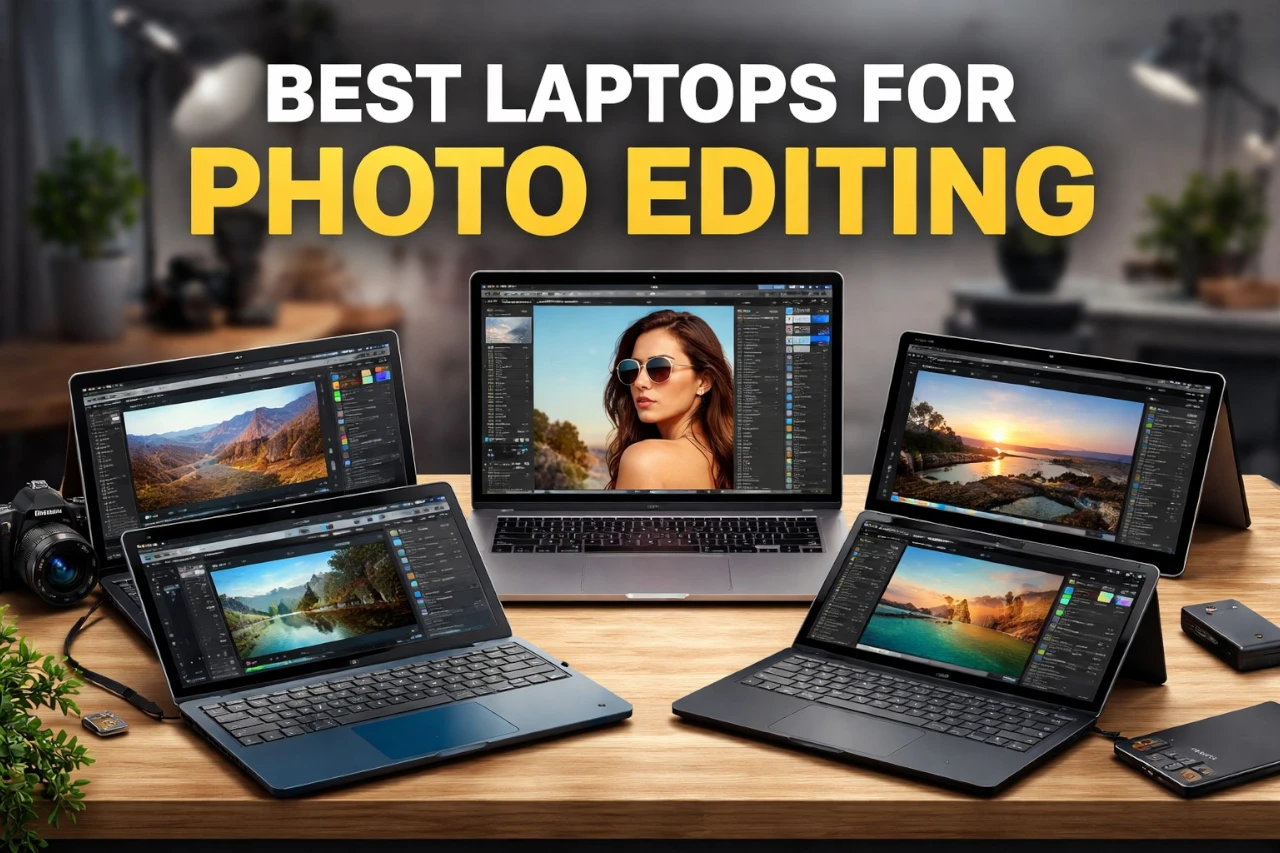
Photo editing pushes a laptop harder than basic web browsing or word processing. Large image files, layered edits, and color adjustments demand strong hardware and a clear, accurate screen. The right laptop helps you work faster and see your photos as they truly are.
When choosing a laptop for photo editing, pay close attention to the processor, RAM, storage speed, and display quality. A fast processor and at least 16GB of RAM help your editing software run smoothly, while solid-state storage speeds up file transfers. The most important features in a photo editing laptop are a powerful processor, enough RAM, and a color-accurate display. Without these, even simple edits can feel slow or look off.
Weight, battery life, and port selection also matter, especially if you travel or connect external drives and monitors. We researched and compared leading models to find the laptops that handle photo editing tasks with speed, accuracy, and reliability.
5 Best Laptops for Photo Editing
Below, we list the best laptops for photo editing that deliver strong performance, clear displays, and reliable storage. We chose models that handle large image files, run editing software smoothly, and show accurate colors so we can edit with confidence.
1. ASUS Zenbook DUO
![Top 5 Photo Editing Laptops Worth Buying in [year] (Display + Speed Focus)](https://m.media-amazon.com/images/I/71VUFrGHwDL.jpg)
We recommend the ASUS Zenbook DUO for photo editors who want more screen space without carrying a bulky workstation.
Pros
- Dual OLED screens give us a large, flexible editing workspace
- Strong performance handles large RAW files with ease
- Detachable keyboard and kickstand add real versatility
Cons
- Takes time to adjust to the dual-screen layout
- Battery drains faster in dual-screen mode
- Higher price than standard laptops

The first thing we noticed was the dual OLED screens. When we opened Lightroom and moved our tools to the second display, our main image stayed clean and easy to see. Colors looked rich and accurate, which helped us trust what we saw before export.
Editing large photo batches felt smooth. We applied masks, adjusted tones, and switched between apps without lag. The system stayed responsive even with many files open, which saved us time during long editing sessions.
We also liked the flexible setup. We detached the keyboard and used the kickstand to stack both screens vertically. That layout worked great for comparing before-and-after edits. The included pen felt natural for quick retouching and spot fixes.
However, the dual setup takes practice. At first, we reached for tools in the wrong place. Battery life also drops when both screens run at full brightness, so we kept the charger nearby during heavy work.
Overall, this laptop fits photographers who edit often and want more room to work without using an external monitor.
2. Apple MacBook Pro 14-inch M5
![Top 5 Photo Editing Laptops Worth Buying in [year] (Display + Speed Focus)](https://m.media-amazon.com/images/I/61qzZUkfYjL.jpg)
We recommend this laptop for photo editors who want a bright, color-accurate screen and fast performance in a compact, reliable machine.
Pros
- Bright and color-accurate display for detailed edits
- Smooth performance when working with large RAW files
- Strong battery life for editing away from a desk
Cons
- High price compared to many Windows laptops
- Limited upgrade options after purchase
- Fewer ports than some larger workstations
- SUPERCHARGED BY M5 — The 14-inch MacBook Pro with M5 brings next-generation speed and powerful on-device AI to personal, professional, and creative tasks. Featuring all-day battery life and a...
- HAPPILY EVER FASTER — Along with its faster CPU and unified memory, M5 features a more powerful GPU with a Neural Accelerator built into each core, delivering faster AI performance. So you can blaze...
- BUILT FOR APPLE INTELLIGENCE — Apple Intelligence is the personal intelligence system that helps you write, express yourself, and get things done effortlessly. With groundbreaking privacy...
- ALL-DAY BATTERY LIFE — MacBook Pro delivers the same exceptional performance whether it’s running on battery or plugged in.
- APPS FLY WITH APPLE SILICON — All your favorites, including Microsoft 365 and Adobe Creative Cloud, run lightning fast in macOS.*
- IF YOU LOVE IPHONE, YOU’LL LOVE MAC — Mac works like magic with your other Apple devices. View and control what’s on your iPhone from your Mac with iPhone Mirroring.* Copy something on iPhone...
- BRILLIANT PRO DISPLAY — The 14.2-inch Liquid Retina XDR display features 1600 nits peak brightness, up to 1000 nits sustained brightness, and 1,000,000:1 contrast.*
- ADVANCED CAMERA AND AUDIO — Stay perfectly framed and sound great with a 12MP Center Stage camera, three studio-quality mics, and six speakers with Spatial Audio and support for Dolby Atmos.
- CONNECT IT ALL — This MacBook Pro features three Thunderbolt 4 ports and a MagSafe 3 charging port, SDXC card slot, HDMI port, and headphone jack. And it supports up to two external displays.
- * LEGAL DISCLAIMERS — This is a summary of the main product features. See below to learn more.
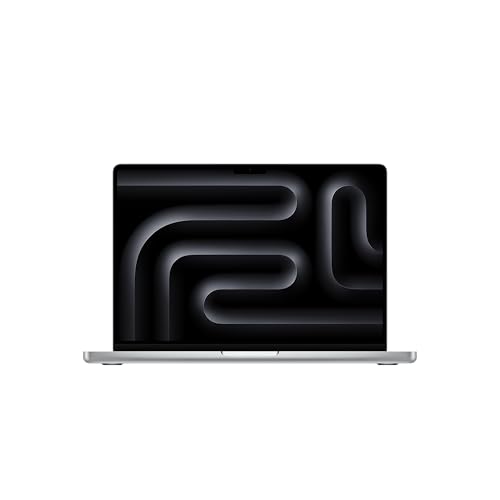
We edited several high-resolution RAW files in Lightroom and Photoshop, and the system stayed quick and steady. Images loaded fast, and switching between tools felt smooth. We did not notice lag when applying masks or exporting large batches.
The 14-inch display stands out right away. Colors look accurate, and bright highlights show strong detail. When we adjusted skin tones and fine shadows, we saw small changes clearly. The screen also stays visible in bright rooms, which helps when we work near windows.
Battery life held up through long editing sessions. We worked for hours without reaching for the charger. The laptop also stayed quiet, even during heavier edits.
Build quality feels solid and premium. The keyboard feels comfortable for long sessions, and the trackpad gives us precise control when we zoom in on small details. If we already use an iPhone or iPad, file sharing feels simple and quick.
The price sits on the higher end. Still, we get strong performance, a top-tier display, and a portable design that fits easily in a camera bag. For serious photo editing on the go, this MacBook Pro makes daily work easier and more consistent.
3. ASUS ProArt PX13 2‑in‑1
![Top 5 Photo Editing Laptops Worth Buying in [year] (Display + Speed Focus)](https://m.media-amazon.com/images/I/71tpEU3-8kL.jpg)
A strong choice for photographers who want accurate color, fast performance, and a compact 2‑in‑1 design for editing on the go.
Pros
- Sharp OLED screen with rich color and deep contrast
- Fast performance when editing large RAW files
- Compact body that feels sturdy and travel friendly
Cons
- 13-inch screen may feel small for long sessions
- Battery drains faster during heavy edits
- Upgraded model may cost more than basic options
- [Upgraded] Seal is opened for Hardware/Software upgrade only to enhance performance. 13.3" AMOLED 2.8K (2880x1800) 60Hz Touchscreen Display; 802.11be, Bluetooth 5.4, Webcam, Backlit KB Standard...
- [Powerful Performance with Ryzen AI 9 HX 370 ] Zen 5 Gen Ryzen AI 9 HX 370 2.00GHz Processor (upto 5.1 GHz, 24MB Cache, 12-Cores, 24-Threads, ); GeForce RTX 4050 6GB GDDR6 Dual (Integrated+Dedicated)...
- [High Speed and Multitasking] 32GB OnBoard RAM; 200W PSU, No, 4-Cell 73 WHr Battery; Nano Black Color
- [Enormous Storage] 2TB 2230 PCIe NVMe SSD; USB 3.1 Gen2, HDMI, SD Reader, Headphone/Microphone Combo Jack, Windows 11 Pro-64, 1 Year Manufacturer warranty from GreatPriceTech (Professionally upgraded...
- [Includes] Authorized Dockztorm Portable USB Hub(Special Edition Portable Dockztorm Data Hub;Super Speedy Data Sync Rate up to 5Gbps)
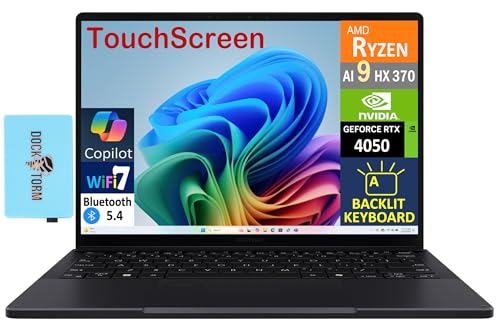
We edited a full Lightroom catalog on this laptop, and it kept up without lag. Images loaded fast, and tools like masking and healing felt smooth. The Ryzen AI processor and RTX graphics handled batch exports with no slowdown.
The OLED touchscreen stands out right away. Colors look natural and detailed, which matters when we adjust skin tones or fine-tune shadows. We trusted what we saw on the screen. The touch feature also helped when zooming or rotating images in tablet mode.
Its size makes it easy to carry to shoots or client meetings. At about three pounds, it fits well in a camera bag. The hinge feels solid, and the backlit keyboard made late-night edits easier.
Storage never felt tight. We saved large RAW files and layered Photoshop projects without worrying about space. The included USB hub also helped when we connected an SD card and external drive at the same time.
For photographers who want power in a small frame, the ProArt PX13 delivers steady performance and a display we felt confident editing on.
4. Acer Swift X 14
![Top 5 Photo Editing Laptops Worth Buying in [year] (Display + Speed Focus)](https://m.media-amazon.com/images/I/71yrmzif1HL.jpg)
The Acer Swift X 14 is a strong choice for photo editors who want fast performance and a vivid OLED screen in a slim, portable laptop.
Pros
- Bright and accurate OLED display with smooth 120Hz refresh
- Fast performance when editing large RAW files
- Lightweight design that still feels solid
Cons
- Fans get loud under heavy editing loads
- Battery drains faster during GPU-heavy tasks
- Premium price compared to midrange models
- That’s the Power of Acer with Intel Inside: Equipped with a power-efficient Intel Core Ultra 9 processor 285H and ultra-responsive on-package memory, the Swift X 14 handles intensive AI tasks and...
- Game Changer: Powered by NVIDIA Blackwell, GeForce RTX 5070 Laptop GPUs bring game-changing capabilities to gamers and creators. Equipped with a massive level of 798 AI TOPS horsepower, the RTX 50...
- Made for Makers: Every pixel is perfected on a 3K 120Hz OLED Eyesafe display protected by smudge-resistant Corning Gorilla Glass—offering vivid colors and remarkably deep blacks with Certified True...
- Copilot in Windows - your AI Assistant: Do more, quicker than ever across multiple applications with the centralized generative AI assistance of Copilot in Windows. Accessible with a single touch of...
- Tactile Precision. Ultra - Durable Control: The large haptic touchpad made from a single slate of Corning Gorilla Glass with MPP 2.5 tilt-enabled stylus support (touchpad only), empowers you to create...
- Better Video Calls Anywhere: Acer QuickPanel is designed to be intuitive; it automatically appears when your device detects that your webcam or microphone has been turned on. The 1080p FHD IR webcam...
- Acer Light Sensing: The Swift X 14 is equipped with Acer's Light Sensing technology RGB sensor located next to the webcam detects ambient lighting conditions and adjusts the display's brightness and...
- Smart and Effortless AI: Intelligent AI solutions are at your fingertips with AcerSense. Effortlessly get answers, streamline settings, optimize your video presence, and elevate communication....
- Internal Specifications: 32GB Onboard LPDDR5X Memory; 1TB PCIe Gen 4 SSD (2 x PCIe M.2 Slot | 1 Slot Available); microSD Card Reader; Killer Wireless Wi-Fi 6E AX1675 supports dual-stream Wi-Fi in the...
- Ports: 2 - USB Type-C Ports USB 3.2 Gen 2 (up to 10 Gbps) DisplayPort over USB Type-C, Thunderbolt 4 & USB Charging (Up to 100W), 2 - USB 3.2 Gen 2 Ports (one featuring power-off charging), 1 - HDMI...
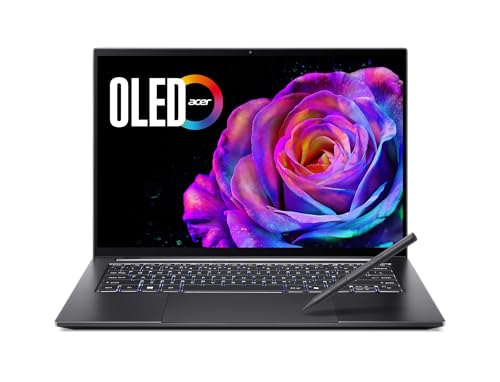
We opened Lightroom and Photoshop and started working with high-resolution RAW images right away. The 3K OLED screen looks sharp and clean. Colors appear rich without looking fake, and deep blacks help when editing contrast and shadows. We also liked the taller 16:10 display since it gives more room for toolbars and timelines.
When we applied filters, AI masking, and batch exports, the system stayed quick and responsive. Large files loaded fast, and we moved between apps without lag. The dedicated NVIDIA graphics helped when we used advanced tools and GPU-based effects.
The haptic glass touchpad feels smooth and precise. We used the included stylus for quick retouching, and it tracked well with good control. The laptop stays slim and light in a camera bag, which makes it easy to carry to shoots or client meetings.
During long editing sessions, the fans became noticeable. Battery life also dropped faster when we pushed the graphics card. Even so, for serious photo editing on the go, the Swift X 14 delivers steady power and an excellent screen in a compact frame.
5. Lenovo Yoga Pro 9i 16
![Top 5 Photo Editing Laptops Worth Buying in [year] (Display + Speed Focus)](https://m.media-amazon.com/images/I/51wlvhVEqyL.jpg)
This laptop suits photographers who want strong color accuracy and fast editing performance in a sleek, portable design.
Pros
- Bright, color-accurate OLED screen that makes photos look true to life
- Smooth performance when we edit large RAW files and use AI tools
- Solid build with a clean, professional look
Cons
- Battery drains faster during heavy photo exports
- Memory cannot be upgraded later
- A bit heavy for daily travel
- Processor - Intel Ultra 9 285H Processor (E-cores up to 4.50 GHz P-cores up to 5.40 GHz)
- Operating System - Windows 11 Pro 64
- Graphic Card - NVIDIA GeForce RTX 5060 Laptop GPU 8GB GDDR7
- Memory - 32 GB LPDDR5X-8400MT/s (Soldered)
- Storage - 1 TB SSD M.2 2242 PCIe Gen4 TLC
- Display - 16" 3.2K (3200 x 2000), Tandem OLED, Glare, Touch, HDR 1000 True Black, 100% Adobe RGB, 100%DCI-P3, 100%sRGB, 1000 nits, 120Hz, Glass
- Camera - 5MP RGB+IR with Dual Array Microphone and E-Shutter
- Keyboard - Backlit, Luna Grey - English (US)
- WLAN - Wi-Fi 7 2x2 BE 320MHz & Bluetooth 5.4
- Warranty - 1 Year Courier or Carry-in
We opened Lightroom and Photoshop right away, and the Yoga Pro 9i handled large RAW files without slowing down. Switching between apps felt quick and smooth. We edited high-resolution images and ran AI noise reduction tools without lag.
The 16-inch OLED screen stands out. Colors look accurate and balanced, which helps when we fine-tune skin tones and adjust shadows. The display gets very bright, so we could work near a window without glare washing out the image.
NVIDIA graphics support also helped with faster previews and exports. When we batch exported dozens of photos, the system stayed stable and did not overheat. Fans became noticeable under load, but they did not sound harsh.
The keyboard feels firm and comfortable during long editing sessions. We like the large touchpad, though we still prefer using a mouse for detailed retouching. At over four pounds, it feels solid but slightly heavy in a backpack.
Overall, we trust this laptop for serious photo editing work. It delivers accurate color, strong speed, and a premium feel for photographers who want a reliable Windows machine.
Buying Guide
We focus on a few key features when choosing a laptop for photo editing. Strong performance, accurate color, and enough storage matter most. Small gaps in these areas can slow our work.
Performance
We look for a fast processor and enough memory to handle large image files. At least 16GB of RAM helps us edit smoothly. More RAM supports heavy multitasking.
A dedicated graphics card can speed up tasks like filters and previews. It is not required for basic edits, but it improves speed with large files.
Display Quality
The screen affects how our photos look. We choose a display with high resolution and good color accuracy. A minimum of Full HD (1920×1080) works well, but higher resolution gives more detail.
We also check brightness and color coverage. An IPS panel often gives better viewing angles.
Storage and Ports
Fast storage reduces load times. We prefer SSD storage over hard drives.
| Feature | What to Look For | Why It Matters |
|---|---|---|
| Storage | 512GB SSD or more | Faster file access |
| Ports | USB-C, SD card slot | Easy file transfer |
| Battery | 8+ hours | Longer editing sessions |
We also think about weight and build quality. If we travel often, a lighter laptop makes work easier.