
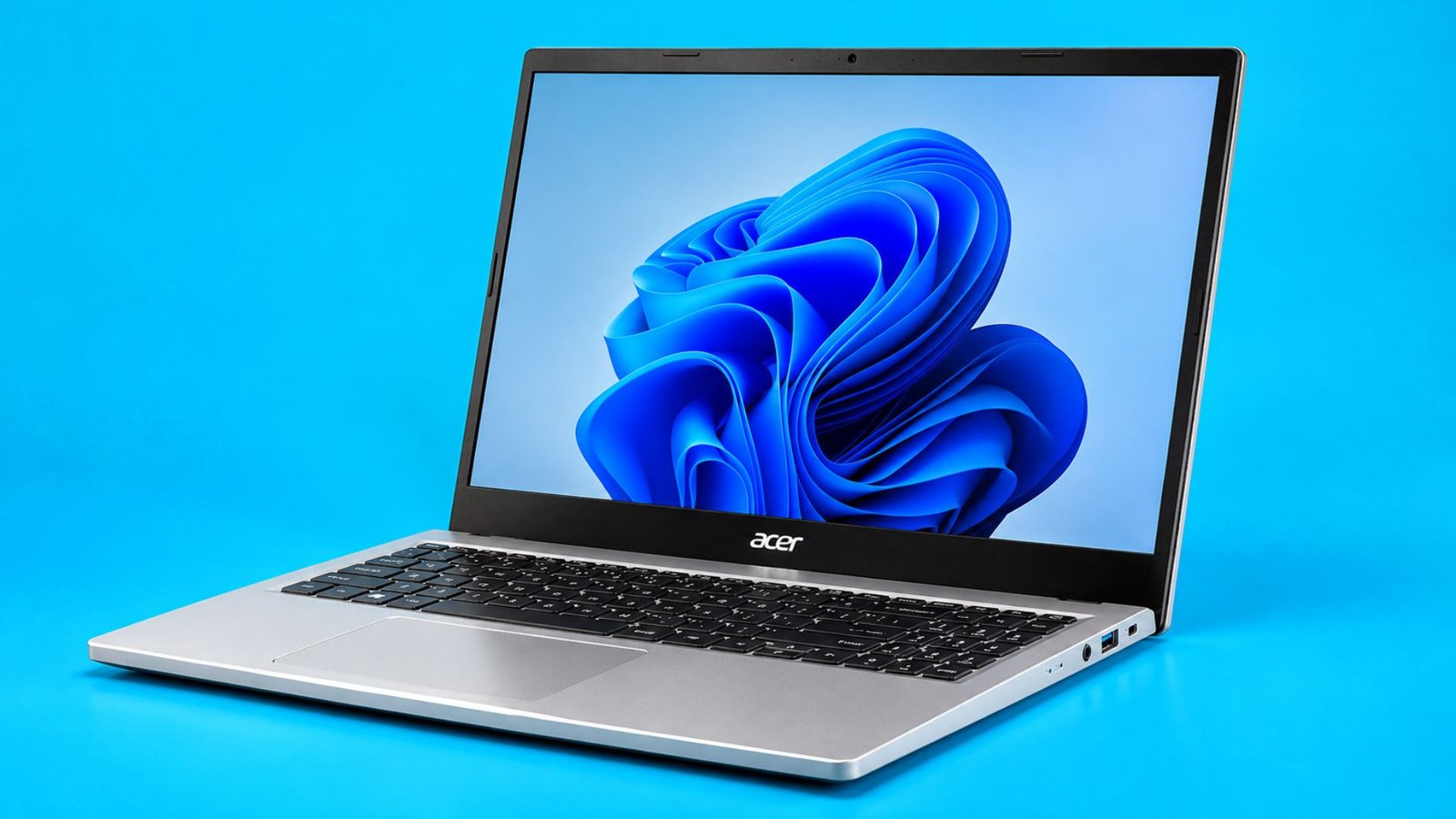
The Acer Aspire Go 15 is an affordable everyday laptop that delivers pretty decent value for your bucks. You get reasonable desktop performance, a nice 1080p screen, 8GB of RAM, and 128GB storage for everyday tasks.
There is a lot to like here if you want a big display without spending a fortune. Still, this machine will not pass for a premium laptop, and you should keep your expectations realistic.
It does fit a certain audience quite well. Newer memory and faster flash storage make the pill easier to swallow at this price point (under $300). In this Acer Aspire Go 15 laptop review we’ll see how it handles daily work, its build quality, the specs it offers and the potential drawbacks.
Acer Aspire Go 15 Specs
| Spec | Detail |
|---|---|
| Processor | Core 3 N355, 8 cores |
| Memory | 8GB DDR5, up to 16GB |
| Storage | 128GB UFS |
| Display | 15.6 inches |
| Refresh Rate | 60 Hz |
| Battery Timing | Up to 12.5 hours video playback |
| Dimensions & Weight | 14.3 x 9.4 x 0.78 inches, 3.81 lb |
| Weight | 3.81 lbs |
| Graphics | Integrated Intel Graphics |
| Processor speed | 1.90GHz |
Acer Aspire Go 15: Design and Build Quality

Most budget laptops tend to be 13 inches or smaller to cut manufacturing costs. We really appreciate that Acer didn’t cut corners here and actually gave us a full 15.6-inch display. It feels pretty solid to hold and at the same time doesn’t feel much bulkier. It weighs just 3.81 lbs. You can therefore take it with you wherever you go.
At 0.78 inches thick at the rear and 0.59 inches at the front, it sits slightly thicker compared to the average thin and light machine. Still, carrying it inside a backpack across campus or through an airport feels easy.
Acer Aspire Go 15: Keyboard and Trackpad
Although we know typing out lengthy documents or spreadsheets on a budget laptop may not be super pleasant, Acer seems to have put a very nice typing experience here.
The keyboard has a little flex if pressed down hard in the center, but overall, it works just fine when typing normally. Key travel is good enough for fast typing. It is equipped with useful lights that indicate whether the Caps Lock and microphone are off, as well as keys such as AcerSense and Copilot.
The screen stayed firmly in place and did not shake around while typing on a desk. You can keep pushing the screen back and the keyboard will tilt towards you slightly for better airflow.
Down below, the trackpad also feels pleasant. It offers a good size, the surface is smooth enough for multi finger gestures, and it clicks down with a satisfying clunk. The downside is it doesn’t have a backlit light on the keyboard. You’ll unfortunately have to rely on room lights after dark.
Acer Aspire Go 15: Display and Speakers
The display is one of the more attractive parts of this configuration. You get a 15.6 inch IPS panel with a resolution of 1920 × 1080 pixels and a 60 Hz refresh rate.
Text looks crisp at 1920 x 1080 resolution, and the matte anti glare coating cuts down overhead office reflections far better than glossy glass. It is not a touchscreen laptop. Brightness tops out around 250 nits. It works fine indoors near a window. However, this LCD display will look washed out once you take it outside into direct sunlight.
Colors cover 45 percent of the NTSC gamut, so photos and movies look decent for casual streaming without looking super vibrant. As for audio, the two bottom firing speakers get loud enough for YouTube videos and podcasts in a quiet room. Music lacks deep bass, so you will want headphones for movies.
Acer Aspire Go 15: Webcam, Microphone, and Security
Acer’s spec sheet leaves out the webcam resolution. At this price, 720p is the norm. That’s fine for Zoom and Teams in a bright room, though you should expect soft, grainy video in dim light. As a student if you can compromise this flaw it’s good otherwise you can attach an external webcam to improve video call quality.
Dual microphones sit beside the lens and pair with Acer PurifiedVoice software. This tool filters out background fan noise and keyboard clicks. This way, your voice comes through clearly.
Security features stay very basic to keep costs low. You do not get a fingerprint reader on the palm rest or an infrared camera for facial login. Instead, you rely on a traditional PIN, password, and a physical Kensington lock slot on the side edge to secure the hardware.
Acer Aspire Go 15: Connectivity
Many slim laptops force you to carry dongles everywhere, yet Acer Aspire go 15 gives you every essential port you would want in a laptop. On the left side, you get two full function USB Type C ports, an HDMI 2.1 output, and a barrel plug for the 65W charger.
Those USB Type C ports support fast 10 Gbps data transfers, DisplayPort video output, and up to 45W USB charging. On the right side, you find two USB 3.2 Gen 1 Type A ports alongside a standard 3.5mm headphone jack.
That gives you four total USB ports for mice, flash drives, and external monitors. You do miss out on an SD memory card reader and a wired RJ45 Ethernet jack. Wireless speeds stay modern thanks to Wi-Fi 6 and Bluetooth 5.2 support.
Connection stability holds strong across busy home networks, keeping cloud backups and video streams running without annoying drops.
Acer Aspire Go 15: Battery Life
Acer packs a 53 Wh lithium ion battery in the Acer Aspire Go 15 and rates the adapter at 65W. It can last up to 12.5 hours if you dim the screen, watch videos and put a very little burden on the laptop.
Obviously it’s not a fixed timing, it can drastically vary depending on how you use it. The included 65W power adapter handles charging. You also get USB Type C charging support, which adds some flexibility when using compatible chargers.
Acer Aspire Go 15: Performance
Hardware specs tell a clear story about what this acer aspire 15 go laptop can and cannot handle. The big thing holding this laptop back is its Intel CPU and graphics.
Inside sits the Intel Core 3 N355, an eight core budget CPU clocked at 1.90 GHz base speed with bursts up to 3.90 GHz. Paired with 8GB of DDR5 memory and 128GB UFS storage, the performance of this machine is just okay.
It boots up quickly and feels fast enough for basic desktop and productivity application use like Google Docs, Microsoft Word, email, and web browsing with ten open tabs.
Anything less than 8GB of memory can become hard to live with on Windows 11. According to StatCounter Global Stats, Windows 11 powers over 74 percent of Windows desktop PCs worldwide, and its background services demand sufficient RAM capacity to run smoothly.
However, the integrated graphics hardware here is very slow. This machine is not a good fit if you plan on playing PC games or using other 3D apps.
What We Like
- Processor handles daily office tasks smoothly
- Pretty good display
- Fast connectivity
- Affordable price
- Lightweight design
What We Don’t Like
- No keyboard backlight
- Only 8GB RAM installed out of the box
- Limited 128GB UFS onboard storage
Who Should Buy the Acer Aspire Go 15 (AG15-32P-352Z)?
If you are looking for a budget laptop under $300, this model is a good choice for everyday home and school duties. High school and college students who spend their days typing research papers, checking email, and joining video lectures will appreciate the roomy screen and long battery life.
It also serves well as a secondary family computer for paying bills, shopping online, and streaming Netflix on the couch. Note that it ships with Windows 11 Home in S Mode, though you can switch out to standard Windows 11 Home for free in the Microsoft Store within seconds. Creative professionals, video editors, and avid gamers should skip this laptop.
Frequently Asked Questions (FAQs)
Is the Acer Aspire Go 15 Good for Students?
Yes, it works very well for students on a tight budget. The 15.6 inch screen makes split screen note taking easy, the keyboard includes a full number pad, and the battery easily lasts through a full day of classes.
Can the Acer Aspire Go 15 Run Games?
No, this laptop cannot handle modern 3D PC games. The integrated Intel graphics chip is built strictly for web browsing and video playback. You can play simple browser games or older titles on low settings, though heavy gaming will stutter badly.
Does the Acer Aspire Go 15 Have a Backlit Keyboard?
Acer left out keyboard backlighting on this model to hit its low price point. And it is honestly a letdown. You will need good room lighting or a small desk lamp if you frequently type late at night.
Wrapping Up: Is the Acer Aspire Go 15 Worth Buying?
You will not get blazing speed or luxury aluminum styling at this price, yet Acer aspire go 15 laptop nails the fundamentals that matter most to everyday buyers. The combination of an eight core processor, DDR5 memory, a sharp 1080p matte screen, and generous port selection beats most rivals in the sub $300 tier. As long as you stick to web browsing, office documents, and streaming video, the AG15-32P-352Z delivers dependable daily value without emptying your wallet.