Picking the right laptop for serious development work comes down to more than a spec sheet. Compilers, containers, and a dozen open tabs in your IDE will eat memory fast, and running out mid build is one of the most frustrating ways to lose an afternoon.
If you’re looking for the best laptop for programming with 32GB RAM, you’re already giving yourself plenty of room for demanding workloads. That extra memory makes it easier to run Docker containers, virtual machines, large projects, and multiple development tools without constantly slowing your system down.
We’ve rounded up a list of solid laptops that can sufficiently meet your needs, along with what actually matters in a 32GB RAM programming laptop and a practical buyer’s guide.
What Makes a 32GB Laptop Good for Programming?
Thirty two gigabytes hits a sweet spot for development work in 2026. It lets you run your Docker containers, database instances, and Visual Studio Code with several extensions loaded.
Everything runs concurrently, so your physical system never grinds to a halt. Programmers who code in Python and PHP, spin up local servers, or test across multiple environments notice the difference immediately compared to a 16GB machine.
Of course, the central processor carries equal weight here. A strong multi core chip keeps builds and compiles fast while RAM handles the multitasking load. Storage speed and battery life complete the operational requirements.
Best Laptops for Programming With 32GB RAM
Different workflows require specific hardware. We gathered a curated range of top options across various price tiers and consumer use cases. You might need raw power or extreme portability. Maybe you prefer setups built specifically for macOS development. One of these five machines matches your requirements perfectly.
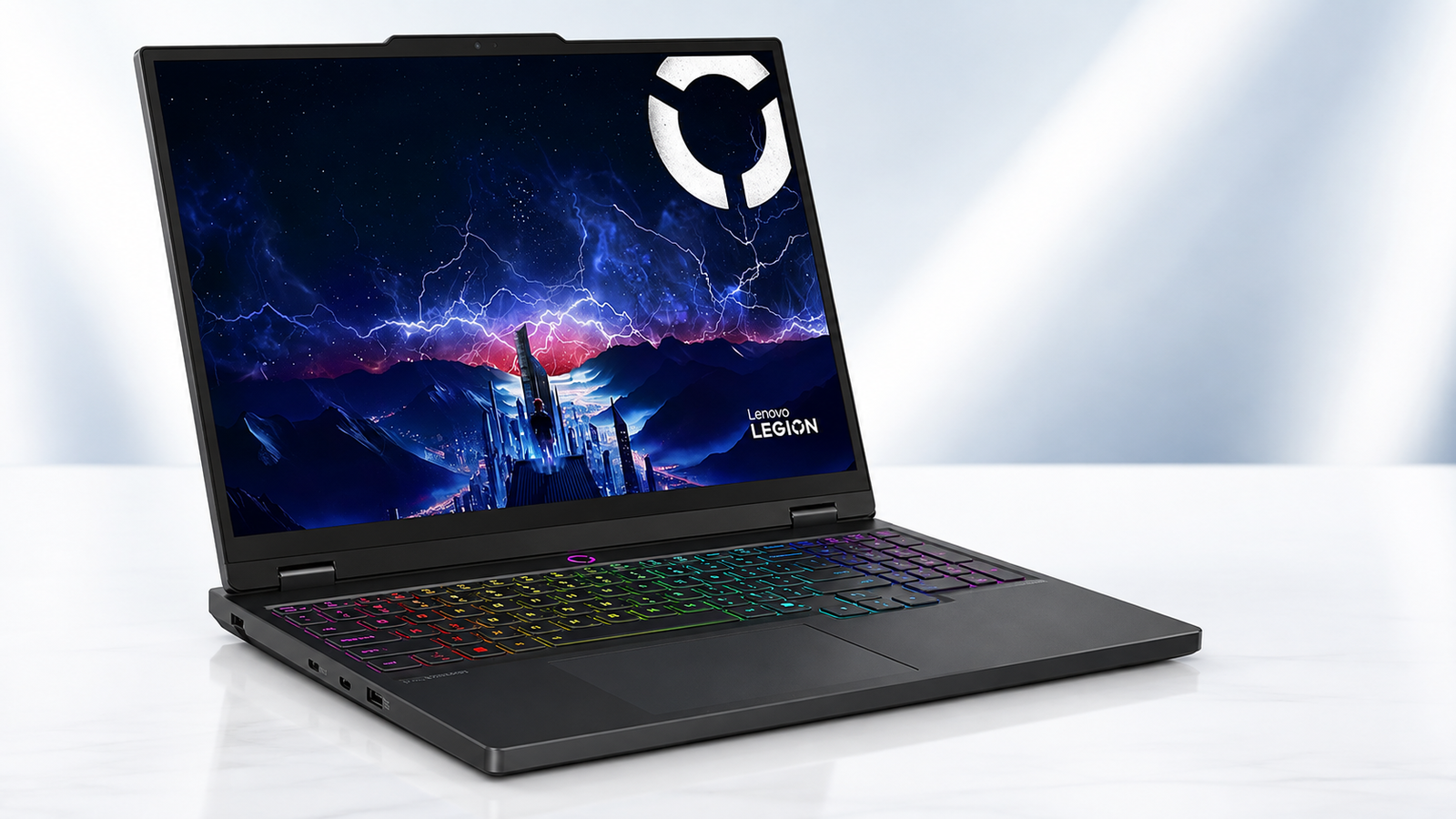
Lenovo Legion 5 15IRX10 – Best for Heavy Development Workloads

Why It Made Our List
Your daily work might include massive codebases or heavy IDE tools like Visual Studio or Android Studio. You toggle between separate development tools frequently. This Lenovo laptop earns its spot at the top.
The Intel Core i9 14900HX brings serious multi core muscle. Paired with 32GB of DDR5 memory, it handles the heavy multitasking flawlessly. Lesser machines lock up under this stress completely. You get a strong performance here. This capability goes well beyond typical coding needs.
That overhead helps if your work spills into video editing or local AI model testing. The vibrant OLED display makes long coding sessions easier on the eyes. Rich contrast reduces eye strain during late night debugging.
Key Specs
| Spec | Details |
| Processor | Intel Core i9 14900HX, 24 cores, up to 5.8GHz |
| Screen Size | 15.1 inches |
| Weight | 4.19 lbs |
| Hard Disk Size | 1TB NVMe SSD |
| Display Resolution | 2560 x 1600 WQXGA OLED |
| Number of Ports | 3, plus 4 USB ports total |
What We Like
- Exceptional multi core power
- Vivid OLED display
- Fast Wi-Fi 7 connectivity
- Strong dedicated graphics
What We Didn’t Like
- Runs warm under load
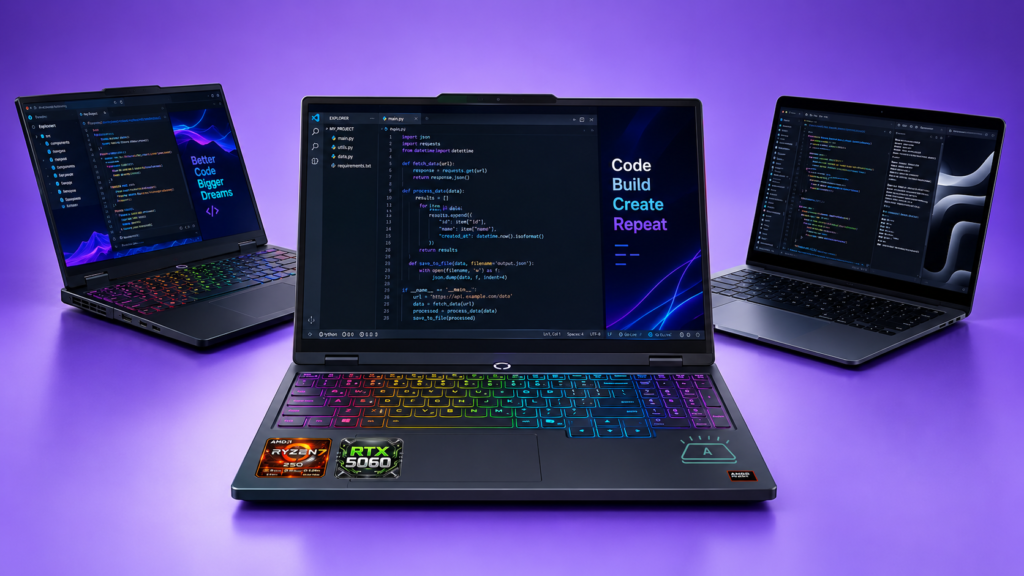
Lenovo Legion 5a – Best for Graphics Heavy Development

Why It Made Our List
This option leans slightly gaming focused. That setup does not hurt its position as a best laptop for developers. The choice makes sense if your work touches graphics rendering or machine learning visualization.
It also fits nearly perfectly if your focus is on a laptop that doubles as a solid gaming machine after hours. The RTX 5060 gives you real GPU acceleration for specialized tasks. This hardware benefits your AI development tools. Storage and memory are configurable up to 64GB and 2TB.
You can, in turn, scale the hardware as your projects grow. Top it off with a 165Hz OLED panel and this becomes one of the more versatile picks on this list.
Key Specs
| Spec | Details |
| Processor | AMD Ryzen 7 250, 8 cores, up to 5.1GHz |
| Screen Size | 15.3 inches |
| Weight | Approximately 5 lbs |
| Hard Disk Size | 1TB PCIe SSD |
| Display Resolution | 2560 x 1600 OLED, 165Hz |
| Number of Ports | 5 USB, plus HDMI and Ethernet |
What We Like
- Handsome OLED screen
- Dedicated RTX graphics
- Fast charging support
- Bundled 500GB drive
What We Didn’t Like
- Bulkier chassis
- Shorter battery under load
Apple MacBook Pro M5 Pro – Best for macOS Developers

Why It Made Our List
For developers who live inside Xcode, build iOS apps, or just prefer working in a Unix based environment without the setup headache, this MacBook Pro M5 for programming is hard to beat. The base configuration ships with 24GB of unified memory, though Apple offers configurations up to 36GB and beyond for anyone who wants to match the RAM ceiling this guide focuses on.
Apple’s M5 Pro chip handles demanding compiles and even light on device AI tasks impressively well, even without a discrete GPU. It’s mainly because the unified architecture shares memory more efficiently than traditional laptop designs. Battery life here genuinely holds up across a full workday unlike window laptops built for serious development work.
Key Specs
| Spec | Details |
| Processor | Apple M5 Pro, 15 core CPU, 16 core GPU |
| Screen Size | 14.2 inches |
| Weight | Approximately 3.4 lbs |
| Hard Disk Size | 1TB SSD |
| Display Resolution | Liquid Retina XDR, up to 1600 nits |
| Number of Ports | 3 Thunderbolt, plus HDMI |
What We Like
- All day battery life
- Silent, efficient operation
- Excellent build quality
- Strong on device AI
What We Didn’t Like
- Base RAM under 32GB
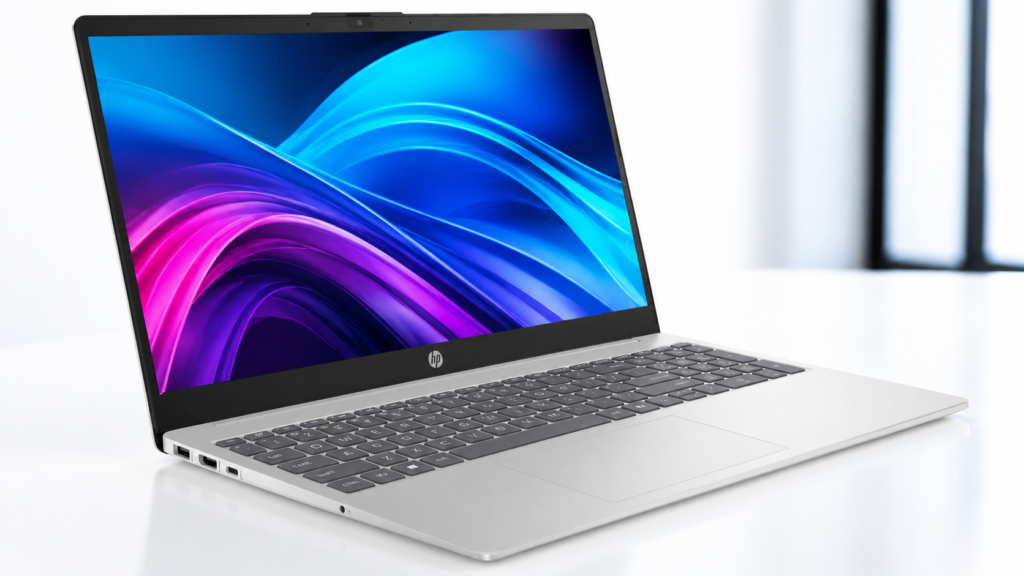
HP Touchscreen Business Laptop – Best for Budget Business Use

Why It Made Our List
Not every developer needs a discrete GPU or a flashy OLED panel. If you’re after something dependable for coding, business applications, and everyday productivity without spending a fortune, this HP laptop for programming checks the right boxes.
The Intel Core 7-150U isn’t built for heavy compiling, but it handles Visual Studio Code, browser based development, and standard business software without complaint.
Thirty two gigabytes of RAM gives it real staying power for multitasking, and Windows 11 Pro adds enterprise security features that matter if you’re working with client data. Good port selection and a touchscreen display round out a genuinely practical package for the price.
Key Specs
| Spec | Details |
| Processor | Intel Core 7-150U, 10 cores, up to 5.4GHz |
| Screen Size | 15.6 inches |
| Weight | 3.52 lbs |
| Hard Disk Size | 1TB SSD |
| Display Resolution | 1920 x 1080 FHD IPS Touchscreen |
| Number of Ports | 5 total, including USB-C |
What We Like
- Lightweight design
- Affordable price
- Touchscreen convenience
- Windows 11 Pro included
What We Didn’t Like
- Lower tier CPU
Dell Inspiron 15 – Best for Students and Everyday Coding

Why It Made Our List
Students juggling coursework, part time projects, and the occasional coding bootcamp assignment need something reliable more than something powerful. This Dell delivers exactly that.
The Ryzen 5 six core processor keeps everyday coding, browser tabs, and office software running smoothly, and 32GB of RAM means you won’t hit a wall running a local database alongside your IDE.
It’s not built for heavy compiling or graphics work, but for a programming laptop for students on a budget, it covers the essentials well. The numeric keypad is a small but genuinely useful touch for anyone doing data entry or numerical coursework alongside their programming classes.
Key Specs
| Spec | Details |
| Processor | AMD Ryzen 5, 6 cores, up to 4.5GHz |
| Screen Size | 15.6 inches |
| Weight | Approximately 3.9 lbs |
| Hard Disk Size | 1TB SSD |
| Display Resolution | 1920 x 1080 FHD IPS Touchscreen |
| Number of Ports | 6 total, including USB-C |
What We Like
- Budget friendly price
- Numeric keypad included
- Solid multitasking power
- Touchscreen display
What We Didn’t Like
- Integrated graphics only
- Wi-Fi 5 only
What To Look For Before Buying a Laptop For Programming With 32GB RAM
Which CPU Type Is Best for Programming?
Multi core CPUs carry more weight than raw clock speed for professional development work. Large project compilation, container deployment, and multitasking across software suites benefit from expanded core counts. Single high speed cores fall short here. A six core chip satisfies standard everyday coding. Eight cores or more provide a true performance boost. This extra power helps developers who regularly build massive applications or run multiple virtual machines side by side.
Is 16GB RAM Enough for Programming Today?
It works for lightweight scripting or simple web projects. Most developers outgrow it quickly. Once you run Docker, a local database, and a browser with dozens of tabs open, 16GB feels tight. That is exactly why many developers now select 32GB as their baseline. This capacity allows serious multitasking. You never have to close programs constantly to free up memory.
Which Storage Type Is Best for Programming?
NVMe SSD storage serves as the clear industry standard today. The hardware performs exceptionally well. It loads projects, compiles code, and boots systems dramatically faster than older SATA drives or traditional hard disks. A baseline of 512GB satisfies most developers. A 1TB drive provides comfortable room for multiple projects, virtual machines, and local datasets without constant cleanup.
Is a Discrete GPU Necessary for Programming?
Most software development avoids this specific requirement. Web development, backend coding, and general scripting execute perfectly on integrated graphics. A discrete GPU proves valuable for machine learning tasks, graphics programming, or game development. In these fields, GPU acceleration speeds up training and rendering significantly. If your work touches any of those fields, a dedicated GPU justifies the extra cost.
macOS vs Windows vs Linux for Programming
Each operating system has genuine strengths depending on what you build. macOS is a favorite among iOS and Swift developers, and its Unix based foundation makes terminal work feel natural.
Windows remains the default for many enterprise and game development teams, with strong tooling support across nearly every language. A Linux laptop, whether dual booted or run natively, appeals to backend and systems developers who want closer control over their environment.
If your job or coursework requires a specific OS, that decision often gets made for you. Otherwise, you learn to handle another OS’s peculiarities fairly quickly regardless of which one you start with.
Are Gaming Laptops Good for Programming?
Gaming laptops work pretty well when they are treated as a programming laptop. And we have certain reasons to back this claim up. Top gaming laptops typically pack strong multi core CPUs, generous RAM, and fast SSD storage. These robust hardware components match the explicit requirements of heavy software development workloads.
The downside however involves chassis weight and brief battery life, though. Performance takes huge priority over mobile convenience. If you work at a fixed desk setup and travel rarely, these laptops are gonna double as highly capable coding units.
What Type of Programmer Should Buy a 32GB Laptop?
who deploy multiple local services benefit the most from this. That includes backend developers testing microservices, data scientists working with large datasets, and full stack developers who need a database, a frontend server, and a backend server running simultaneously.
Frontend focused developers or students working on smaller projects can often get by with less, but the extra headroom rarely goes to waste, and it means your machine stays useful for years without feeling cramped as your projects grow.
What’s the Most Important Spec in a Laptop for Programming?
If forced to pick just one, RAM edges out the rest. A fast processor helps compiling and builds move quicker, but running out of memory brings everything to a complete stop regardless of how fast your CPU is.
Speedy performance across the board may give you a genuine boost in productivity, shaving off time on builds and multitasking that only helps you out over weeks and months of steady use.
Wrapping Up…
Finding the perfect programming laptop comes down to matching the machine to your actual workflow rather than chasing the highest specs available. The best laptop for programming with 32GB RAM for a machine learning engineer looks very different from the best laptop for programming a computer science student needs for coursework and light projects. Whether you land on the raw power of the Lenovo Legion 5, the efficiency of the MacBook Pro, or the budget friendly Dell Inspiron, thirty two gigabytes of memory gives you room to grow into more demanding work without needing an upgrade anytime soon. Pick based on your workload first, and let the rest of the spec sheet follow from there.