
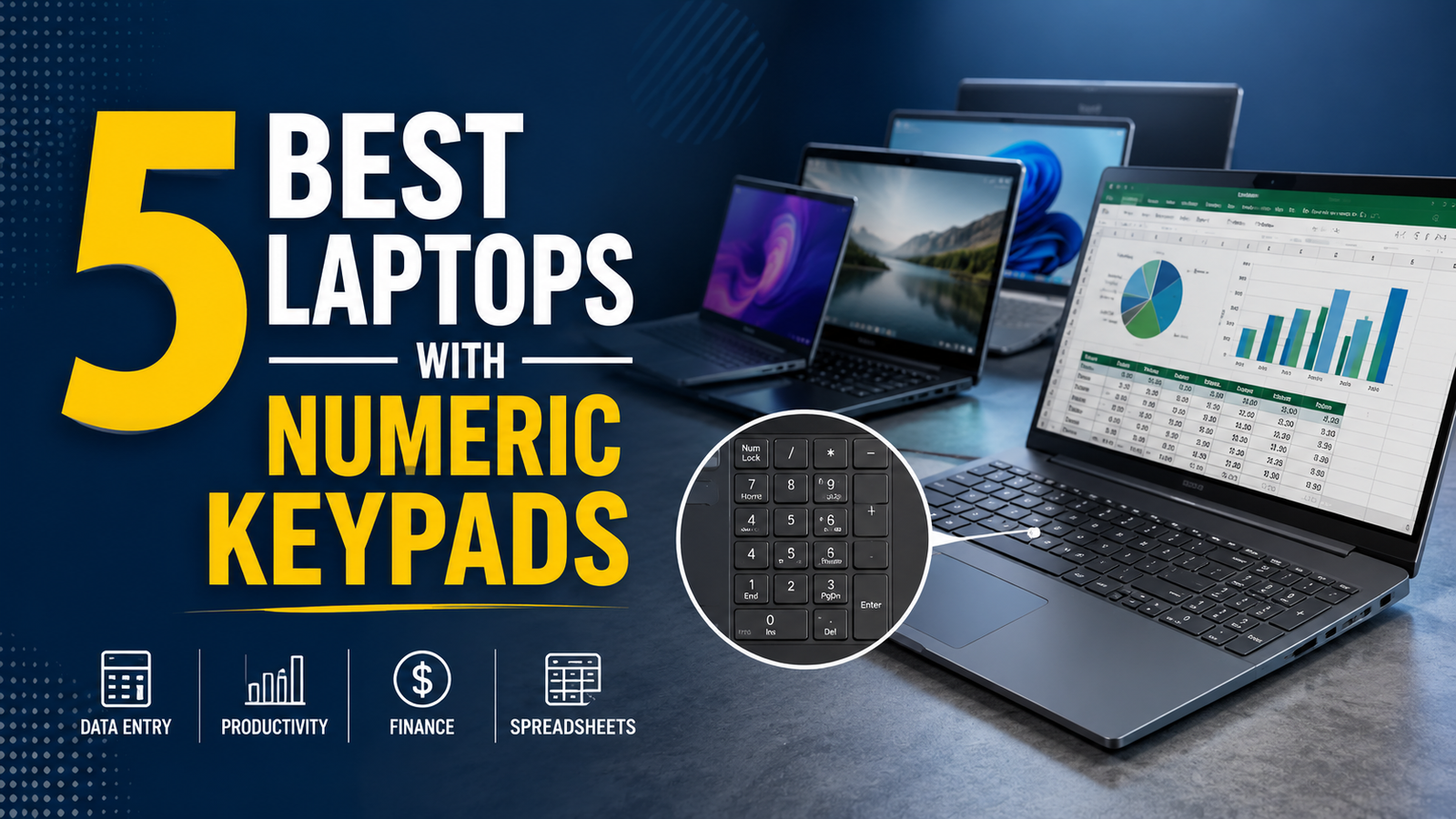
If you happen to have a lot of work regarding number typing, you pretty much know the current market situation of laptops. Finding a portable, high-performance laptop with numeric keypads isn’t so easy, even when lots of 15-inch laptops now come without them, though.
To make your work easier and save you from the stress of digging through most retailers’ listings, we’ve narrowed down the best numeric keypad laptops from HP, Dell, and Lenovo for 2026.
Keep scrolling and figure out which one from these 5 you should actually go with, with honest breakdowns of what each one does well and where it falls short.
Why You Still Need a Laptop With a Numeric Keypad in 2026
External numpads do exist, and they work pretty okay when you are at a desk with space to spare. The problem is that they require a USB port or Bluetooth connection, they get left behind when you pack a bag quickly, and they add one more thing to charge or carry.
For accountants, financial analysts, engineers, data entry professionals, and students working through quantitative coursework, a laptop with a numpad built directly into the keyboard is a genuine productivity tool and the one you should actually have when solving all those tasks.
We’ve listened to some users who were relying on on-screen number pads, though they aren’t a solid solution if you are serious about cleanliness, and you’d love to do your chores by staying compact.
What to Look For in a Numpad Laptop
Keyboard Quality
The numpad is only useful if the full keyboard around it is comfortable to type on for extended sessions. Key travel depth, actuation force, and the spacing between the main keyboard and the numpad all affect how natural the layout feels in daily use. A numpad that crowds the main keyboard or sits at a different height from the primary key rows cause errors rather head them off.
Screen Size
Most laptops with numpad start at 15 inches because the additional keyboard real estate requires a wider chassis. A 15 inch screen is the practical minimum for a comfortable numpad layout, and 16 inch models give you slightly more spacing throughout the keyboard without forcing the machine into workstation-class bulk.
Performance
The processor and RAM need to match the workload. For office productivity, accounting software, and spreadsheet work, a modern Intel Core i5 or AMD Ryzen 5 series processor with 16GB of RAM handles daily tasks outside issue. For heavier workloads, including engineering software, CAD, or data analysis tools, stepping up to a Ryzen 7 or Core i7 with more RAM produces a noticeably smoother experience.
Battery Life
A productivity laptop that dies at 2pm is not doing its job the way it should have. That’s why the battery of the laptop you’d go with should last longer. Probably 8 hours is a decent number.
Build Quality and Ports
A numpad laptop that travels with you needs to survive a bag. Metal lids and reinforced hinges hold up considerably better than all-plastic construction over a two or three year period. On the port side, HDMI, USB-A, USB-C, and an RJ45 ethernet port cover most professional connectivity needs without requiring a separate hub.
The 5 Best Laptops With Numeric Keypad in 2026
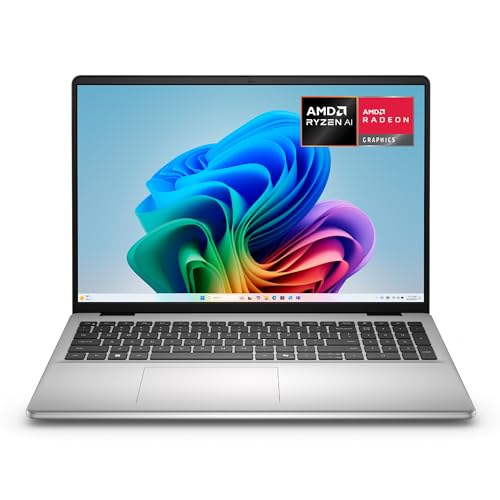
1. Dell 16 Laptop DC16256 — The Premium 16-Inch Powerhouse
Why It Made Our List
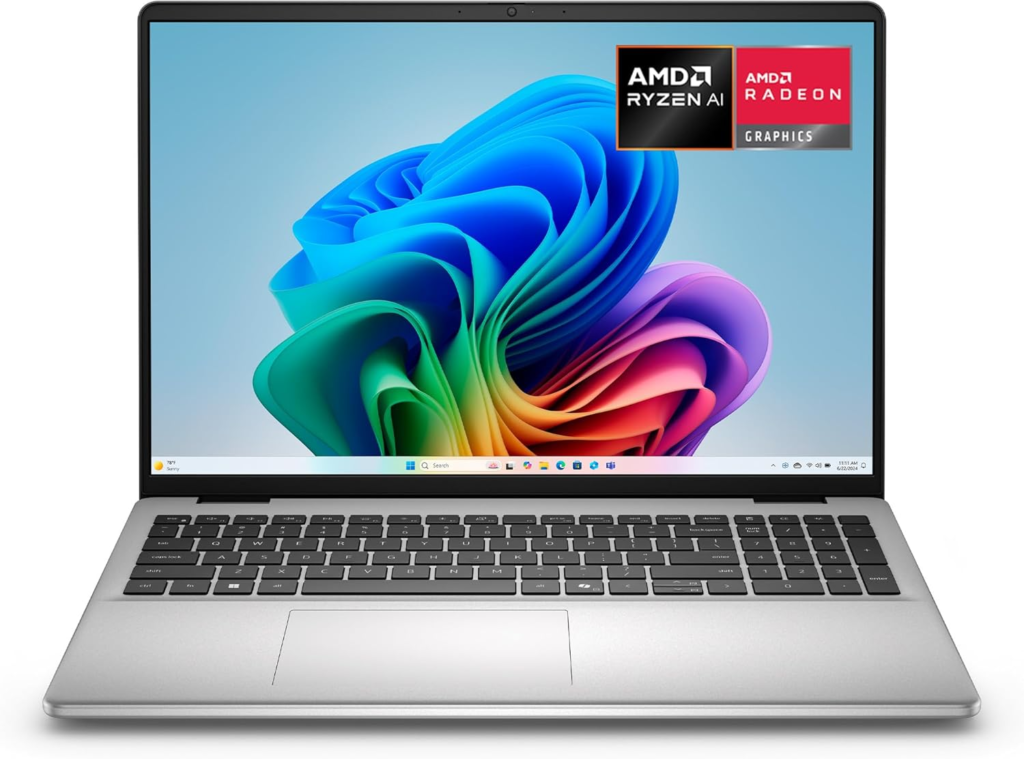
We actually had hands-on time with this one, and it held up well against expectations. The 16-inch 2K touchscreen sits in a 16:10 aspect ratio that gives you noticeably more vertical screen space than a standard widescreen layout, which matters when you are working through long spreadsheets or multi-window setups. The AMD Ryzen AI 7 350 processor handles heavy multitasking without the throttling issues that plagued previous-generation AMD mobile chips at this performance level.
The build quality came as a genuine surprise. It is thinner than we were expecting and has some weight to it, but that weight makes it feel more sturdy rather than cumbersome. We were skeptical about the Copilot+ AI features before testing, but the performance foundation underneath them is what actually impressed us.
Started up quick, set up was smooth, and syncing to other computers ran faster than the specs on paper would suggest. The touchscreen is a bonus that rounds out a machine that was already well-specified without it.
Key Specs
- Display: 16-inch 16:10 2K Touchscreen
- Processor: AMD Ryzen AI 7 350
- RAM: 32GB
- Storage: 1TB SSD
- Graphics: AMD Radeon integrated
- OS: Windows 11 Home
- Special: Copilot+ certified, Onsite Service included
What We Like
- 2K touchscreen quality
- Thin and sturdy build
- Fast startup
- Onsite service included
What We Don’t Like
- Fan noise under heavy load
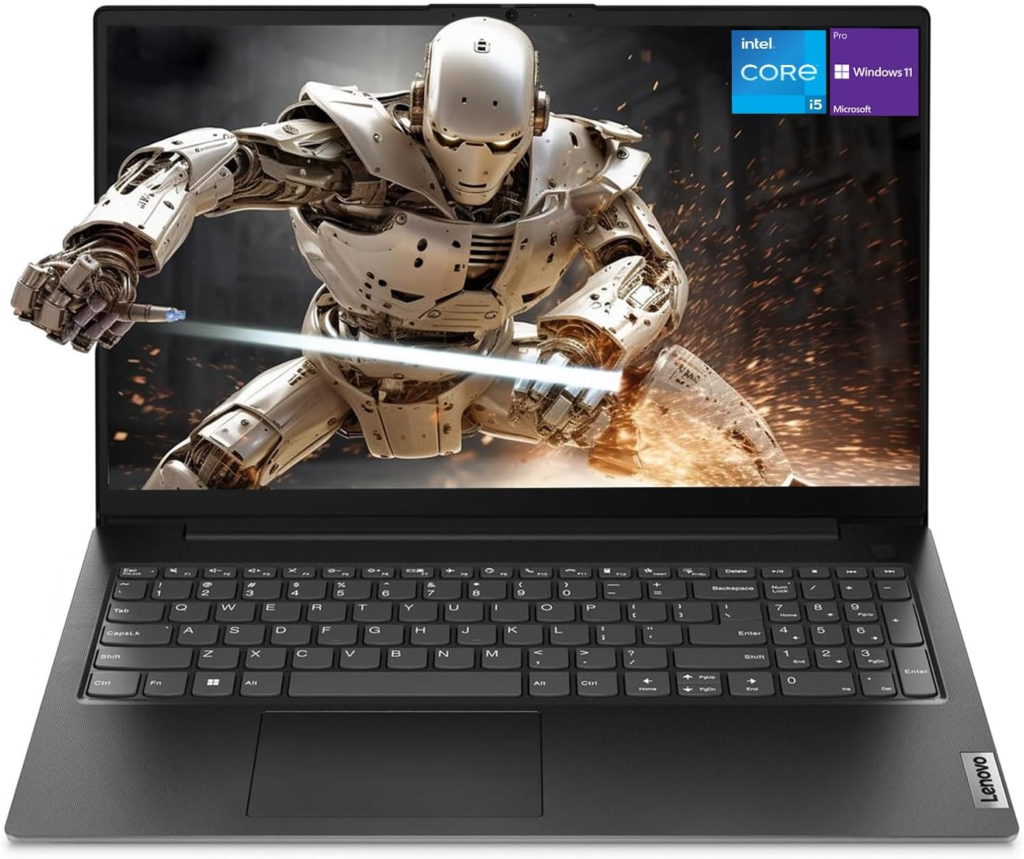
2. Lenovo V15 Gen 4 – Runner-Up
- [High Speed RAM And Enormous Space] 4GB high-bandwidth RAM to smoothly run multiple applications and browser tabs all at once; 128GB PCIe NVMe M.2 Solid State Drive allows to fast bootup and data...
- [Processor] Intel Core i5-13420H Processor (8 Cores, 12 Threads, 12MB Intel Smart Cache, Base at 1.5 GHz, Up to 4.6 GHz Max Turbo Frequency), with Intel UHD Graphics
- [Display] 15.6" FHD (1920 x 1080) Display
- [Tech Specs] 1 x USB 3.0 Type-A, 1 x USB 2.0 Type-A, 1 x USB Type-C, 1 x HDMI, 1 x RJ45, 1 x headphone/microphone combo, Webcam, Numeric Keypad, Wi-Fi and Bluetooth
- [Operating System] Windows 11 Pro - Organize open apps with pre-configured layouts to optimize productivity, Navigate with more intuitive experience to get things done, Collaborate with teams with...

Why It Made Our List
The Lenovo V15 Gen 4 is the laptop that makes the most sense for small business owners and professionals who need a reliable productivity laptop with a full keyboard and do not want to spend premium money to get it.
The Intel Core i5-13420H outperforms the i7-1355U in sustained workloads despite sitting lower in Intel’s naming hierarchy, which is a detail worth understanding before you compare specs across different machines.
The full-size keyboard includes a properly spaced numeric keypad with dedicated keys and a layout that does not compress the main keyboard section to make room for it. The 15.6-inch FHD display is functional rather than spectacular, but for spreadsheet work, document editing, and business applications, it covers what you need without causing eye strain across a full workday. The inclusion of an RJ45 ethernet port and HDMI alongside the standard USB ports makes this one of the better-connected laptops with numpad at this price level.
Key Specs
- Display: 15.6-inch FHD
- Processor: Intel Core i5-13420H
- RAM: 16GB
- Storage: 512GB SSD
- OS: Windows 11 Pro
- Ports: HDMI, RJ45, USB, Webcam
- Keyboard: Full numeric keypad included
What We Like
- Sustained CPU performance
- Full keyboard layout
- Solid value for business use
What We Don’t Like
- Display quality is average
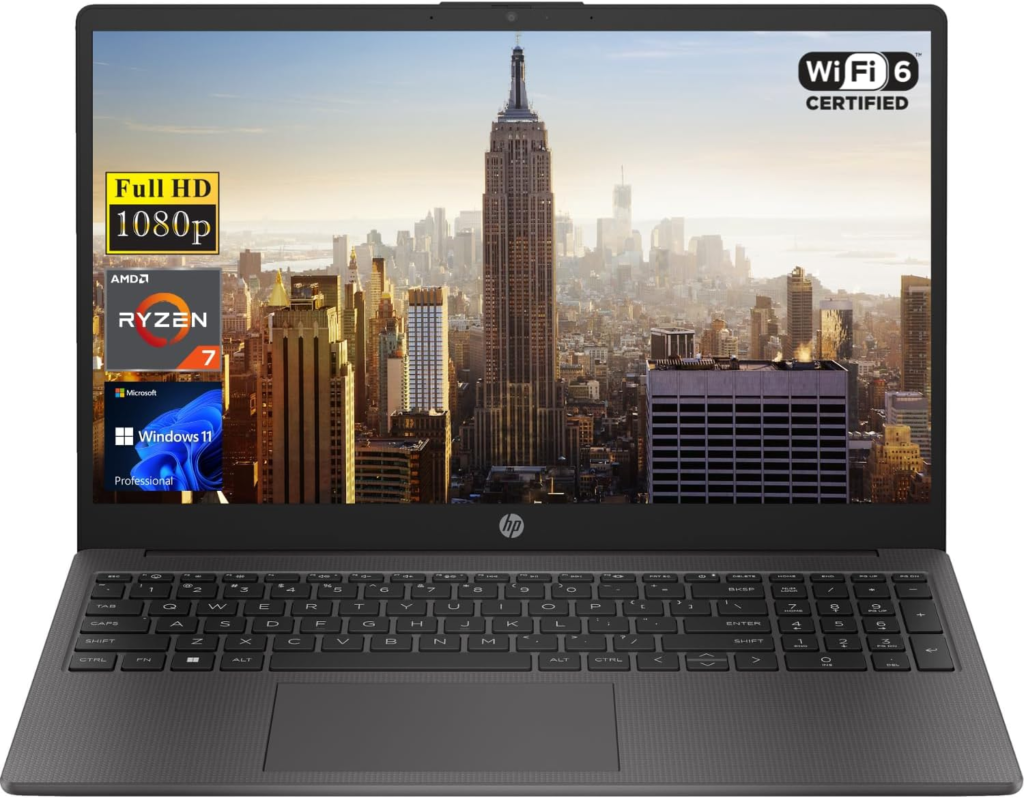
3. HP 255 G10 – Best for Heavy Workloads

Why It Made Our List
The HP 255 G10 sits in a specific category that is easy to overlook. A genuinely capable business laptop with numpad that handles demanding workloads without the price tag of HP’s premium EliteBook line.
The AMD Ryzen 7 7730U is a strong mobile processor for sustained productivity tasks, and paired with 16GB of RAM and a 1TB NVMe SSD, the machine runs through office applications, financial software, and data processing tasks without the hesitation that under-specced budget laptops show when the workload builds up.
The HP laptop with numpad layout here is well executed. The keys are properly spaced, the number pad sits comfortably to the right without compressing the arrow key cluster, and the typing comfort across both the main keyboard and the numpad is above average for this price range. Wi-Fi 6 support gives you faster wireless connectivity on compatible networks, which matters more than most buyers realize when file transfers and cloud sync are running in the background during a work session.
Key Specs
- Display: 15.6-inch FHD
- Processor: AMD Ryzen 7 7730U
- RAM: 16GB
- Storage: 1TB PCIe SSD
- OS: Windows 11 Pro
- Connectivity: Wi-Fi 6, HDMI, Webcam
- Keyboard: Numeric keypad included
What We Like
- Handles demanding workloads
- Faster wireless speeds
- Windows 11 Pro out of the box
- Well-spaced numpad layout
What We Don’t Like
- No touchscreen option
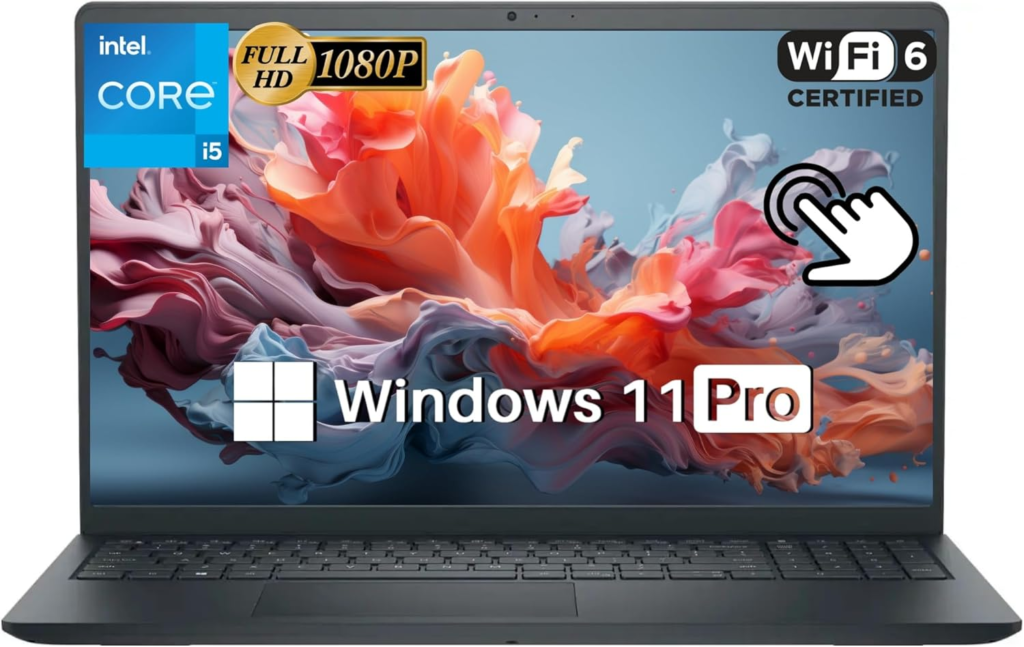
4. Dell 15 Touchscreen Laptop – All-Rounder With Touch and Numpad

Why It Made Our List
Getting a touchscreen and a numeric keypad in the same laptop at this price point is not something that comes up often, and the Dell 15 delivers both without significant compromise on either.
The Intel Core i5-1235U is a 10-core processor that handles mixed workloads smoothly, and the 16GB of RAM paired with a 512GB SSD gives you a comfortable daily driver for most professional and student use cases.
The 15.6-inch 1080p display is sharp and clear for everyday work. Users across forum discussions and review threads consistently call out the smooth performance for work, study, and streaming as the standout quality.
The machine is lightweight enough to carry around comfortably throughout the day, and the sleek design reads as professional in a meeting room setting without drawing attention to itself. Wi-Fi 6 support rounds out a connectivity package that covers everything most users need without requiring additional accessories.
The fan does spin up under heavy load and can get audible during sustained tasks like video rendering or large file operations. If intensive workloads are a regular part of your day, picking up a cooling pad to help keep CPU temperatures low is worth the small additional cost.
Key Specs
- Display: 15.6-inch 1080p Touchscreen
- Processor: Intel Core i5-1235U (10-core)
- RAM: 16GB
- Storage: 512GB SSD
- OS: Windows 11 Pro
- Connectivity: Wi-Fi 6
- Keyboard: Numeric keypad included
What We Like
- 10-core processor for the price
- Wi-Fi 6 connectivity
- Professional design
- Smooth everyday performance
What We Don’t Like
- No discrete graphics
5. HP 15 fc0099nr – Best Budget Option

Why It Made Our List
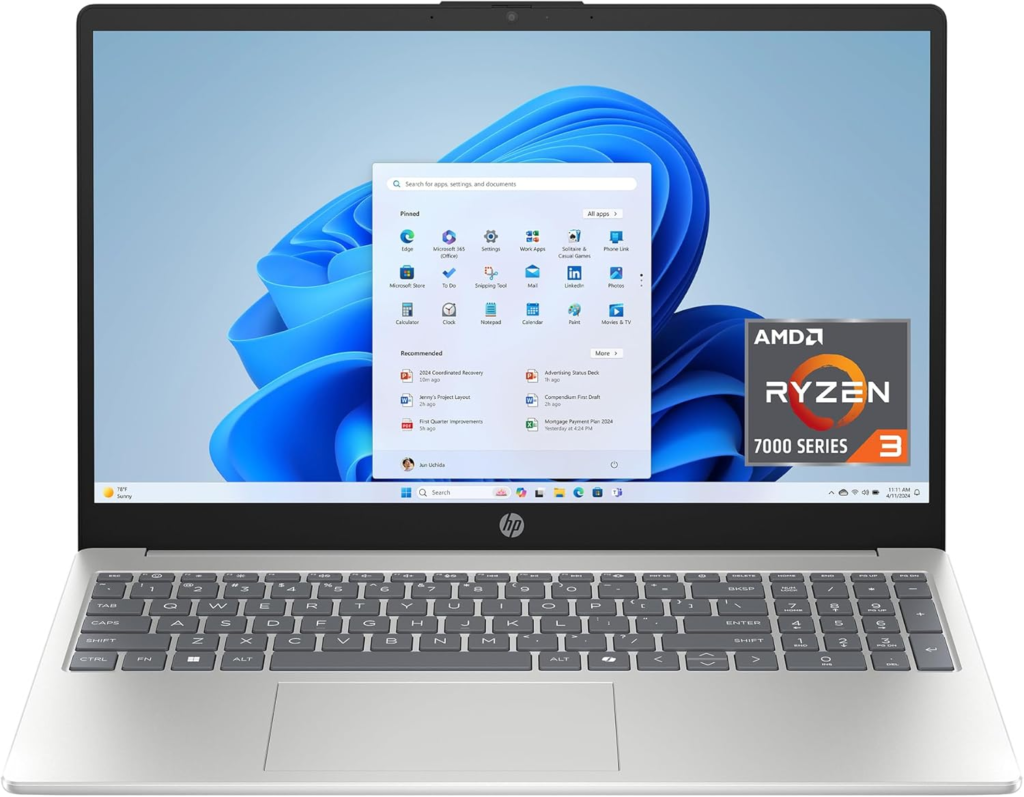
Not everyone needs a powerhouse, and the HP 15 fc0099nr makes a clear case for itself at the entry-level end of the laptops with numpad category. The AMD Ryzen 3 7320U handles everyday computing tasks including web browsing, document work, light spreadsheet use, and streaming without dropping the ball.
The touchscreen display adds a layer of convenience for casual navigation, and the natural silver finish looks considerably more premium than the price would suggest. It is so light it feels like almost nothing in a bag, which makes it a strong option for students and commuters who prioritize portability.
The battery life is genuinely impressive for a machine at this price point, consistently running through a full day of light to moderate use on a single charge. The 128GB SSD is the obvious limitation here, and pairing this machine with a cloud storage subscription or an external drive is the practical workaround for anyone dealing with larger file collections.
The machine does exactly what you expect it to do, and in some areas delivers a bit more than the specs suggest. Smooth performance for work, study, and streaming is the accurate summary from the user community. The design is clean, the numpad is usable, and for a first laptop or a light-use secondary machine, the value is hard to argue with.
One thing worth noting is that the unit is sealed. There is no consumer-accessible way to get inside without removing OEM stickers and casing that would void the warranty. You cannot upgrade the RAM or the M.2 drive after purchase, so the configuration you buy is the configuration you keep.
Key Specs
- Display: 15.6-inch HD Touchscreen
- Processor: AMD Ryzen 3 7320U
- RAM: 8GB
- Storage: 128GB SSD
- Graphics: AMD Radeon integrated
- OS: Windows 11 Home S Mode
- Color: Natural Silver
What We Like
- Extremely lightweight build
- Impressive battery life
- Touchscreen included
- Sleek silver design
What We Don’t Like
- Sealed unit, no upgrades possible
How We Picked the Best Laptops With Numeric Keypads – Our Research Process
We did not just pull these recommendations out of thin air. The selection process involved working through forums, Quora threads, Reddit communities, and detailed Amazon review sections for every single model that made the initial consideration list. We read through hundreds of individual reviews, looking at real-world performance reports rather than spec sheet comparisons alone.
Beyond the community research, we had personal time with two of the five machines on this list. Both the Dell 16 and the Dell 15 were tested directly, and the impressions from that hands-on experience fed directly into the placement decisions and the specific notes in each review section. For the remaining three, the research depth across verified buyer reports and community discussions was thorough enough to build an accurate picture of each machine’s actual day-to-day behavior.
The criteria that drove the final rankings were keyboard comfort, including numpad usability, real-world performance under typical professional workloads, build quality relative to price, battery life based on user-reported figures, and overall value within each machine’s price tier. The goal was a list of the best laptops with numeric keypad that covers every budget and use case without padding the count with weak options.
Frequently Asked Questions (FAQs)
Are laptops with numeric keypads still worth buying in 2026?
If your work involves numerical data entry, accounting software, engineering calculations, or spreadsheet-heavy workflows, a laptop with numpad built into the keyboard is genuinely more efficient than working without one. The productivity gain is not marginal. For casual users who rarely enter numbers, the numpad adds size and weight without proportional benefit.
Which brand makes the best numpad keyboards?
Lenovo consistently produces the most refined keyboard layouts among the major brands, with the ThinkPad line setting a standard that other manufacturers reference. HP and Dell both produce solid numpad implementations in their business and mid-range lines, with the primary differentiator being key spacing and the distance between the main keyboard cluster and the numpad section.
Is a numpad laptop good for gaming?
A numpad laptop is not optimized for gaming. The wider chassis required to accommodate the numpad pushes the main keyboard off-center relative to the screen. If you do play games along with your work, the trade-off may be acceptable, but a numpad laptop is a productivity tool first.
Wrapping Up…
The best laptops with numeric keypad in 2026 cover a genuine range of needs and budgets. The Dell 16 DC16256 leads the group on raw capability and display quality. The Lenovo V15 Gen 4 delivers the strongest value for business users who need reliability without spending heavily. The HP 255 G10 handles demanding workloads better than its price suggests. The Dell 15 Touchscreen combines touch and numpad in a practical all-rounder, and the HP 15 fc0099nr covers the entry-level end cleanly for students and light users. Pick the one that matches your actual workload and budget, and you will have a machine that genuinely improves your daily productivity rather than just checking a spec box.