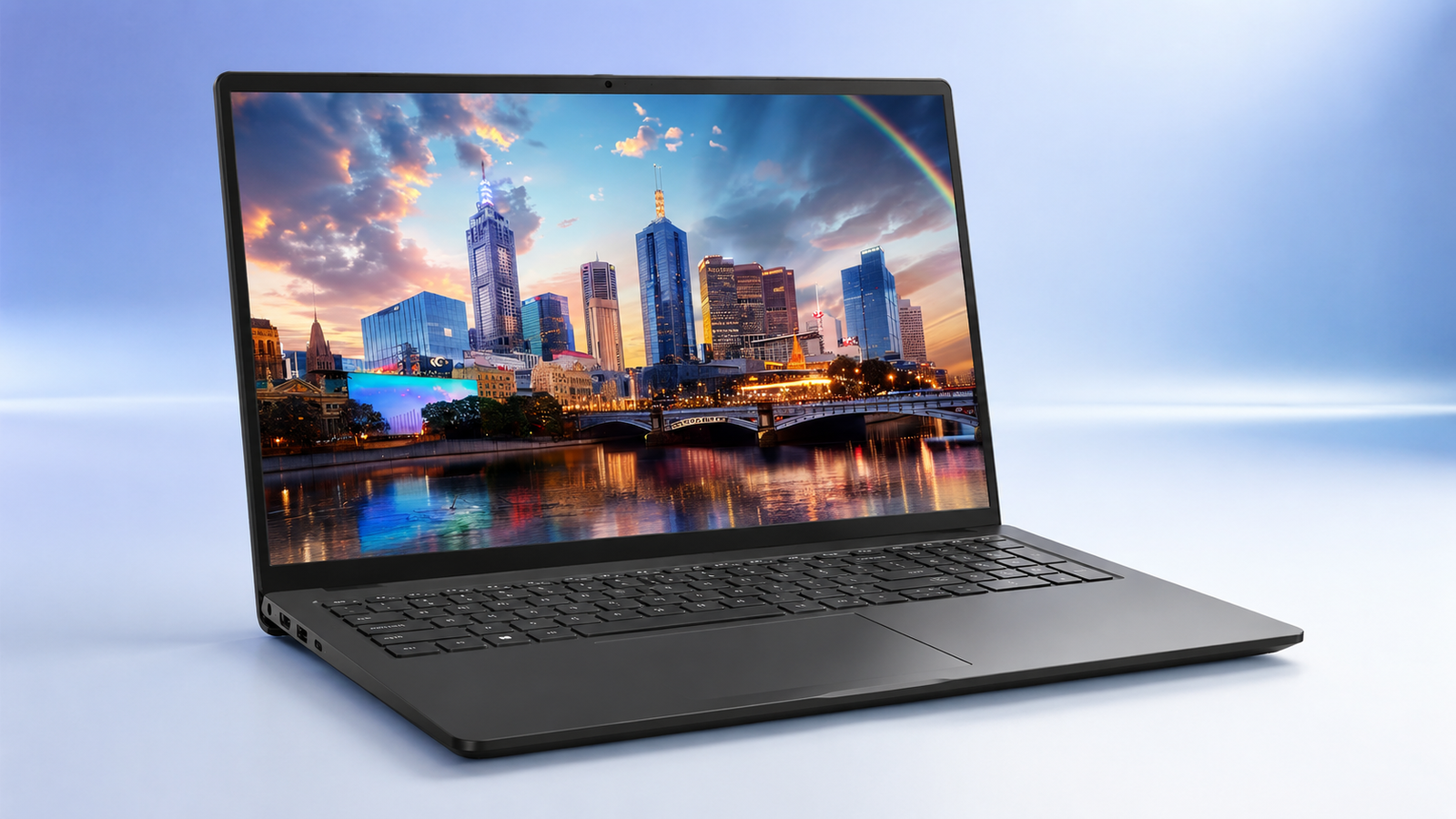
Nine hours claimed battery life. Thirty two gigabytes of RAM on a laptop that costs less than most students‘ textbook bill for one semester. Something doesn’t quite add up at first glance, and that’s usually where the questions start.
This Dell Inspiron 15 touchscreen laptop review exists to answer them honestly. Not with marketing language lifted from a product page, but with a real look at where this machine earns its price tag and where it clearly doesn’t.
The Inspiron 15 seems aimed at people who need a computer that works without demanding attention for the sake of appearances. Whether that tradeoff makes sense for you depends on what you actually do with a laptop every day, and we’ll get into that.
Dell Inspiron 15 Specs
| Specification | Dell Inspiron 15 |
| Processor | Intel Core i5-1334U, 13th Gen |
| Memory | 32GB DDR4 |
| Internal Storage | 512GB PCIe NVMe SSD |
| Display | 15.6 inch FHD IPS touchscreen |
| Resolution | 1920 x 1080 |
| Graphics | Intel Iris Xe integrated graphics |
| Operating System | Windows 11 Pro |
| Battery | 65Wh |
| Claimed Battery Life | Up to 9 hours |
| Weight | 3.66 lbs |
| Keyboard | Full size with numeric keypad |
One quick clarification before moving on. The internal drive here is 512GB, not a full terabyte. Some listings for this configuration bundle in a separate 500GB external drive, which can make the total storage look bigger than what’s actually built into the machine itself.
Key Features of the Dell Inspiron 15
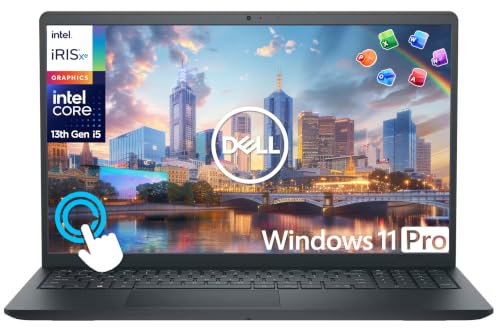
A 13th Gen Core i5 That Keeps College Work Moving
Nobody buys an i5 chip expecting fireworks, and this one doesn’t try to give you any. What it does is keep pace with the stuff college actually demands. Word documents open fast.
Fifteen browser tabs don’t bring the whole system to its knees. A Zoom call running alongside a shared Google Doc doesn’t stutter the way it might on a cheaper Celeron based machine.
This is a Dell Inspiron 15 laptop built for consistency and for most majors, that’s exactly the right tradeoff. Push it toward something heavier, video rendering, large scale compiling, running several virtual machines at once, and you’ll feel the ceiling. It’s there. It’s just not somewhere the average student spends much time.
32GB RAM Gives Multitaskers Plenty of Breathing Room
Thirty two gigabytes is more memory than laptops costing twice as much often include, and it changes how this laptop actually feels day to day.
You can leave a browser bloated with tabs open for a week straight. Run Spotify, a PDF reader, and a video call simultaneously without the fan spinning up in protest. Daily multitasking, the actual kind that happens during finals week when everything is open at once, is where this Dell Inspiron 15 laptop quietly does its best work.
It won’t turn the i5 into something it’s not, but it does mean memory will basically never be your bottleneck, which is more than most budget laptops can claim.
Touchscreen Adds a More Natural Way to Navigate
Not every touchscreen laptop makes the feature feel worth having. This one mostly does. Swiping through a PDF textbook feels natural once you get used to it, and jotting quick notes with a stylus in OneNote beats fumbling with a trackpad every time.
Presentations become easier to navigate too, tap to advance a slide instead of hunting for the right key. The glass panel resists smudging better than you’d expect for the price, though it’s still glass. Turns out, fingerprints do build up over a long study session.
For students who take notes digitally or mark up readings by hand on screen, the Dell Inspiron 15 display earning its touchscreen upgrade isn’t a stretch.
The Full-Size Keyboard Has a Student-Friendly Advantage
This complete typing deck delivers an absolute win for busy college students. Hammering out a massive term paper at midnight will push any laptop keyboard to its limits, but this setup survives.
The keyboard is comfortable to type on, with keys that have an even feel and don’t wiggle much even after weeks of daily use. That matters more than people expect until they’ve used a mushy budget keyboard for a semester straight.
The Dell Inspiron 15 keyboard also includes a full numeric keypad, a small detail that ends up mattering a lot for business, accounting, or engineering students who spend real time punching numbers into spreadsheets. Compact laptops without a number pad force you back to the top row every time, and it adds up over a semester of problem sets.
A 15.6-Inch FHD Screen Gives You Useful Workspace
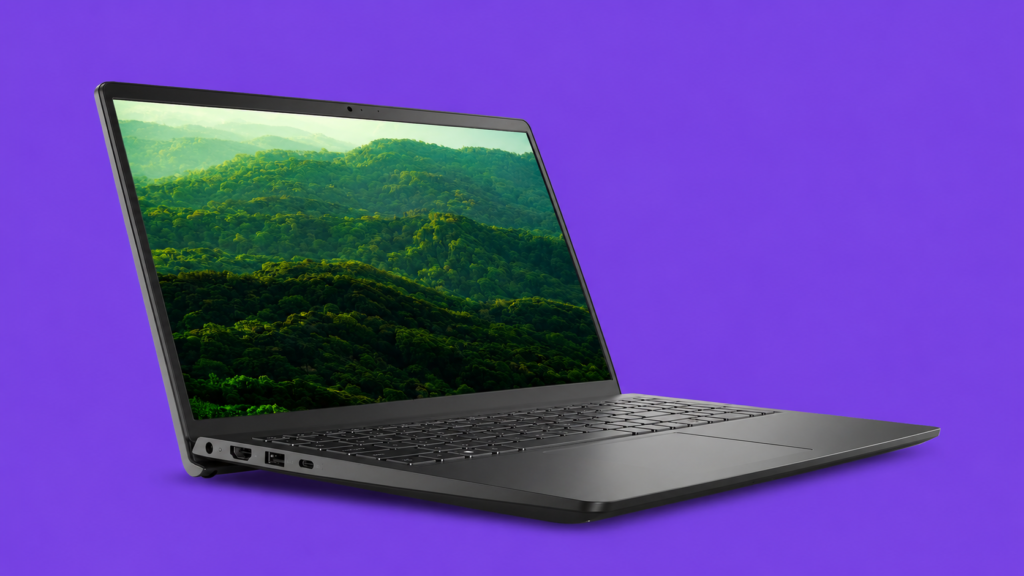
The screen size here sits right in that sweet spot. Big enough to split two windows side by side for research and writing at once, small enough that the laptop still fits comfortably in a backpack next to everything else you’re hauling to class.
Display quality won’t wow anyone coming from a MacBook, but for reading, writing, and general browsing, which covers the overwhelming majority of a student’s actual screen time, it does its job cleanly.
Colors look accurate enough for casual photo editing or watching lecture recordings without looking washed out. It’s not a display built for color grading a film project. It’s a display built for the ten thousand hours a student spends reading and typing over four years, and it handles that just fine.
512GB SSD Keeps Everyday Storage Fast
Worth repeating, this is 512GB of internal storage, not a terabyte. That said, it’s fast storage, PCIe NVMe rather than an older SATA drive, so boot times land in the ten to fifteen second range and applications open almost instantly.
For a typical student setup, an operating system, course software, a media library, a stack of documents and projects, 512GB holds up without feeling cramped for most of a degree program. Students working with large raw video files or building out extensive local datasets will hit the ceiling faster, and an external drive becomes a reasonable backup plan at that point.
Build Quality and Configurations
It’s an all plastic affair, and Dell doesn’t dress it up as anything else. The chassis has a little give under firm pressure, and build quality lands somewhere in that honest middle ground people mean when they say something feels mid.
Colors are pretty okay, a clean matte black that shrugs off fingerprints better than a glossy shell would. The hinge holds steady through repeated opening and closing. This particular build pairs 32GB of RAM with the 512GB SSD, and it comes bundled with a lifetime Windows 11 Pro license, a detail worth appreciating since that license alone runs real money if bought separately.
Battery Life & Display
Nine hours is the number on the spec sheet. Real use lands a bit under that once brightness climbs past the halfway mark or a video call runs for an hour straight, which is fairly typical of how every laptop battery behaves once you stop testing it in a lab and start actually living with it.
Light use, writing, browsing, reading PDFs, gets you closer to the claimed number. One quirk worth knowing before you buy. The power supply plugs into a dedicated jack, not the USB-C port, so charging from a portable USB-C battery pack between classes isn’t an option here.
On the display front, the FHD IPS touchscreen looks sharp enough for daily work, sufficient for Netflix, YouTube, and even some light Photoshop editing, without the washed out look cheaper panels tend to have in bright rooms.
What We Like
- 32GB RAM for real multitasking
- Comfortable full size keyboard
- Responsive touchscreen display
- Lifetime Windows 11 Pro license
- Genuinely useful bundled accessories
- Solid battery life for the price
What We Didn’t Like
- Plastic build feels budget
- Charges only through power jack
Best Alternatives to the Dell Inspiron 15
ASUS Vivobook 15

If your workload leans heavier than typical coursework, coding, data analysis, video editing on the side, the ASUS Vivobook 15 makes a stronger case. You get an Intel Core i9-13900H under the hood, a fourteen core chip that handles demanding multitasking with far more headroom than the Inspiron’s i5.
Storage jumps to a full terabyte here too, double what the Inspiron carries internally, and a fingerprint reader adds a layer of convenience for quick logins between classes.
The catch is the display doesn’t support touch, so if tapping and swiping matters to how you take notes, this one steps backward on that front. For students in majors that actually push a CPU, engineering, computer science, data heavy coursework, the extra power is worth the tradeoff.
Dell 16″ Touchscreen Laptop 2026

Want more screen without straying from the Dell ecosystem? This 16 inch model bumps up to a taller 16:10 display, which works out to roughly 11 percent more vertical space than a standard widescreen panel, genuinely handy for long documents, coding, or keeping two windows stacked without constant scrolling.
It pairs a Ryzen 7 processor with 32GB of DDR5 memory and a full terabyte of SSD storage, both meaningful upgrades over the base Inspiron configuration. Fast charging and a backlit keyboard round it out.
It runs a bit heavier at 4.18 pounds, so daily backpack carrying feels slightly more noticeable, a fair tradeoff for the extra screen real estate and storage if that’s what you’re after.
Frequently Asked Questions (FAQs)
Is the Dell Inspiron 15 good for programming?
For coursework level coding, web projects, and lightweight development work, yes, largely thanks to the 32GB of RAM handling multiple tools at once. Heavier compiling or large scale development work will eventually push past what the i5 comfortably handles.
Can you game on the Dell Inspiron 15?
Integrated Iris Xe graphics manage older or lightweight titles at reduced settings, but this isn’t a gaming laptop by any stretch. Save the current AAA releases for a machine with dedicated graphics.
Is 512GB enough for a college student?
For most students, yes, comfortably. It covers an operating system, coursework applications, documents, and a reasonable media collection. Students working with large video files or extensive datasets should plan on external storage sooner rather than later.
Wrapping Up…
Judged fairly, the Dell Inspiron 15 for students makes more sense than its price tag first suggests. The plastic build won’t turn heads, and the power jack charging is a minor annoyance worth knowing about ahead of time, but 32GB of RAM, a keyboard that holds up to real use, and a touchscreen that actually gets used every day add up to something genuinely practical. This isn’t the laptop for film students or aspiring game developers. For everyone else grinding through lectures, papers, and late night study sessions, it does the job without drama, and that’s really all most students are asking for.