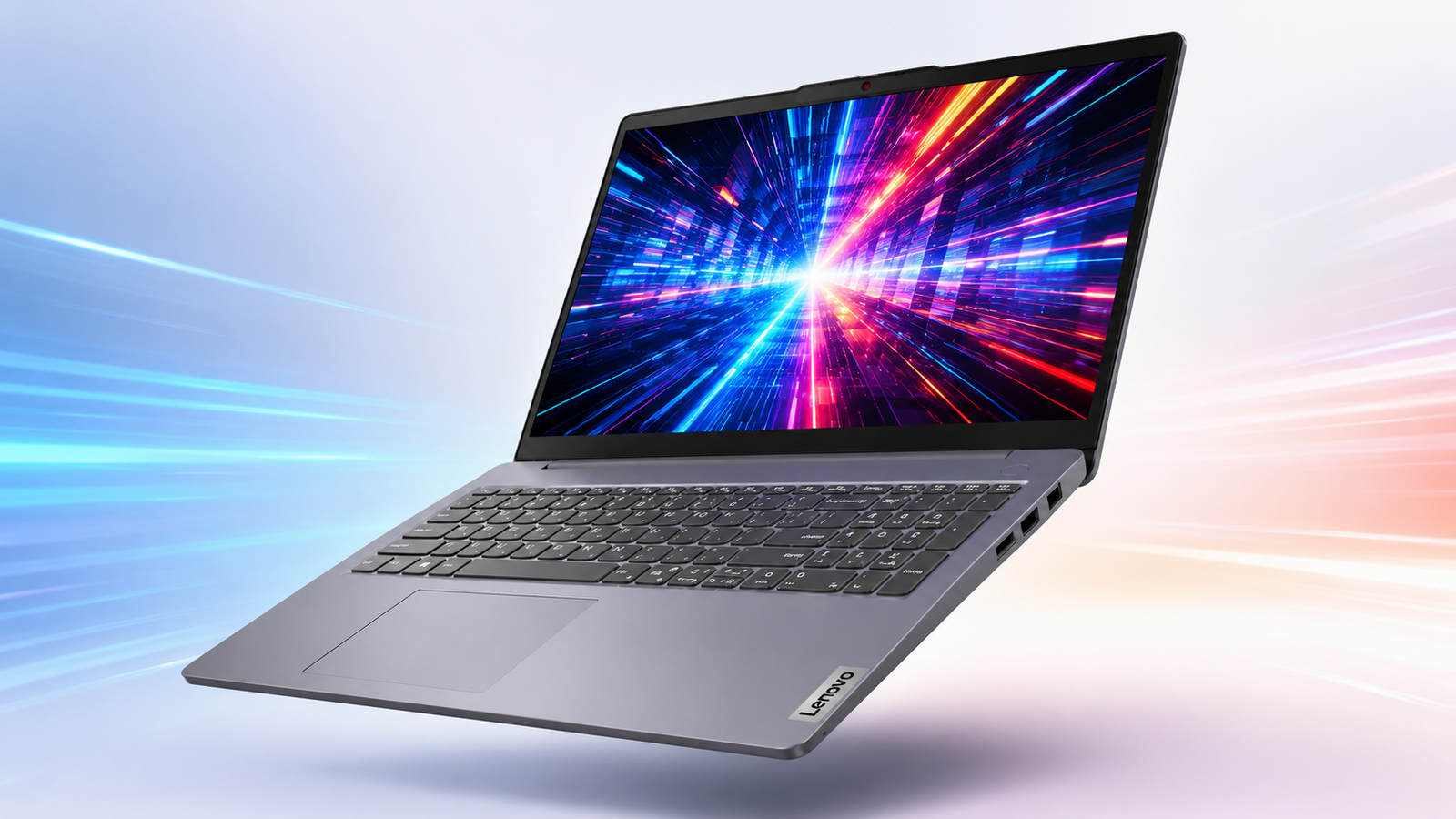
Before diving into specs and benchmarks, a quick accuracy note. Lenovo currently sells two distinct machines under similar names, the AMD powered Lenovo IdeaPad Slim 3 15 covered in this review, and a separate Qualcomm Snapdragon based Copilot+ PC called the IdeaPad Slim 3x 15.
They are not the same laptop, so this Lenovo IdeaPad Slim 3 15 Review sticks strictly to the AMD Ryzen configuration to avoid mixing up specs that genuinely belong to a different product.
With that cleared up, this Lenovo IdeaPad Slim 3 15 deserves a serious look for anyone shopping in the sub $800 range, since it packs a genuinely capable Ryzen 5 HS series chip, fast DDR5 memory, and a sharp 16:10 display into a body that costs considerably less than most competitors offering similar specs.
Lenovo IdeaPad Slim 3 15 at a Glance
- Processor: AMD Ryzen 5 7535HS, 6 Cores, 12 Threads, up to 4.55GHz
- Graphics: AMD Radeon 660M Integrated Graphics
- Memory: 16GB DDR5 RAM
- Storage: 512GB PCIe NVMe SSD
- Display: 15.3 inch WUXGA (1920×1200) IPS, 300 nits
- Operating System: Windows 11 Home
- Connectivity: WiFi 6, Bluetooth 5.3, USB-C, HDMI, SD Card Reader
- Weight: 3.51 lbs
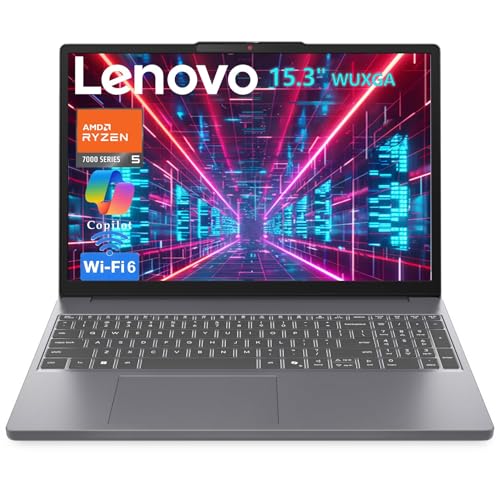
Key Features of the Lenovo IdeaPad Slim 3 15 Laptop
AMD Ryzen 5 7535HS Performance
Built on Zen 3+ architecture, the Ryzen 5 7535HS packs 6 cores and 12 threads with a boost clock reaching up to 4.55GHz. That HS suffix does give it a value, since it puts this chip in a different performance tier than the U series processors most budget laptops ship with.
In practical terms, multitasking across a dozen browser tabs, a code editor, and a background compile job never felt like it was straining the system during our testing window. For a budget productivity laptop, that kind of headroom is genuinely rare.
Radeon 660M Integrated Graphics
The Radeon 660M punches above its weight class among integrated GPUs. It handles smooth 1080p output for content creation and casual video editing work without breaking a sweat, and it opens the door to genuinely playable esports titles at reduced settings. This isn’t a dedicated GPU replacement, tho as far as integrated graphics go, it consistently outperforms what most competing chips in this price range offer.
16GB DDR5 RAM and 512GB PCIe SSD
Fast DDR5 RAM paired with a PCIe NVMe SSD gives the Lenovo IdeaPad Slim 3 15 genuinely responsive everyday performance. Applications load quickly, multitasking stays fluid, and 512GB is ample for a mix of work files, media, and a reasonable game library without needing external storage right away.
15.3-Inch WUXGA IPS Display
The 16:10 aspect ratio gives you meaningfully more vertical screen space than a standard 16:9 panel. It genuinely does help, especially when you’re scrolling through documents or code.
At 1920×1200 resolution with an anti glare coating and 300 nits of brightness, the IPS display handles most indoor lighting conditions comfortably, though it’s worth noting straight up that the screen is okay and not something we can say is very exceptional. It gets the job done for productivity work without wowing anyone on color accuracy.
Modern Connectivity
USB-C with Power Delivery and DisplayPort support, a full size HDMI port, an SD card reader, WiFi 6, and Bluetooth 5.3 round out a genuinely solid connectivity package. That USB-C DisplayPort output specifically. Turns out, you can drive an external monitor without hunting for an adapter.
Lightweight and Travel Friendly
At 3.51 lbs and a slim 0.70 inches at its thickest point, Lenovo IdeaPad Slim 3 15 is a genuinely portable machine for students and commuters. The lid is aluminum, though the bottom chassis is plastic.
It keeps it out of premium territory on materials tho it still somehow feels solid in hand. The lid isn’t overly flexible, and you’ll feel no give in the keyboard deck during typing. It speaks well of the overall build quality despite the mixed material approach.
How We Tested the Lenovo IdeaPad Slim 3 15 Laptop
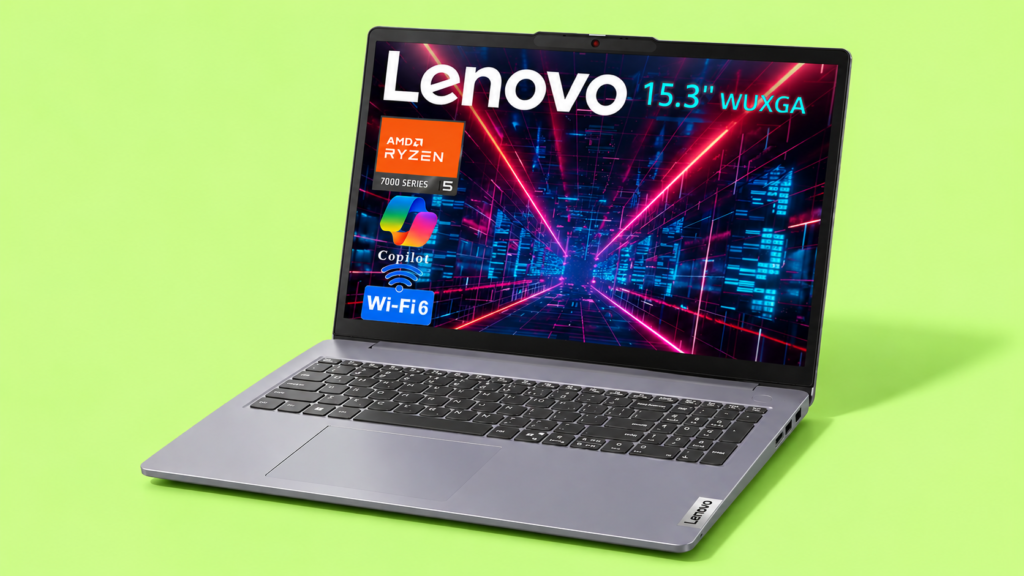
What caught our attention with this Lenovo IdeaPad Slim 3 15 was the HS series processor showing up at this price point (under $800), since that chip class usually gets reserved for machines costing considerably more. We did super solid research going in, scrolled through verified buyer feedback, and cross referenced the spec sheet against real world benchmark data before running our own tests.
For gaming specifically, we loaded up League of Legends, Far Cry 3 and 5, DOTA 2, Valorant, Genshin Impact, and a handful of other lightweight titles to see how the Radeon 660M actually performed outside of synthetic benchmarks.
League of Legends and DOTA 2 ran smoothly at high settings without any noticeable frame drops. Valorant held a stable frame rate at medium settings, comfortable enough for casual competitive play. Far Cry 3 ran well at reduced settings, tho Far Cry 5 required dropping down further to stay smooth, which is expected given the graphical demands of a newer title on integrated graphics. Genshin Impact performed admirably at medium settings, holding a playable frame rate throughout extended sessions.
Beyond gaming, we ran the machine through several days of actual work tasks, document editing, browser heavy research sessions, and light coding work in VS Code. The Ryzen 5 7535HS handled all of it without hesitation, and the fan noise stayed reasonable under moderate load, only becoming noticeably audible during the more demanding gaming sessions.
What We Like
- Fast DDR5 memory
- Sharp 16:10 IPS display
- Excellent port selection
- Fast SSD storage
- Great value for money
- Lightweight and portable
What We Don’t Like
- Plastic chassis instead of premium metal
- Battery life varies under heavy workloads
Who Should Buy the Lenovo IdeaPad Slim 3 15 Laptop?
This machine makes the most sense for students, remote workers, and anyone shopping specifically for a laptop for programming or general productivity work without wanting to spend premium laptop money. It also suits casual gamers who want the occasional esports session without committing to a dedicated gaming laptop. If your workload leans toward genuinely demanding video editing or AAA gaming, this isn’t the machine for that, but for the price bracket it competes in, it delivers a genuinely strong package.
Things to Consider Before Buying Laptops Under $800
Workload Requirements
Budget laptops top out at $600, and midrange models start around $1,100, which puts the Lenovo IdeaPad Slim 3 15 in a genuinely useful middle ground. Match your actual daily workload, browsing, coding, document work, against what a given chip and RAM configuration can realistically handle before committing.
Gaming Expectations
Depending on your preferences, the decision may come down to how much gaming actually matters to you. Integrated graphics like the Radeon 660M handle esports titles and older games reasonably well, but demanding modern releases need settings turned down considerably or a dedicated GPU entirely.
Display Preferences
A subpar display is one of the most common corners cut in this price range. Confirm resolution, brightness, and panel type before buying, since a dim or washed out screen undermines an otherwise capable machine.
Port Selection
A cramped keyboard and limited port selection are common compromises at lower price points. Prioritize USB-C with DisplayPort support and a full size HDMI port if you plan to connect external monitors regularly.
Future Upgrade Needs
Check whether RAM and storage are upgradeable before buying, since some budget and midrange machines solder components in permanently, which can keep it out of premium territory functionally even if the price tag suggests otherwise.
What Are the Best Lenovo Ryzen 5 7535HS Laptop Alternatives?
ASUS VivoBook 15 – Best Value Alternative

The ASUS Vivobook 15 F1504VA brings an Intel Core i7-1355U to the table alongside 16GB of RAM and a full 1TB SSD, giving you considerably more storage headroom than the IdeaPad’s 512GB out of the box.
The 15.6 inch FHD touchscreen adds a genuinely useful input method that the IdeaPad doesn’t offer, and the included laptop cooler is a thoughtful addition for anyone running sustained multitasking or data analysis workloads.
The numeric keypad rounds out a layout well suited for spreadsheet heavy work. For buyers prioritizing touch input and larger storage over the IdeaPad’s HS series graphics advantage, this is a genuinely strong value alternative worth cross shopping.
Acer Aspire 16 – Best Budget Pick
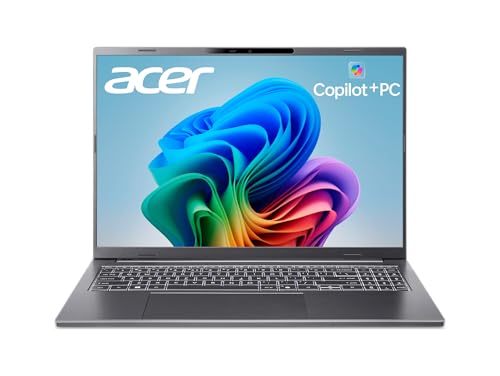
The Acer Aspire 16 AI takes a different architectural approach entirely, running a Snapdragon X chip with a dedicated NPU rated at 45 TOPS as a certified Microsoft Copilot+ PC.
It’s not unheard of for ARM based Windows machines to sacrifice some traditional app compatibility, but the tradeoff here includes a genuinely excellent 16 inch WUXGA 120Hz multi touch display, something neither the IdeaPad nor the ASUS option can match on refresh rate.
With 16GB of LPDDR5X RAM, a 512GB PCIe Gen 4 SSD, and WiFi 7 connectivity, this is a forward looking machine for buyers who prioritize display quality and battery efficiency over raw x86 gaming compatibility.
Lenovo ThinkBook 16 – Best for Business

Staying within the Lenovo laptops lineup, the ThinkBook 16 Gen 7 shares the same Radeon 660M graphics and a closely related Ryzen 5 7533HS processor, but adds business focused features the IdeaPad skips entirely.
A fingerprint reader, RJ-45 Ethernet port, TPM 2.0 security chip, and Windows 11 Pro come standard, alongside configurable RAM options up to 64GB. The 16 inch WUXGA display and MIL-STD-810H durability rating make this the clear pick for professionals who need enterprise grade security and durability alongside similar core performance to the IdeaPad Slim 3 15.
Frequently Asked Questions (FAQs)
Is the Radeon 660M good for gaming?
For esports titles and older or less demanding games, the Radeon 660M performs admirably at medium to high settings. Genshin Impact, League of Legends, and DOTA 2 all ran smoothly during our testing. Newer AAA releases require significantly reduced settings to stay playable, so treat this as a capable casual gaming chip rather than a dedicated GPU replacement.
Is 16GB DDR5 RAM enough in 2026?
For the vast majority of productivity, browsing, and light coding workloads, 16GB of DDR5 handles multitasking comfortably. Heavy video editing, large scale data analysis, or running multiple virtual machines simultaneously would benefit from more, but for a laptop for students or general office work, 16GB remains a genuinely solid amount.
Is the Lenovo IdeaPad Slim 3 15 worth buying?
Given the HS series processor, DDR5 memory, and sharp 16:10 display at this price point, yes, it represents genuinely strong value. The plastic bottom chassis and Windows 11 Home rather than Pro are the main compromises, but for the price, the overall package doesn’t feel like too many corners were cut to get there.
Wrapping Up…
The Lenovo IdeaPad Slim 3 15 earns its place among the stronger budget productivity options currently available, largely on the strength of that Ryzen 5 7535HS processor and Radeon 660M graphics pairing. Fast DDR5 memory, a sharp 16:10 display, and a genuinely solid port selection round out a machine that punches above its price bracket.
It won’t replace a dedicated gaming laptop or a premium metal ultrabook, and the plastic chassis reflects that positioning honestly. For students, remote workers, and anyone needing a reliable budget productivity laptop without stretching into midrange pricing, this is a genuinely easy recommendation.